Carrying over unused allowances
1 min read
By TimeOff Support
Carry over unused leave at the start of the new year. Before you do this, check that all leave requests from the previous year are added and approved. This ensures balances are accurate and avoids mistakes later.

To set up a company‑wide policy for carrying over unused allowances, follow these steps in the system:
- Select each employee eligible for carryover.
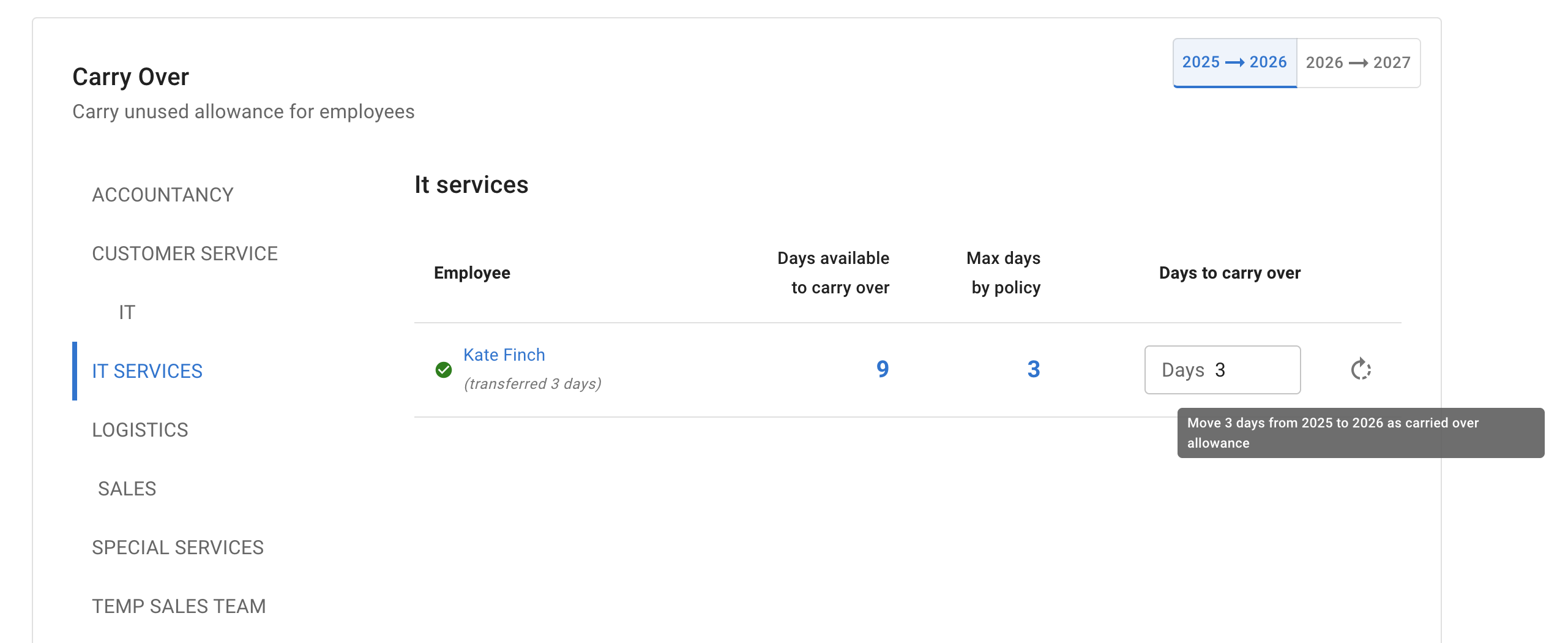
- Click “Carry over allowance for selected employee”. The system will automatically calculate the carryover based on available days and the maximum allowed by policy.
- To manually override, tick the employee needing adjustment.
- Enter the desired number of days in the “Days to be carried over” column.
- Click “Carry over allowance for selected employees”. This column will record the last adjustment made for each employee.