
Automation features
Automate the rules behind every leave request.
TimeOff automates the everyday work behind staff holidays, PTO and absence tracking — balances, limits, approvals, carry-over, rotas, reports and policy rules.
30-day free trial · No credit card required · UK-hosted · UK support
- Accurate calculations
- Automated rules
- Reports and insights
- API and SSO
What TimeOff automates
One place to automate the small rules that usually live in spreadsheets.
Leave management is full of small checks: how much leave someone has left, how much notice they need to give, whether a date is blocked, who needs to approve, and who else is already away. TimeOff turns those checks into clear rules.
Allowance automation
Keep entitlement, used days and remaining balances accurate without rebuilding a spreadsheet.
- Limits
- Used days
- Balances
- Carry-over
- Accruals
- Pro-rata
Leave type rules and limits
Set limits and advance notice on each leave type, and choose which types spend allowance, add to it or leave it alone.
- Leave type limits
- Advance notice
- Allowance link
- Date rules
- Request checks
Approval workflows
Send requests to the right approver and give managers the context they need before saying yes.
- Manager approvals
- Two-tier approval
- Notifications
- Who else is off
Blackout dates and busy periods
Protect important dates with blackout rules, company events and local busy-period controls.
- Blackout dates
- Company events
- Department targeting
- Location targeting
- Controlled exceptions
Team cover rules
Prevent too many people being away at once with maximum-away, minimum-present and leave-type-specific cover rules.
- Maximum away
- Minimum staying
- Department rules
- Location rules
- Leave type filter
- Admin exceptions
Leave visibility
Control who can see whose leave across departments, locations and teams.
- Team visibility
- Manager visibility
- Privacy rules
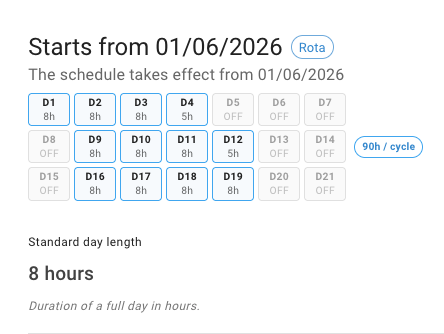
Rotas and schedules
Make leave calculations work for real schedules, not just Monday-to-Friday teams.
- Rotas
- Weekly schedules
- Standard day length
- Part-time patterns
Reports and insights
See where leave stands today, then review allowance usage, absence patterns and account history in detail.
- Dashboard
- Reports
- CSV export
- Usage alert
- Audit trail
Integrations
Sync approved leave to calendars, connect other systems through the API, and sign in with Google or Microsoft.
- API
- SSO
- Calendar sync
Weighing up TimeOff against another tool or a spreadsheet? See all comparisons.
Allowance and accruals
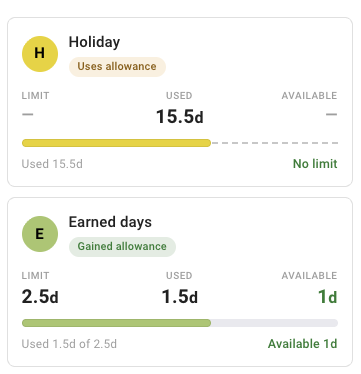
Keep leave balances accurate without rebuilding the spreadsheet every month.
TimeOff manages annual allowances, carry-over, manual adjustments and accrual policies. Admins keep control of the rules; employees and managers see clear, up-to-date balances.
- Annual allowances with starting balances and clear remaining leave.
- Carry-over rules for year-end or policy-specific rollover.
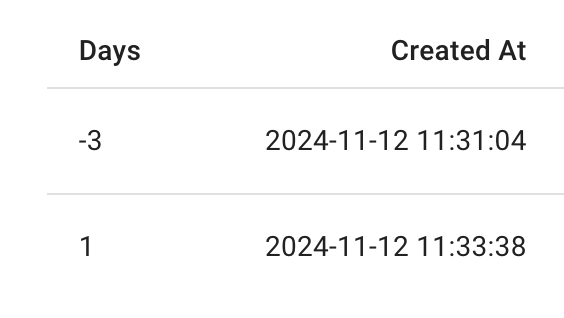
- Allowance adjustments with reasons and a visible record.
Booking rules
Set the rules once, then let TimeOff apply them.
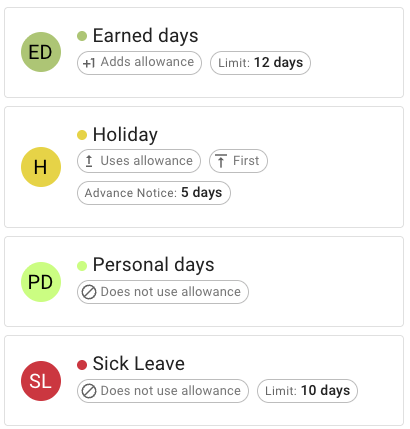
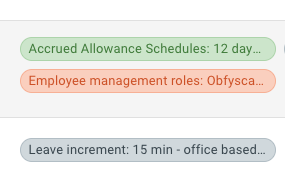
Different teams need different rules. Set them per leave type, department, location and work pattern — public holidays, booking increments, blackout dates and approval settings included.
- Custom leave types for holidays, PTO, sickness, unpaid leave or special absence.
- Access by team or location so people only see the leave types that apply to them.
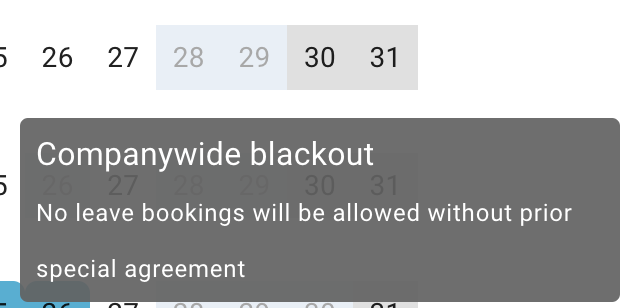
- Blackouts and booking rules for busy periods, notice periods and booking increments.
Approval automation
Requests go to the right people, with the right context.
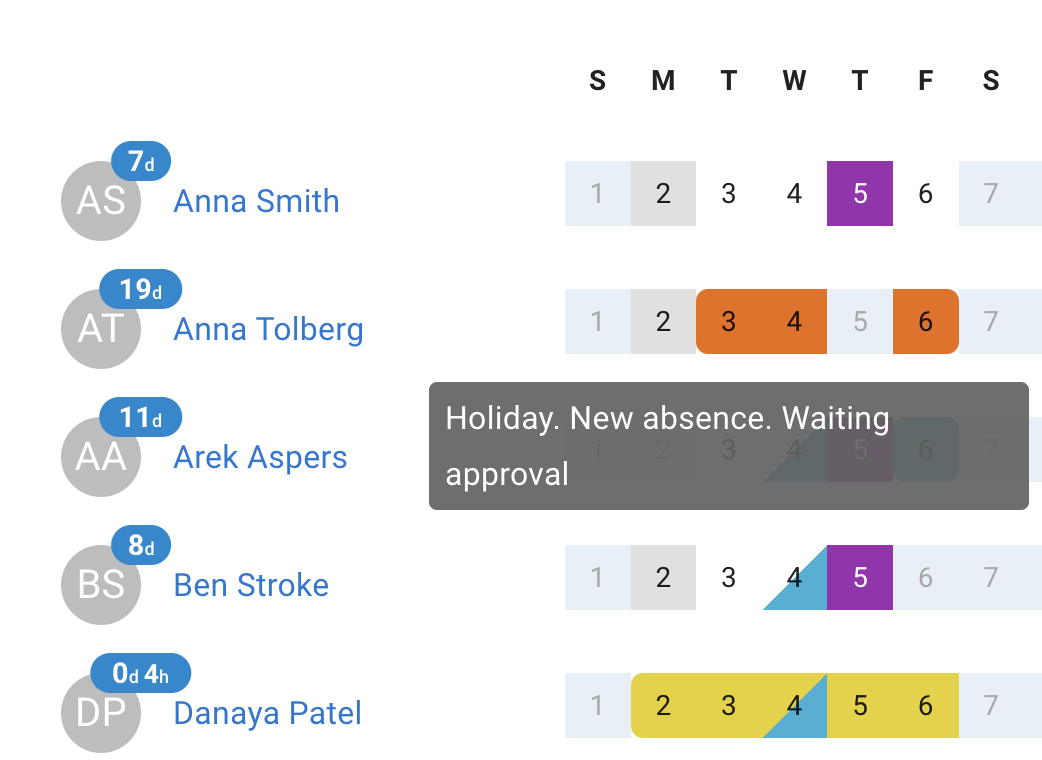
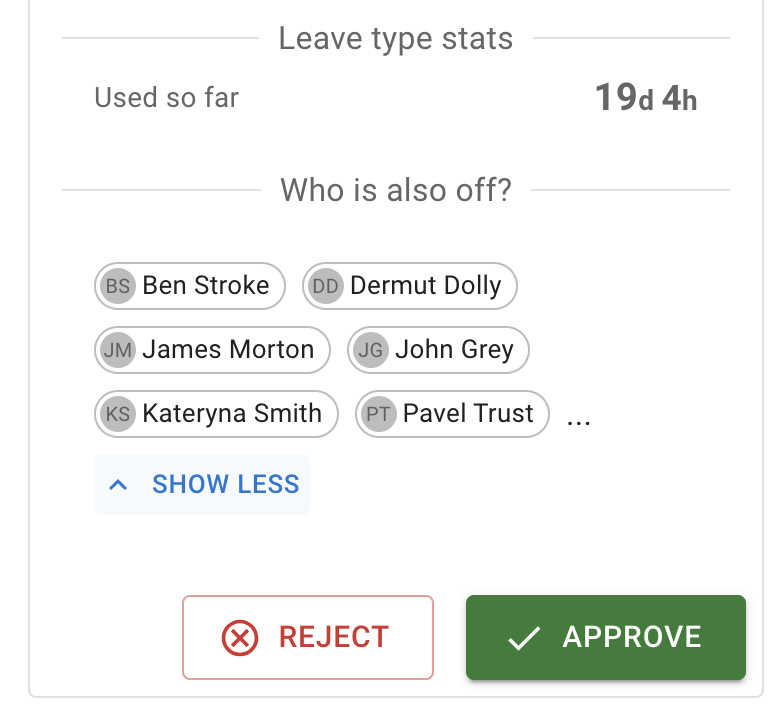
Employees request leave themselves, managers are notified, and approvals happen without digging through emails. Before approving, a manager sees who else is off and whether the request creates a planning problem.
- Manager approvals with comments and visible request history.
- Two-tier approval when HR or another approver reviews after the manager.
- Who else is off shown during approval to protect team cover.
Cover and visibility rules
Protect team cover without checking everything manually.
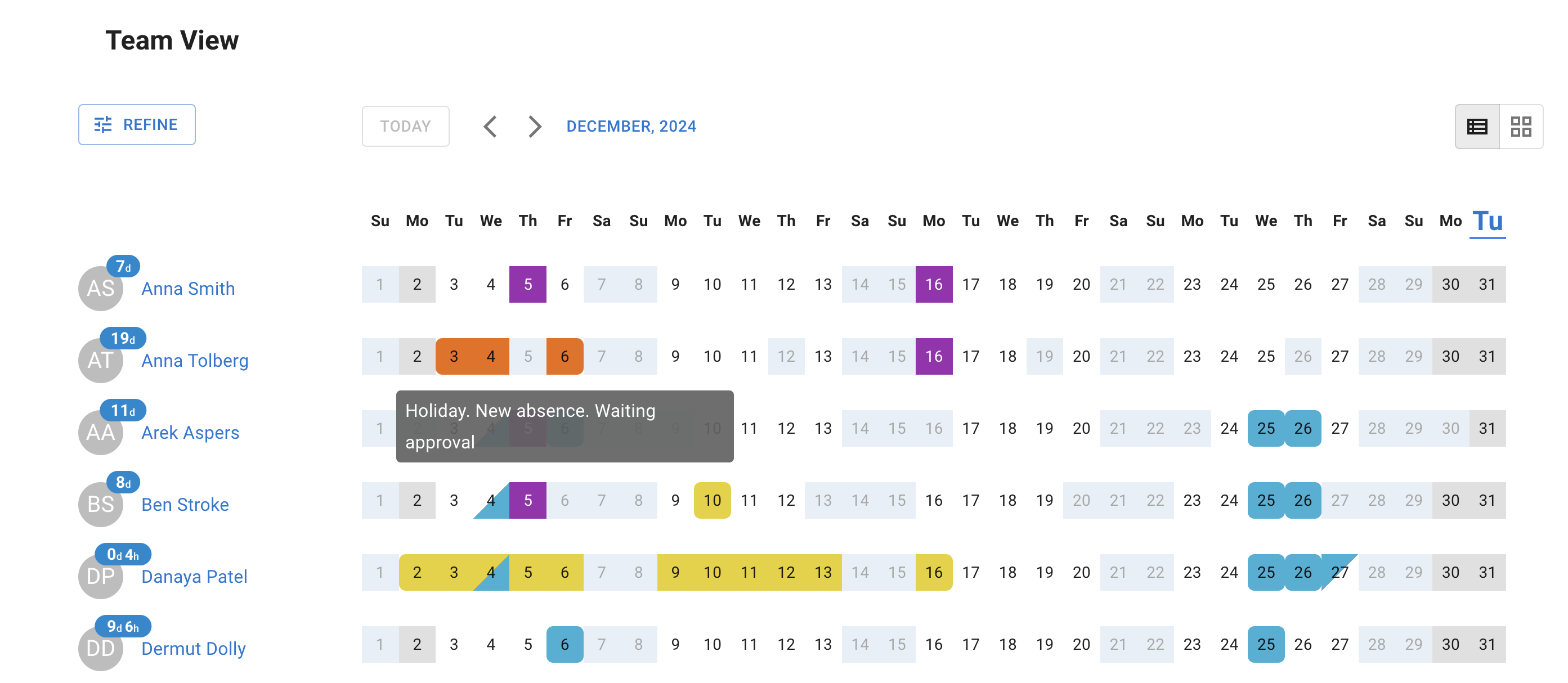
Overlap rules stop too many people being away at the same time, and visibility settings control who can see leave across departments, locations and teams.
- Overlap limits that cap how many people are away at once.
- Department and location visibility so information stays relevant.
- Privacy settings that keep sensitive leave types out of the shared calendar.
Real-life schedules
Handle new starters, leavers and rota changes without manual recalculation.
Manual leave calculations get messy when someone joins mid-year, changes schedule, moves onto a rota, leaves the company or needs an individual adjustment. TimeOff recalculates the allowance and shows the change.
- Pro-rata allowance from employment start dates.
- Individual overrides when a person needs a different allowance.
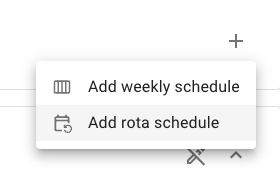
- Schedules and rotas for teams that do not all work the same pattern.
API and SSO access
Connect TimeOff with the tools around it.
Automation should not stop inside the leave calendar. API access and single sign-on connect TimeOff to the systems around it, so leave data and sign-in stay tidy as the team grows. Both are included on every account — no SSO surcharge, no API tier. So is every other automation on this page, at one published price per person, per month.
API access
Connect TimeOff data with internal systems, reporting workflows, payroll processes or other tools your team relies on.
Single sign-on
Employees sign in with the Google or Microsoft account they already use, so there is one less password to manage.
Connected workflows
Approved leave syncs to Google, Outlook and Apple calendars, and exports cleanly into wider business processes.
See patterns, exports and records without rebuilding reports by hand.
Automation is not only about booking leave. TimeOff shows absence patterns, leave usage and busy periods, and exports clean records when you need them elsewhere.
Leave reports
Review leave by person, type, team or period so payroll, finance and managers get the details they need.
Heat map
Spot busy periods and absence trends quickly, before they become planning problems.
CSV exports
Download clean records when you need to work with the data outside TimeOff.
Booking status
See who has booked enough holiday, who needs a reminder and where unused allowance is building up.
Human help for complex policies
Not sure how to model your policy? We can help.
Some leave policies are simple. Others involve locations, rotas, rolling limits, privacy rules, special leave types or several approval steps. We help customers set up TimeOff around the way their team really works.
Tell us your policy
Describe your leave rules and we will translate them into a practical TimeOff setup.
Use the right settings
We suggest the policies, leave types, visibility rules, approvals and reports that fit your team.
Improve when needed
If something is missing, we suggest a workaround — or build it properly when it makes sense.
Customers notice the smoother process.
Automation is only worth it if the day-to-day gets easier. Here is how that reads from the other side.
“Timeoff.management has been great tool for Astoria Park Conservancy. It has streamlined our PTO tracking and made the process easy and efficient for everyone on our staff to use. The interface is very intuitive and the multiple view options allows managers to get a quick summary of who is OOO on any given day of the year. Their customer service is very quick to respond and super helpful.”
Let TimeOff handle the repetitive leave admin.
Start with a simple setup. Add your team, leave types and policies, then try the full system with real leave data before you decide.
30-day free trial · No credit card required · Cancel anytime