
A simple way to leave holiday spreadsheets behind
Holiday Tracker Software to Replace Your Spreadsheets
Manual spreadsheets break, emails get buried, and calculating holiday balances by hand wastes hours of admin time.
TimeOff.Management replaces spreadsheet chaos with a simple holiday tracker your team can use in minutes. Employees can check their own balances, request time off, and see approved holidays in one shared calendar.
- Replace error-prone holiday spreadsheets, forms and manual trackers.
- Let employees check balances and request time off in seconds.
- See who is away instantly on a shared team calendar.
- Sync approved holidays with Google Calendar, Outlook and Apple Calendar.
- Simple pricing — $1.50 per user, per month, every feature included.
No card needed. No premium feature paywalls. Friendly UK-based support included.
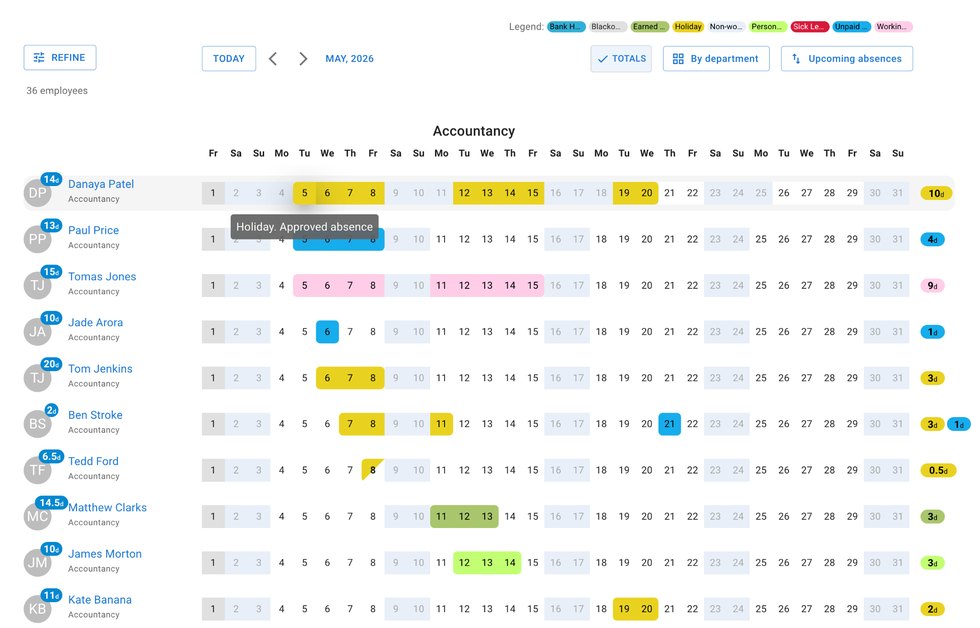
When Holiday Tracking Outgrows Excel
Shared spreadsheets and email threads work for a while, but they quickly become a headache as your business grows. TimeOff.Management takes the manual work out of holiday tracking, so you can spend less time maintaining spreadsheets and more time running your business.
Broken formulas and calculation errors
One accidental delete, missed update or broken formula can throw off your holiday records for the whole year.
Requests scattered everywhere
Holiday requests can easily get lost across emails, Slack messages, WhatsApp chats, verbal conversations and shared documents.
Double-bookings and short staffing
It is hard to avoid clashes when you cannot clearly see who is already away before approving another request.
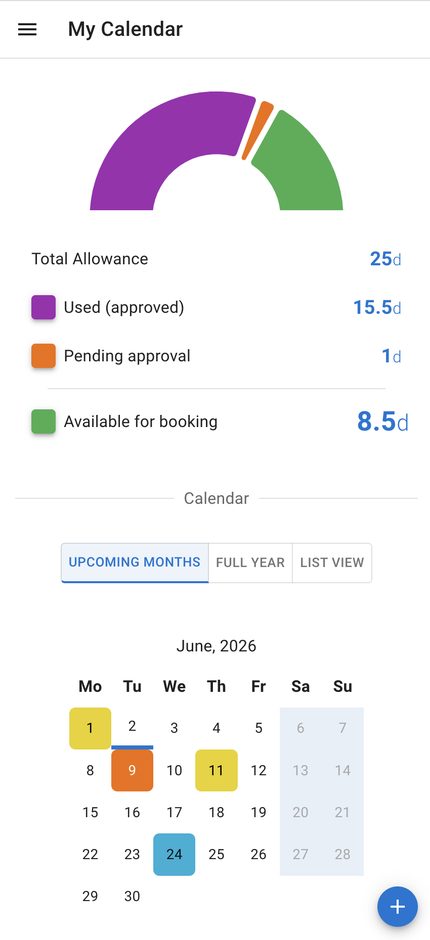
Everything Employees Need, Without Asking Admin
Employees get a simple self-service holiday tracker, so they do not need to ask how many days they have left or whether a request has been approved.
Self-service holiday balances
Employees can log in from their phone or laptop to see how many days they have available, booked and remaining.
Simple holiday requests
Employees can request time off in a few clicks. Managers can approve or decline requests without searching through emails.
Shared team calendar
Approved holidays appear in a clear calendar view, so everyone can see who is away and plan around it.
Less admin chasing
Reduce repeated questions about holiday balances, request status and who is away next week.
Free Assisted Setup from Your Spreadsheet
Already tracking holidays in Excel, Google Sheets or another spreadsheet?
Send us your existing employee list and holiday balances, and we can help move the data into TimeOff.Management for you as part of your free trial setup.
You do not need to clean everything perfectly before getting started. We will guide you on what we need and help you get the account ready.
- Send us your existing employee list and current holiday balances.
- We guide you on what information is needed and help prepare the account.
- Your team starts using a cleaner holiday tracker instead of a messy spreadsheet.
Simple Tools to Keep Holidays Organised
Set up the basic rules your business needs, then let the system handle the repetitive admin.
Smart overlap warnings
See potential holiday clashes before approving a request, so you can avoid too many people being away at the same time.
Custom holiday rules
Create the leave types your team needs, such as annual leave, sick leave, bank holidays, unpaid leave or Time Off in Lieu.
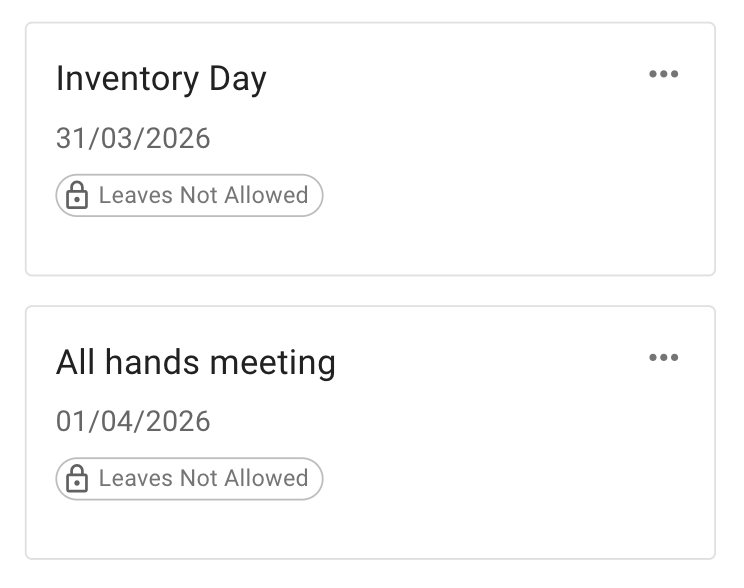
No-leave blackout days
Block important dates when non-essential leave should not be booked, such as busy trading periods, project deadlines or team events.
Clear approval history
Keep a record of what was requested, approved, declined or cancelled, without digging through old emails.
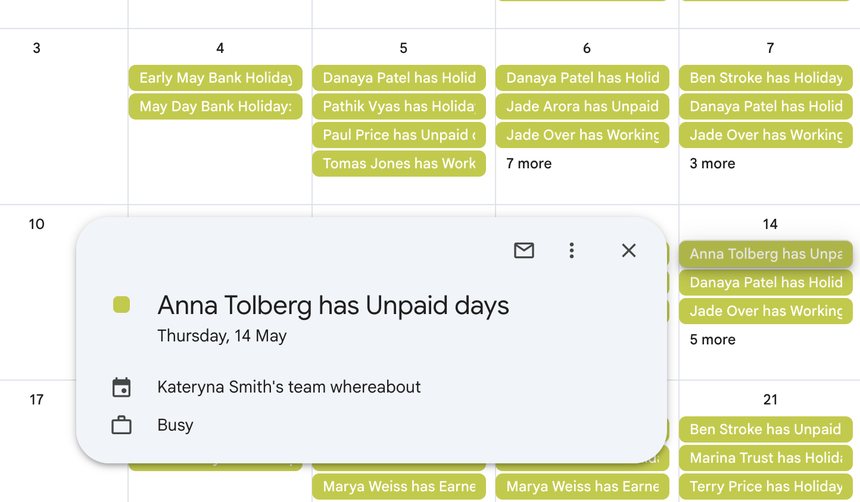
Connect Holiday Tracking with Your Daily Tools
Your holiday tracker should make life easier, not force everyone into a complicated new system.
Calendar sync
Sync approved holidays with Google Calendar, Outlook, Apple Calendar or other calendar tools using live calendar feeds.
Weekly email summaries
Stay prepared with a simple weekly summary showing who is off soon, without needing to log in every day.
Schedules and rotas
If your team works different hours, part-time schedules or rotating patterns, track holidays around real working days.
Reports and exports
Pull clean holiday and absence data by employee, date range or department when you need it for payroll checks or internal records.
Honest pricing
Transparent Pricing Without Hidden Paywalls
Every feature is included. $1.50 per user, per month — no tiers, no add-ons, and no premium paywalls for calendar sync, reports, SSO or API access.
- Holiday requests
- Employee balances
- Shared team calendar
- Calendar sync
- Weekly summaries
- Reports and exports
- Single Sign-On (SSO)
- API access
That's just $1.50 per user / month.
No credit card · Cancel anytime
For a 15-person team, TimeOff.Management costs $22.50 per month; for 40 people, $60 per month. See full pricing details.
Holiday Tracker Software FAQs
Common questions from teams moving away from holiday spreadsheets.
If you already have your employees, allowances or booked holidays in a spreadsheet, you can send the data to us and we can help set up your account as part of your free trial.
Ready to Replace Your Holiday Spreadsheet?
Track holiday requests, balances, approvals, calendars and team availability in one simple system.
30-day free trial · No credit card required · UK-hosted · UK support