
Absence visibility without HR software complexity
Absence Management Software That Keeps Teams Covered
Unplanned absence should not leave managers guessing who is available.
TimeOff.Management helps organisations track sick leave, PTO, unpaid leave, TOIL and other absences in one flexible system — so managers can see availability, HR can protect sensitive records, and teams can plan cover with confidence.
- See who is off across teams, departments and locations
- Track sickness, custom absence types, TOIL and unpaid leave
- Protect sensitive absence details with privacy controls
- Use schedules and rotas to understand real availability
- Transparent pricing — $1.50 per user, per month, every feature included
No card needed. No premium feature paywalls. Friendly UK-based support included.
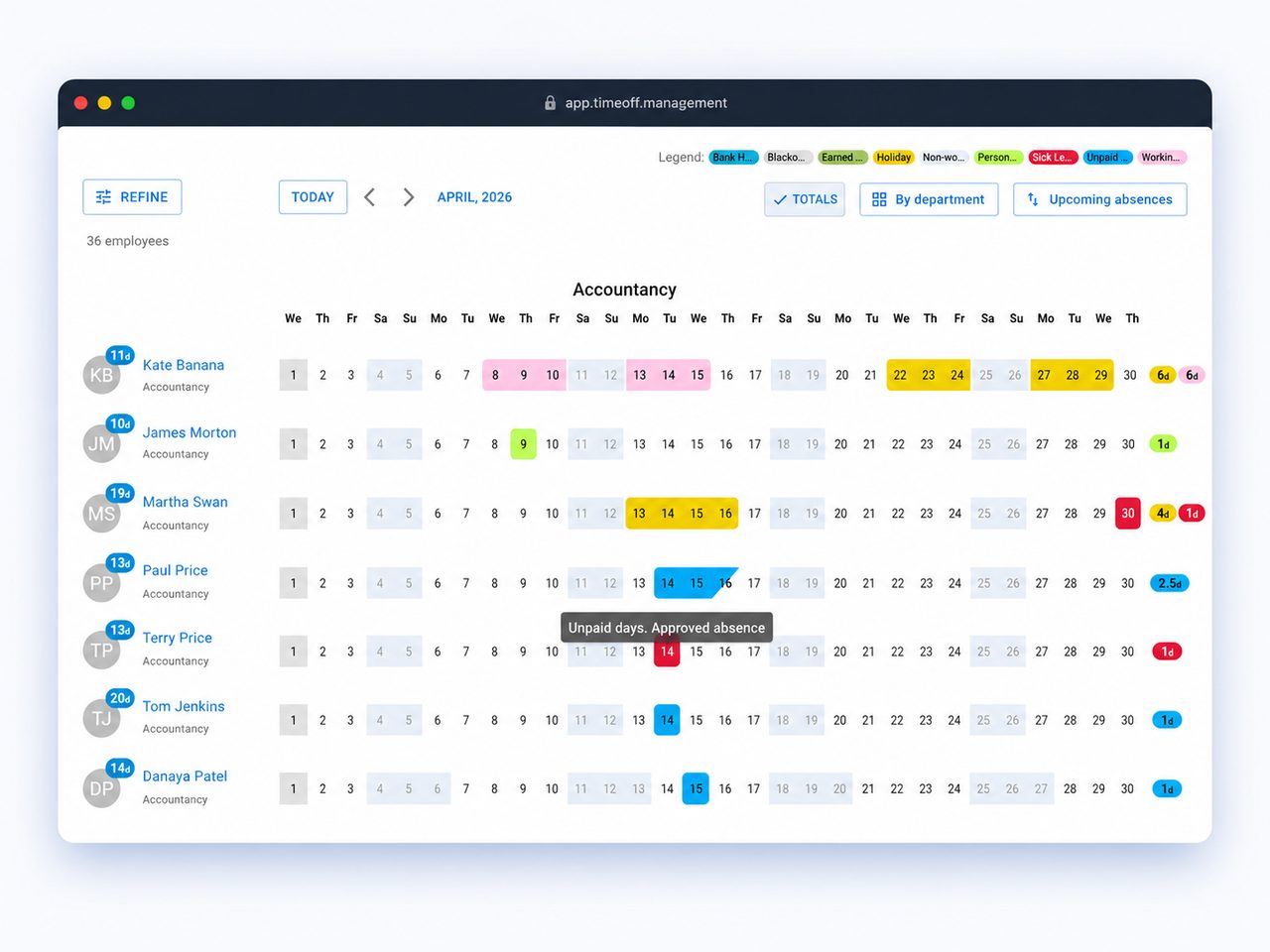
The challenge
When Absence Is Hard to See, Teams Feel It
When an employee takes unexpected time off, the admin work is only part of the problem. The bigger challenge is making sure the team still has enough cover, managers know what is happening, and HR has a clear record of the absence.
Coverage gaps
Some tools record absence after the fact, but do not help managers see when a department, location or rota pattern is short of cover.
Hidden absence patterns
Without clear reports, it is difficult to understand absence trends across teams, departments or locations.
Schedule and rota blind spots
If your absence tracker does not understand working schedules and rotas, it becomes harder to know the real impact of someone being away.
Real team availability
Built Around Real Team Availability
Absence is easier to manage when the system understands which employees should not be away at the same time. TimeOff.Management helps you create practical availability rules for departments, teams, roles or selected groups of employees.
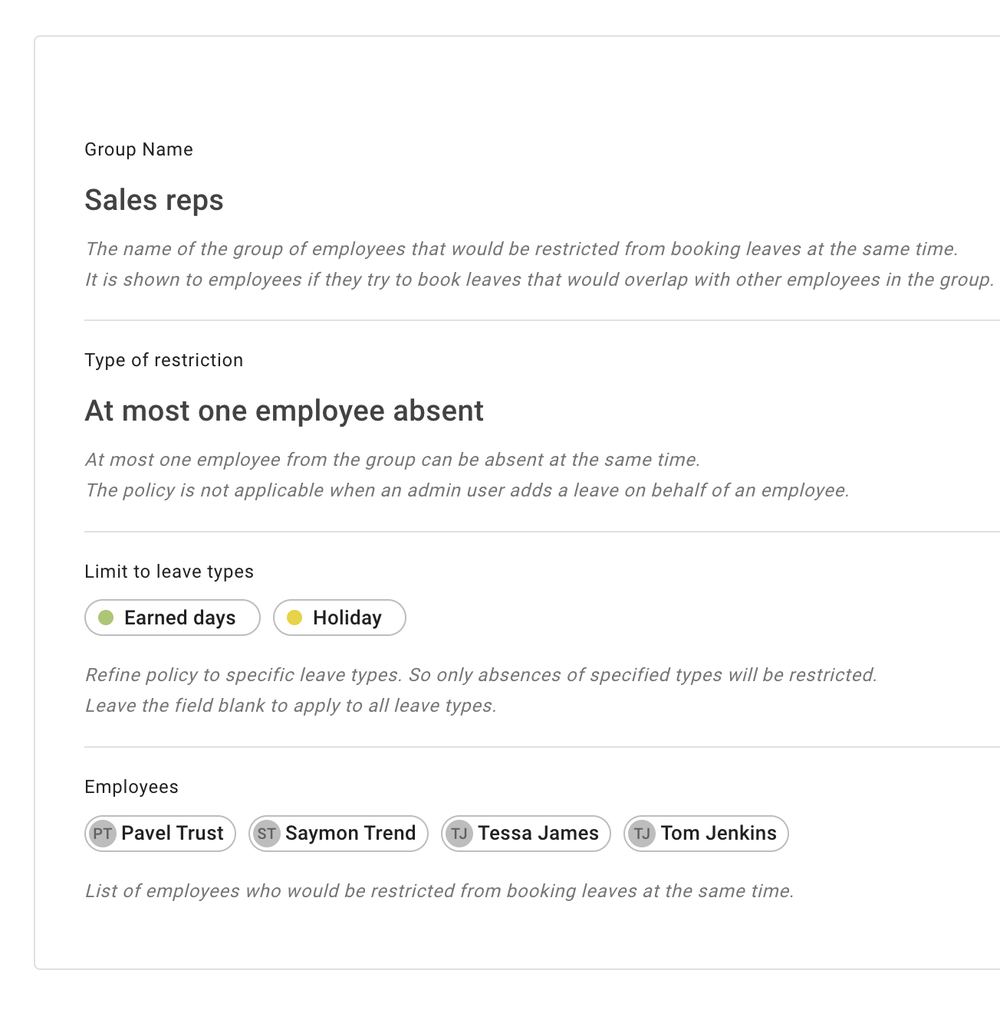
Overlap restrictions
Prevent too many key employees from booking absence at the same time, so departments and specialist roles keep enough cover.
Granular visibility groups
Set up visibility rules so managers and supervisors can see the people they are responsible for, without exposing unnecessary employee data.
Watch by email notifications
Send automated alerts to selected managers when specific employees or groups record absence.
Practical configuration
Adapt the system to different teams, locations and operational rules without making it heavy for employees.
Operational workflows
Built Around Real Operational Workflows
Configure absence policies to protect day-to-day operations without adding unnecessary admin for employees or managers.
- Smart overlap restrictions Prevent too many key employees from being away at the same time.
- Leave access by department or location Help different teams follow the right absence rules.
- Two-tier absence review Route selected absence types through HR before final approval.
Minimum cover rules
Useful when departments, locations or specialist roles need minimum operational cover.
Different team policies
Support salaried office staff, hourly workers, managers, school staff or regional locations.
Sensitive workflows
Keep selected absence types more controlled when records are private or need an HR review first.
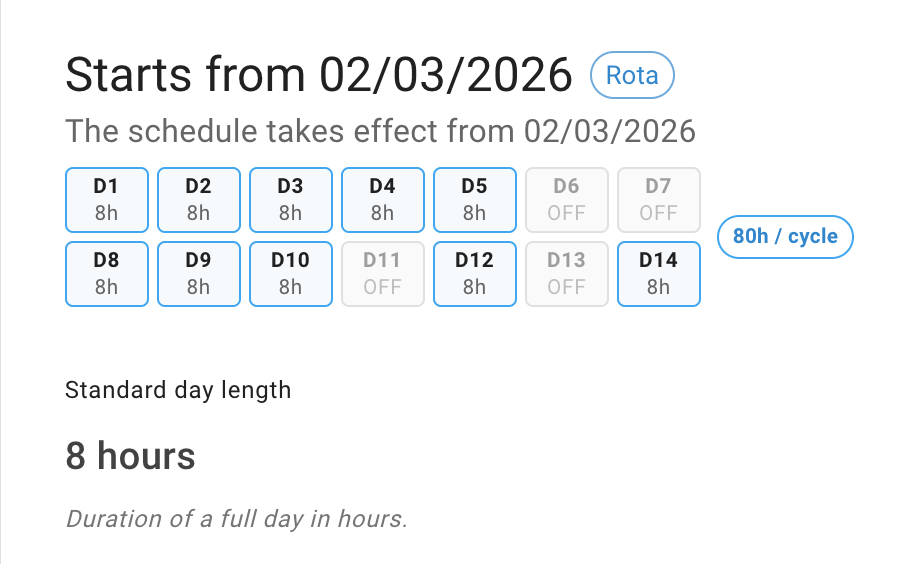
Schedules & rotas
Flexible Schedules and Rotas
Absence management only works when the system understands when people are supposed to work. Create individual schedules or rota patterns that match real working arrangements.
Individual schedules
Create weekly schedules for employees with different working patterns, part-time hours or custom day lengths.
Complex rotas
Build rota cycles for teams that do not follow a simple Monday to Friday pattern.
Scheduled changes
Plan ahead by setting a new schedule or rota to start from the exact date you choose.
Better absence calculations
Use working patterns to calculate absence more accurately for employees with non-standard schedules.
Insight & reporting
Spot Absence Patterns at a Glance
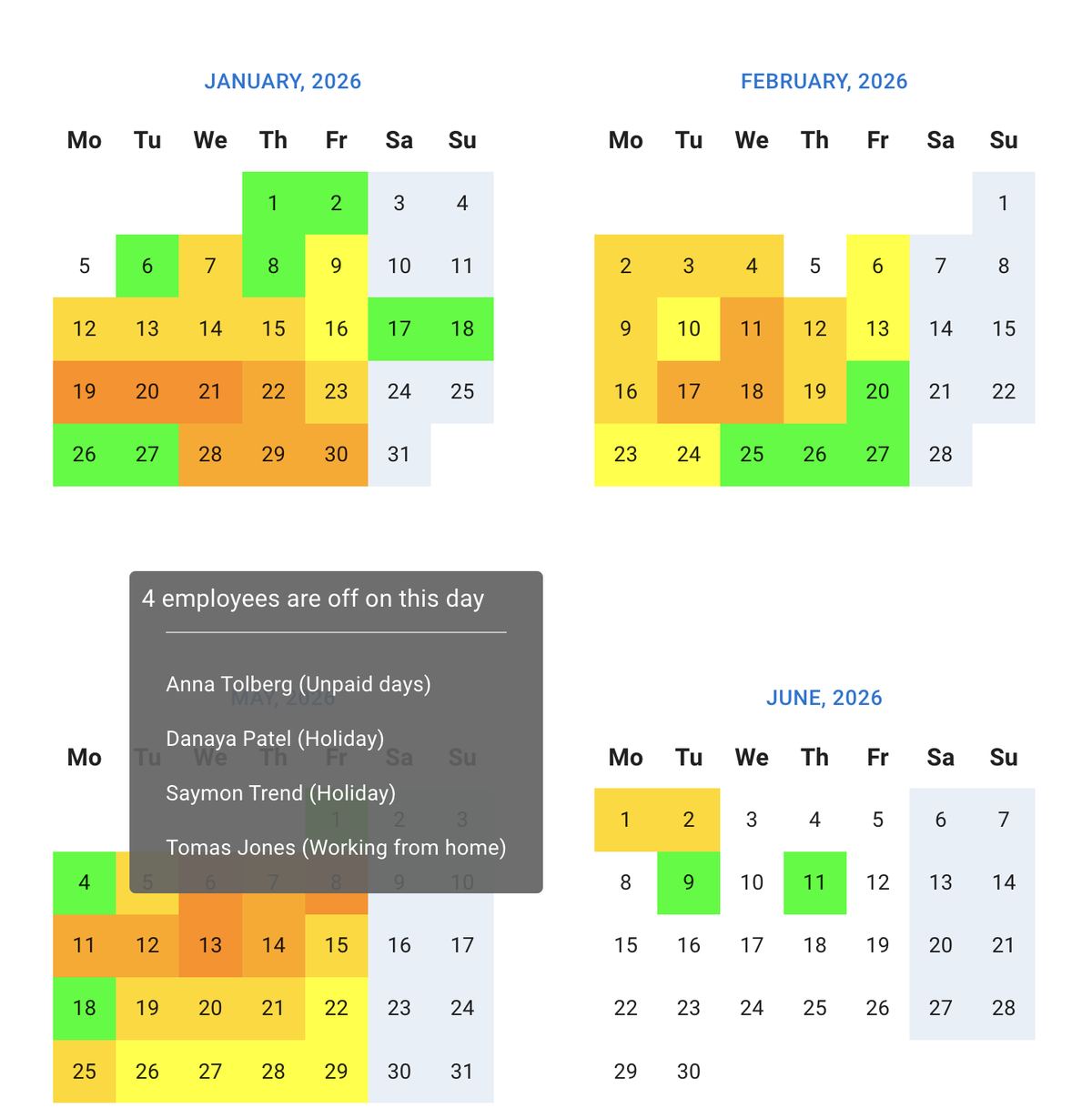
Use visual insight and filtered reporting to spot busy absence periods, understand patterns across teams, and support payroll, workforce planning and internal reporting.
Reports and exports
Filter absence records by date range, department, location, employee or absence type for payroll checks, audit preparation and workforce planning.
Absence trend visibility
Understand how absence is being used across different teams, departments and locations.
Thoughtful privacy controls
Let the wider team see that a colleague is away, while keeping sensitive absence details visible only to the right people.
Live calendar feeds
Sync absence data with Outlook, Google Calendar, Apple Calendar or other calendar tools.
Honest pricing
Transparent Pricing Without Premium Feature Paywalls
Every feature is included. One plan, $1.50 per user, per month — no tiers, no add-ons, no "contact sales".
- Custom absence types
- Sick leave tracking
- Approval rules
- Rota and schedule tools
- Departments and locations
- Privacy controls
- Reports and exports
- Calendar integrations
- Single Sign-On (SSO)
- API access
That's just $1.50 per user / month.
No credit card · Cancel anytime
For a 60-person team, TimeOff.Management costs $90 per month. See full pricing details.
Absence Management Software FAQs
Common questions from teams comparing absence management systems.
Yes. You can create custom absence types for sickness and other unplanned absences. You can also control who can see the absence details, while still showing managers that the employee is unavailable. The employee or their manager can attach a fit note to the sick leave request at any time.
Ready to Make Absence Easier to Manage?
Track sickness, PTO, unpaid leave, TOIL, approvals, reports and staff availability in one flexible system.
30-day free trial · No credit card required · UK-hosted · UK support