
Team calendar and availability
Team calendar and availability.
Give managers and employees a clear view of who is off, what is pending and what is coming up — from team availability to a weekly digest that can carry leave, birthdays and work anniversaries.
30-day free trial · No credit card required · UK-hosted · UK support
- Team View
- Pending leave
- Weekly digest
Availability overview
See the team picture before small gaps become problems.
Leave information scattered across inboxes and spreadsheets is how two people end up away in the same week. TimeOff puts absence, availability and upcoming people moments in one shared view.
Team calendar
See who is off in one shared, colour-coded calendar, by month or by week on larger screens.
Approval context
Check existing leave and pending requests before making a decision.
Weekly digest
Get one weekly email with who is off, and it can carry birthdays and work anniversaries.
Calendar sync
Keep approved leave visible in the calendar tools people already use.
Team View
See who is off across the team.
Team View gives managers a practical way to check leave across departments, locations or the wider company, without opening a spreadsheet or asking around.
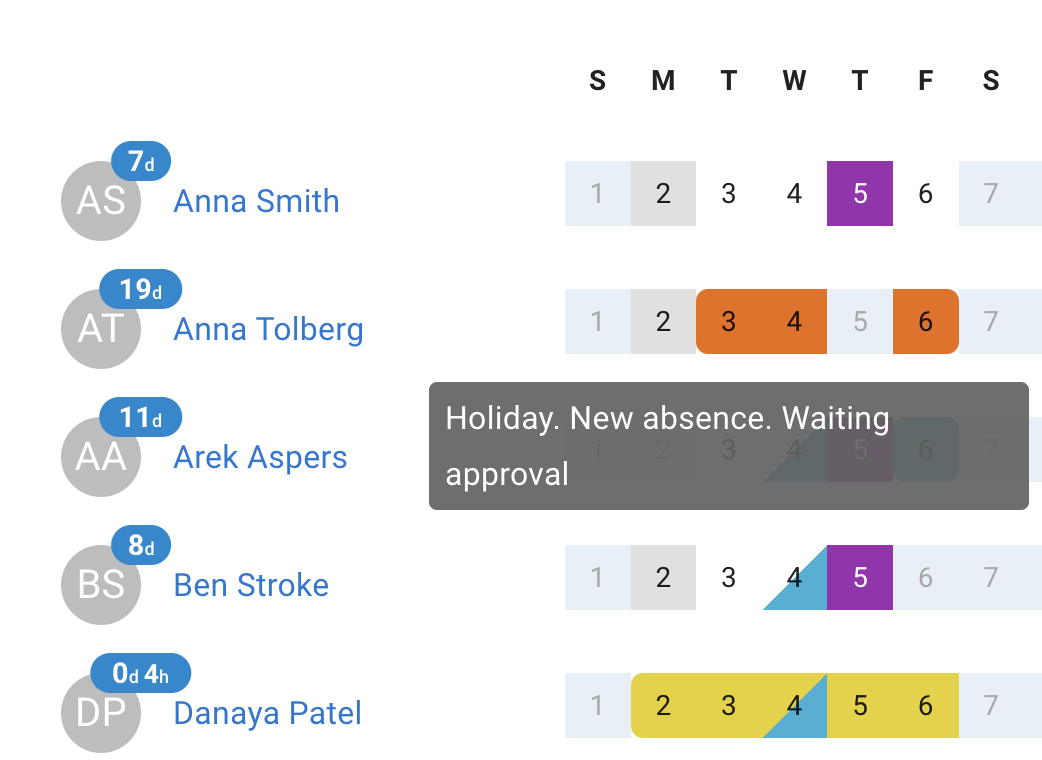
- Approved and pending leave together on one colour-coded calendar, alongside public holidays, company events and blackout periods.
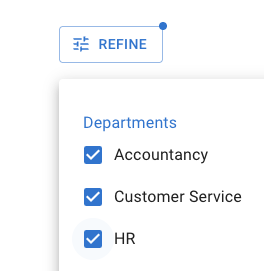
- Filter by department or location so a manager reviews one team rather than the whole company.
- Sort by name or by upcoming absence to see at a glance who is away next.
- Visibility starts as a company setting — admins only, admins and supervisors, department members, or everyone sees everyone — and a policy can widen it for a named group.
Availability at a glance
Check how busy a date is before you commit.
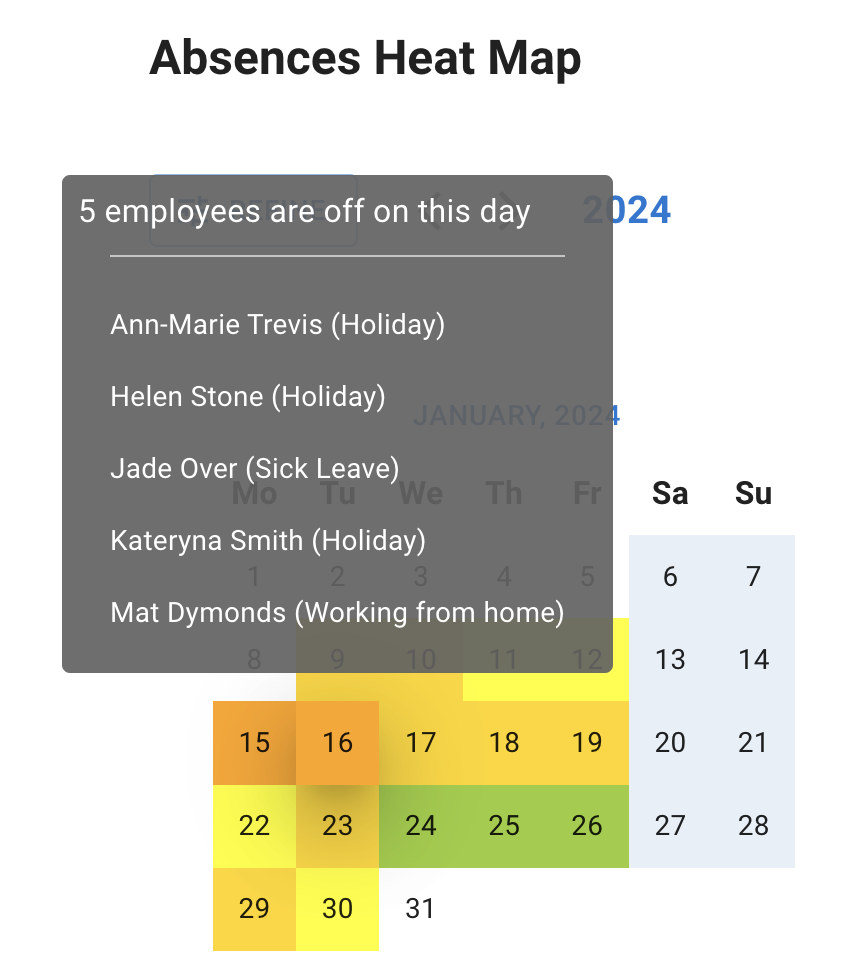
One request rarely tells the whole story. Administrators get an absences Heat Map across the year and a Dashboard showing who is off on a given day — so a thin week shows up while it can still be fixed.
- Hover any date on the Heat Map to see how many people are off and which leave each of them booked.
- Pending requests appear on Team View before they become approved absence, so overlaps surface early.
- Give employees Team View and they self-serve — picking dates that are already quiet, instead of finding out after they ask.
- Who else is off is shown on the request itself when a manager comes to approve it.
Weekly digest
Get a weekly digest of what matters.
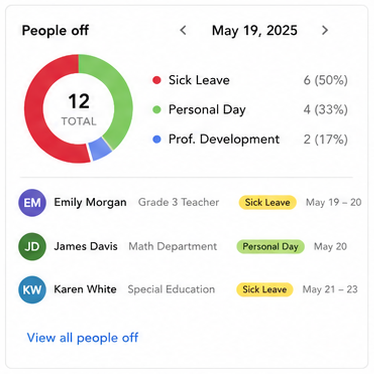
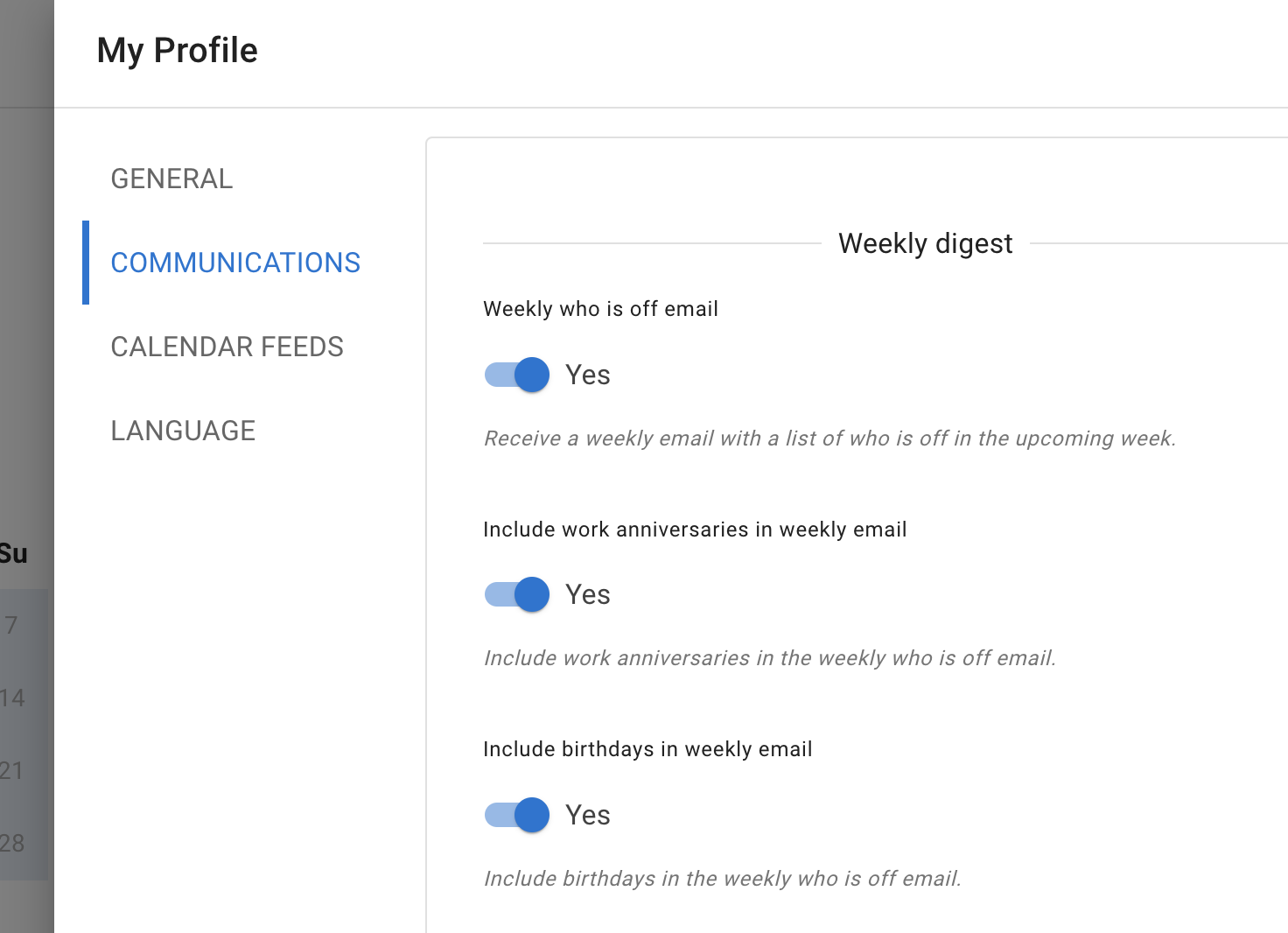
TimeOff sends a weekly digest of who is off in the week ahead, and it can carry birthdays and work anniversaries with it. Managers and admins stay aware without opening the calendar every morning.
- Who is off in the upcoming week, in one email, before you plan meetings, shifts or cover.
- Birthdays and work anniversaries can ride along in the same email, so people moments are not missed.
- On by default, and personal — each employee switches it on or off for themselves in My Profile → Communications.
- Turning the leave email off deletes nothing — every record stays in TimeOff, and Team View still shows who is off as far as your access reaches.
Calendar sync
Keep leave visible where people plan their week.
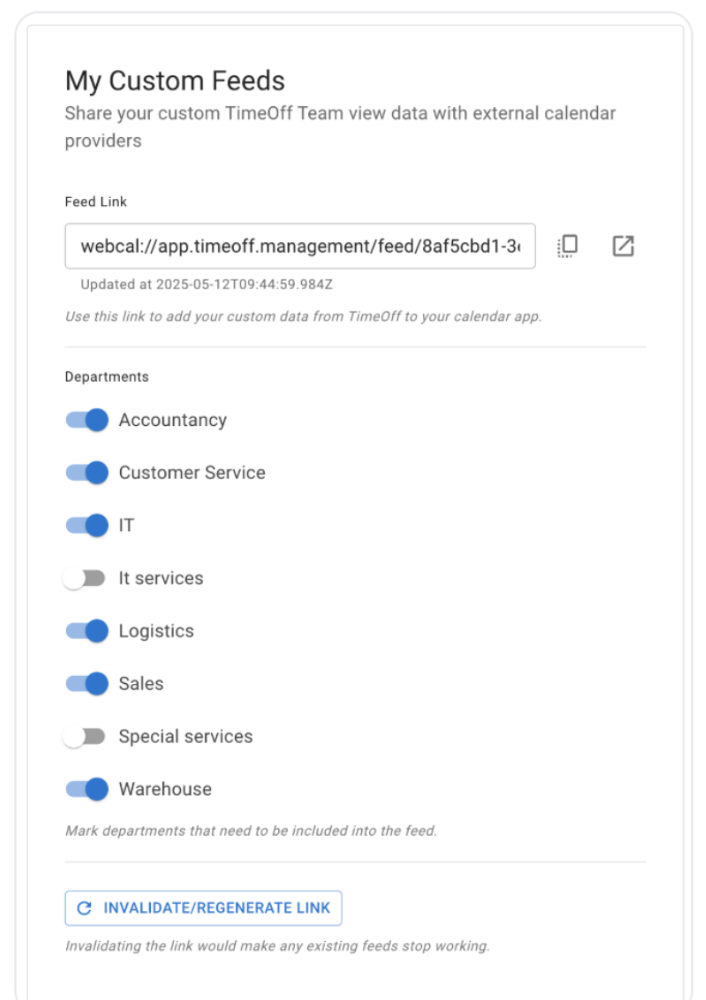
Approved leave belongs in the calendar people already have open. Each person copies their own live feed link from My Profile → Calendar Feeds and subscribes to it, so absence does not get forgotten once it is approved.
- Google Calendar, Outlook and Apple Calendar subscribe to a live iCal feed.
- Up to three feeds — your own leave, your Team View, and a custom feed covering the people you pick.
- Your permissions decide which of those you are offered and what each one contains, and every link is unique to the person who created it.
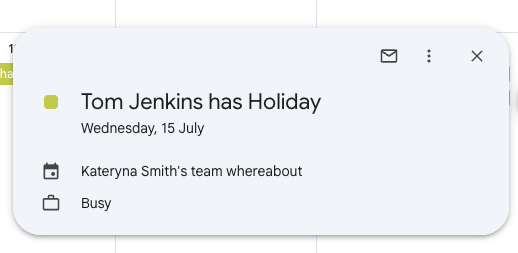
- Public holidays and leave type names are optional company settings; by default leave simply shows as Busy.
A clearer view of who is available and what is coming up.
Team calendars, approval context, weekly digests and calendar sync work together, so managers plan with fewer surprises. All of it is included on every account, at one published price per person, per month — no tiers, no add-ons, nothing to unlock.
Team View
See approved and pending leave across the team, department or company.
Availability checks
Administrators use the Heat Map and Dashboard to see how busy a date already is.
Weekly digest
Receive who is off in one email, which can carry birthdays and work anniversaries.
Calendar sync
Keep approved leave visible in Google, Outlook and Apple calendars.
Common questions
Team calendar questions we are asked most.
- Can employees see who else is off?
- That is your decision. A company setting picks the baseline: admins only; admins and supervisors, where supervisors see the employees they manage; department members, where employees see colleagues in their own department; or everyone sees everyone. Two employee policies then widen that baseline for named people rather than loosening it for everybody — a Team view visibility group lets a cross-department project team see each other, and Company leave data view gives a coordinator such as a PA access across all departments. The advice in our help centre is to start with the most private setting that still lets your team plan leave, and where the absence matters more than the reason, to hide the leave type rather than the person.
- How do I see who is off on a particular day?
- Select the date in Team View and use the quick filter to show only the employees with leave booked that day. Administrators can also open the absences Heat Map and hover a date, which lists how many people are unavailable, who they are and which leave type each one booked.
- Can I filter the team calendar by department or location?
- Yes. Team View has selectors for department and location, plus filters for employees with leave booked and for selected dates, so a manager can review one team instead of the whole company and a multi-location business can look at one office at a time. Which filters you see depends on your permissions.
- Can we hide leave types from colleagues on the calendar?
- Yes, and per leave type rather than all at once. The two controls trade off differently. Obfuscate a leave type and colleagues see a generic Leave in place of the name: they know the person is unavailable and can still plan cover, they just do not know why — which is usually what you want for sick leave, medical appointments and compassionate leave. Hide it and the leave does not appear to them at all, which is the stronger privacy choice but takes that date out of their view of the team. A company-wide setting covers every leave type together if that suits you better. Admins and supervisors continue to see the full detail their permissions allow.
- Does TimeOff sync with Google Calendar and Outlook?
- Yes, through live iCal calendar feeds. In My Profile → Calendar Feeds each person copies their own link and subscribes to it in Google Calendar, Outlook, Apple Calendar or any tool that reads iCal. There are up to three feeds — your own leave, your Team View, and a custom feed covering people you choose — and your permissions decide which of them you are offered as well as what each one holds. Every link is unique to the person who created it, so everyone should connect their own.
- What is in the weekly digest email, and can I turn it off?
- The weekly digest lists who is off in the coming week, and it can carry work anniversaries and birthdays with it. It is on by default and it is a personal setting: open My Profile → Communications and switch off the ones you receive, without changing anyone else's. Turning off the leave email deletes nothing — every leave record stays in TimeOff. What you can still see is a separate question, and it depends on your access: Team View shows who is off as far as your permissions reach, My Calendar shows your own leave and company dates, with the Heat Map for administrators and reports for anyone granted access. Where your company includes birthdays and work anniversaries, they are worth keeping on, because their reach is narrower: the digest is the only place birthdays are surfaced at all, and work anniversaries appear in just one other place, the Coming up card on the administrator Dashboard.
- Do public holidays and blackout periods show on the calendar?
- Yes. Team View can show public holidays, company events, blackout periods and scheduled non-working days alongside booked leave, so an employee who can see Team View knows why a date is unavailable before requesting it. Administrators can also choose whether public holidays, blackouts and company events are carried into external calendar feeds.
One calendar, in the tool people already have open.
A shared leave calendar earns its keep when nobody has to remember to go and look at it.
“TimeOff management has been a perfect solution for managing staff holidays. The simple and easy to use app integrates seamlessly with our google calendar with no issues. Recommended!”
See who is off and keep the team covered.
Give managers a clear calendar, employees a better view of their own leave, and everyone fewer surprises when planning the week.
30-day free trial · No credit card required · Cancel anytime