
TimeOff.Management
Put the policy details to the test.
Try the service band, scoped record administration and dated schedule your business actually needs. TimeOff combines these controls with calendar feeds, SSO and a reports API in one plan.
TimeOff vs Leave Dates
Automate long-service allowances, delegate employee administration and prepare for working-pattern changes. Every TimeOff feature, in one plan.
£1 per user / month. No feature upgrades required. Compare the plans
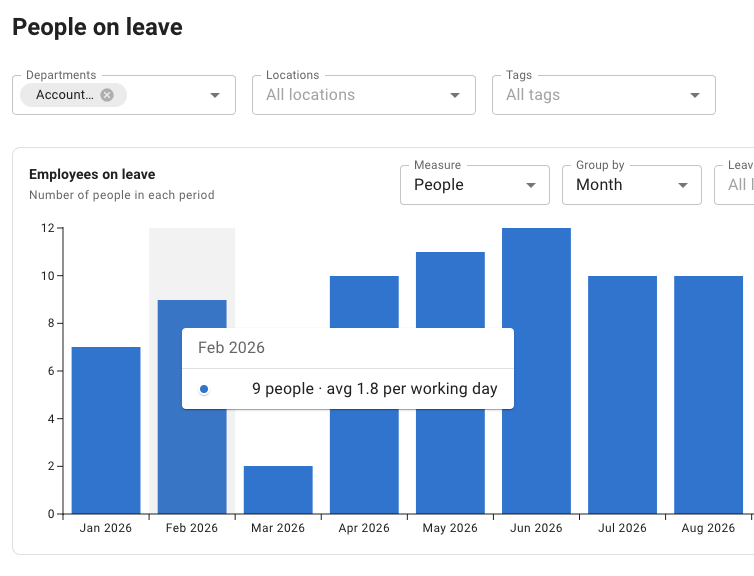
People on leave report
TimeOff vs Leave Dates
Both products cover the everyday work of leave management. Start with that reassurance, then look at how each handles the details as your team changes.
Source: Leave Dates pricing plans (opens in a new tab) · checked
| Core leave-management feature | TimeOff. | Leave Dates Starter, Essential & Plus Source: Leave Dates pricing plans (opens in a new tab) · checked |
|---|---|---|
| Employee requests and manager approvals | Included | Included |
| Allowances and remaining balances | Included | Included |
| Custom leave types Holiday, sick and unpaid leave | Included | Included |
| Shared team calendar See who is away | Included | Included |
| Carry-over rules | Included | Included |
| Leave measured in hours or days | Included | Included |
| Bank holiday calendars | Included | Included |
| Leave reporting and export | Included CSV reports | Included Excel exports |
Included means available, not identical. Policy options, permissions, integrations and reports differ. Calendar connections, TOIL, SSO and API access are compared separately below.
Source: Leave Dates pricing plans (opens in a new tab) · checked
A service anniversary. An office that keeps its own employee records. A part-time contract agreed for next month. These are the situations worth testing in both systems.
When service milestones arrive
Reward long service without keeping a second list of anniversaries and allowance changes.
Set a base allowance and service bands. TimeOff uses the employee’s start date to move them into the relevant band automatically. Only the latest applicable band is added—not every band passed along the way.
In this example, Lara’s 25 base days become 26 just after her second anniversary and 28 just after her fifth. The bands are set in days since she started. Change the preview date to see each band take effect.
A milestone, not another manual adjustment
Illustrative exampleThe 1,826-day band now applies.
25 base days + 3 from the latest band = 28 days.
Illustrative company policy. Only the latest band applies; bands are not added together. Thresholds are set in days since employment started. No booked leave, carry-over or adjustments are modelled here.
The policy moves with the employee’s length of service.
Read the tenure guideShare the record-keeping
Let a local office maintain its own employee records without giving anyone there approval over leave.
Give a nominated employee permission to view, edit or delete existing employee records—in any combination—for chosen employees, departments or locations, and, if you choose, to add new employees. The role never grants leave-approval rights.
Here, an office coordinator can view and edit London records. Bristol stays outside the selected scope. Creating or deleting employees is not part of this example role.
A local role with a defined scope
Illustrative exampleHelen’s existing record is in London, matching this role’s scope.
Local permission preview only. It changes no employee record. Any separate manager relationship would still govern leave approval.
Record administration and leave approval are different responsibilities.
Read the roles guidePrepare changes before they happen
Set next month’s working pattern without changing this month’s.
Add a new dated schedule when a change is agreed. Leave before its start date follows the earlier pattern; leave after it follows the new one.
Jordan will move from Monday–Friday to Monday, Wednesday and Friday on 2 November. Both patterns can be saved ahead of time. Try dates before, after or across the change.
The schedule controls leave usage, not entitlement. Review any allowance change separately.
One employee. Two dated working patterns.
Illustrative example3 working days × 8 hours = 24 hours, or 3 days. The new pattern applies.
Two saved patterns, applied by date. Eight-hour standard day; no bank holidays in this example. This estimates a new request’s usage, not an annual allowance.
The effective date decides which working pattern applies.
Read the schedule guideOne plan, not a feature ladder
Leave Dates places some capabilities in Essential or Plus. These TimeOff capabilities are included at the same per-user price.
Source: Leave Dates pricing plans (opens in a new tab) · checked
| Capability | TimeOff. | Leave Dates Plan that includes it Source: Leave Dates pricing plans (opens in a new tab) · checked |
|---|---|---|
| Leave in Google or Outlook calendars | Included Calendar feeds | Essential or Plus |
| Time off in lieu TOIL | Included | Essential or Plus |
| Single sign-on SSO | Included Google or Microsoft sign-in | Plus |
| API access | Included Read-only reports API | Plus |
This compares availability, not identical integrations. TimeOff uses calendar subscriptions; supported providers, refresh behaviour and API details should be checked against your requirements.
Also included in TimeOff
These are supporting capabilities—not reasons to assume Leave Dates lacks a comparable option.
All features. One per-user price.
£1 per user
per month
Every TimeOff feature is included. Your monthly charge follows the number of employees in the system on the last day of your billing month.
Starter, Essential and Plus are each priced per user per month, with 25% off when paid yearly. Time off in lieu and calendar sync start on Essential; SSO and API access are on Plus. Compare the plan and payment terms you would actually use.
Source: Leave Dates pricing plans (opens in a new tab) · checked
Included on every account
Choose the workflow as well as the features
TimeOff.Management
Try the service band, scoped record administration and dated schedule your business actually needs. TimeOff combines these controls with calendar feeds, SSO and a reports API in one plan.
Leave Dates
Leave Dates offers native mobile apps, daily Slack summaries on Essential and Plus, and Zapier and webhooks on Plus. Those can matter if they are central to how your team works.
Source: Leave Dates pricing plans (opens in a new tab) · checked
TimeOff’s mobile-friendly web app, calendar feeds and reports API are not a claim to identical native integrations.
Personal help, from the start
Bring your long-service policy, local administration needs and an upcoming working-pattern change. Work through the setup with someone who knows TimeOff, then test it during your trial.
“Fantastic experience with TimeOff.Management! The team is incredibly friendly and supportive — always ready to help wherever they can…”
Confirm the base allowance and service bands.
Decide who maintains which employee records.
Try a request on either side of a schedule change.
Common questions
Both are dedicated leave-management tools. According to its pricing page (checked 2 October 2026), every Leave Dates plan covers requests and approvals, allowances, custom leave types, a shared calendar, carry-over, days or hours, bank holidays and reports, as TimeOff does. They differ in the details: TimeOff adds service bands automatically, delegates employee records by scope and holds dated schedules in advance, with every feature in one plan. Leave Dates offers native mobile apps and, on its higher plans, Slack, Zapier and webhooks.
Source: Leave Dates pricing plans (opens in a new tab) · checked
Yes. A tenure-based allowance policy sets bands by the number of days since an employee’s start date. Once someone passes a band, TimeOff adds its extra days to their allowance for the year. Only the latest band applies, so bands are not added together.
Yes. An employee management role grants any combination of viewing, editing and deleting existing employee records for chosen employees, departments or locations, and can also let someone add new employees. It grants no approval rights over anyone’s leave: approvals keep following the manager relationships.
Yes. Add the new schedule with the date it takes effect. Leave before that date follows the earlier pattern and leave from it follows the new one, so an employee can hold more than one dated schedule at a time.
TimeOff is £1 per user per month with every feature included, billed on the number of employees in the system on the last day of your billing month. According to its pricing page (checked 2 October 2026), Leave Dates sells three plans priced per user per month, with 25% off when paid yearly; time off in lieu and calendar sync start on Essential, and SSO and API access are on Plus. Compare the plan your team would need.
Sources: Leave Dates pricing plans (opens in a new tab) · Leave Dates subscriptions guide (opens in a new tab) · checked
No. TimeOff is a mobile-friendly web app rather than a native app, and it has no Slack, Zapier or webhook integration. It provides calendar feeds, sign-in with Google or Microsoft and a read-only reports API. According to its pricing page (checked 2 October 2026), Leave Dates offers native iOS and Android apps on every plan.
Source: Leave Dates pricing plans (opens in a new tab) · checked
Try the policies your business runs on
Check your service bands, employee access and future schedules. See how TimeOff fits before deciding whether to move from Leave Dates.
Every feature included. No credit card required. Cancel anytime.
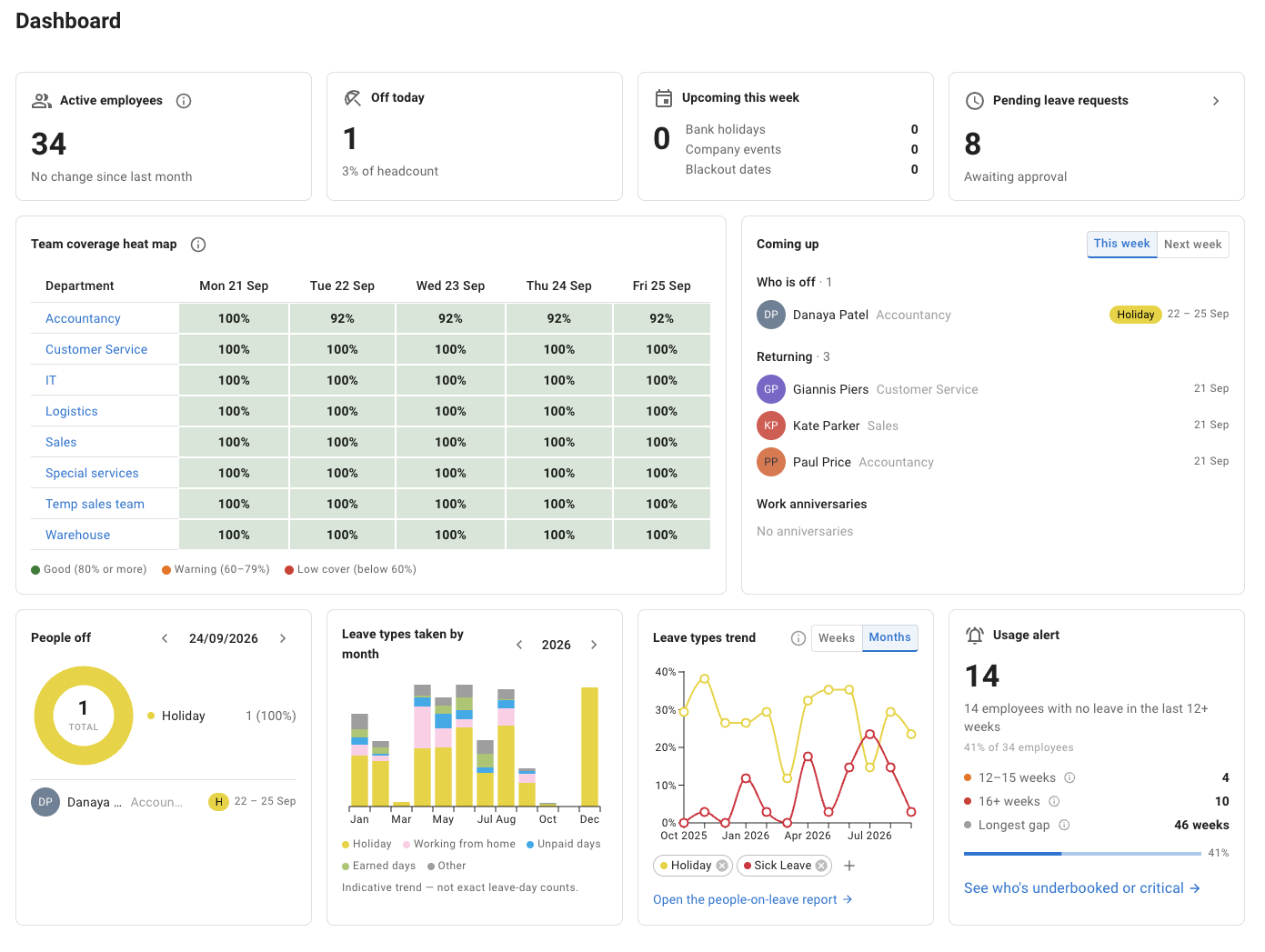
This page compares selected leave-management requirements. Core availability is not a claim that implementations match. The interactive examples use fictitious data and are illustrations of the stated rules, not exact reproductions of the application, and not evidence that Leave Dates lacks similar controls. The dashboard and report in the hero are screenshots of TimeOff.
Leave Dates comparisons follow its published help guides and plan descriptions; long-service awards, roles, calendar connections, TOIL and APIs are not described as absent. TimeOff’s price is in GBP. This page shows no Leave Dates price: compare the plan and payment terms you would use. Features, plans and prices can change. The customer review is general feedback about TimeOff, not evidence of a switch from Leave Dates.
Leave Dates’ published pages
TimeOff documentation