- Who approves an employee's leave by default?
- Their department's manager, alongside any secondary supervisors that department has. Every employee belongs to exactly one department, so that is the route unless you change it. Name a direct manager on someone's record and their requests go to that person instead — the department manager and the secondary supervisors stop approving for them. That is the point of the field: it is for people whose reporting line does not follow the department chart. If you want the department's manager to handle someone, leave it blank.
- Can I let someone manage employee records without letting them approve leave?
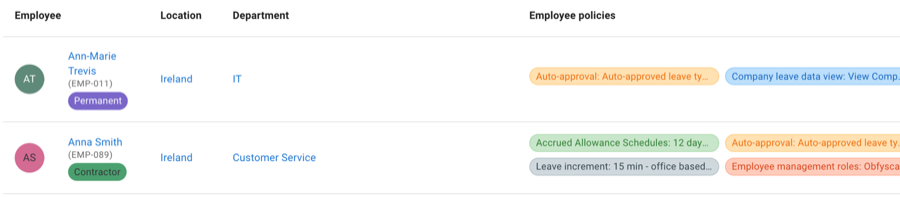
- Yes, and that is exactly what an employee management role is for. It grants a chosen combination of viewing, editing, creating and deleting employee records over a chosen group of people, and it grants no approval rights over anyone's leave at all. Approving, declining, cancelling and revoking keep following the manager relationships. It is the safe way to give local HR or an office manager what they need without making them an admin.
- How narrowly can a management role be scoped?
- To named employees, to whole departments, or to whole locations — whichever describes the group. One thing to know: the scope governs whose existing records the role can reach. Creating an employee is deliberately not bound by it, so somebody who can create employees can add a new one in any department or location, and that person then joins the group they manage. Give the create permission to people you would trust with it.
- Where are all these roles actually set?
- In three places, which is worth knowing before you go looking. A department carries its manager and its secondary supervisors, under Settings. An employee's direct manager and their admin flag sit on their own record. Employee management roles are set up alongside the other policies. There is no single Roles screen.
- Can I see everyone who can approve for one person?
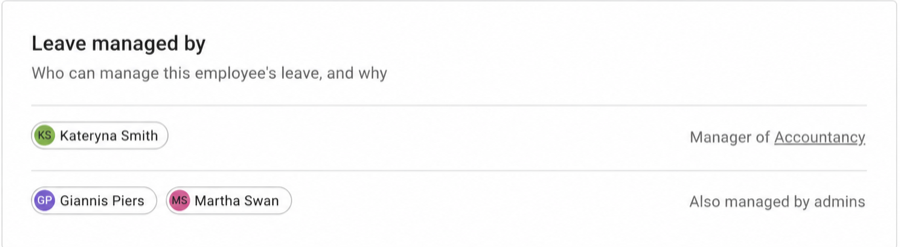
- Yes. An admin can open any employee's record and see everyone who can manage that person's leave, and everyone whose leave that employee can manage, each labelled with the reason it applies — manager of a department, direct manager, secondary supervisor, and any review stage the company has set up. It is an admin view rather than something every manager sees, which is what makes it useful for auditing the whole structure from one place.
- What if our teams do not match our departments?
- Use tags. A department is one per employee and hierarchical; a tag is neither, so someone can carry several at once — contractor, first-aider, remote, night shift. A tag can be the audience for a policy, so a rule can follow a group that has no department of its own, and the team view can be filtered and grouped by tag. How widely each tag is shown is set on the tag itself, so a sensitive label can exist without being on display.
- Can we record details TimeOff does not ship with?
- Yes, using custom fields. An administrator defines a field once and it appears on every employee record in the order you choose, with an optional hint under it so whoever fills it in knows what you expect — a cost centre, a payroll reference, a badge number. Values are entered on the employee's record alongside the rest of their details, and a field can be pulled into your reports as an optional extra column.
- Can we keep documents on an employee's record?
- Yes. An administrator decides which kinds of document a record holds and, for each kind, whether the employee and their managers can see its documents or add to them. Administrators can always see, add and remove them.