
Allowance and entitlement automation
Automate leave allowances, balances and entitlement.
Keep limits, unlimited allowance, used days, remaining balances, accruals, carry-over and pro-rata calculations accurate without spreadsheet formulas or hidden manual notes.
30-day free trial · No credit card required · UK-hosted · UK support
- Limits and balances
- Accruals and carry-over
- Pro-rata adjustments
Why this matters
Allowance mistakes create confusion fast.
Leave entitlement sounds simple until real people, different policies, part-year starters, carry-over and exceptions appear. TimeOff makes those calculations visible.
Different people, different rules
Full-time, part-time, probation, seniority and special policies can all affect entitlement.
Balances change constantly
Every booking, cancellation, adjustment and carry-over can change what someone has left.
Spreadsheets hide the reason
Manual formulas rarely explain why a balance changed, or when.
Managers need clear answers
Employees and managers both need to see the latest balance before leave is requested or approved.
Limits, used days and balances
Everyone can see where the allowance stands.
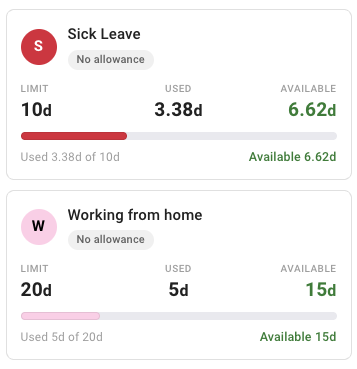
TimeOff keeps the core numbers visible: how much leave someone can use, how much has already been taken, and what is still available.
- Clear limits or unlimited allowance for each leave type or policy.
- Used days updated as leave is approved and recorded.
- Available balances shown before people book more time off.
Accrued, upfront or unlimited allowance
Support the way your allowance is granted.
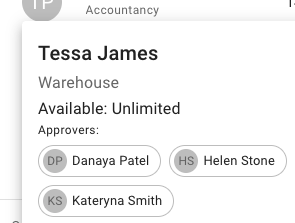
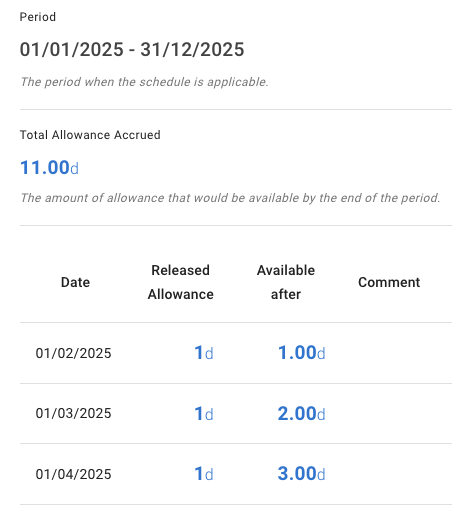
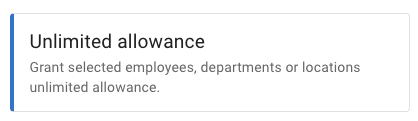
Some teams release allowance gradually over time. Others give the full entitlement upfront. Others use unlimited allowance for selected employees, departments or locations. TimeOff handles all three.
- Accrued allowance schedules with release dates, totals and visible progress through the year.
- Upfront allowance when the full entitlement should be available from the start of the period.
- Unlimited allowance for selected employees, departments or locations.
Manual adjustments
Make allowance changes without losing the trail.
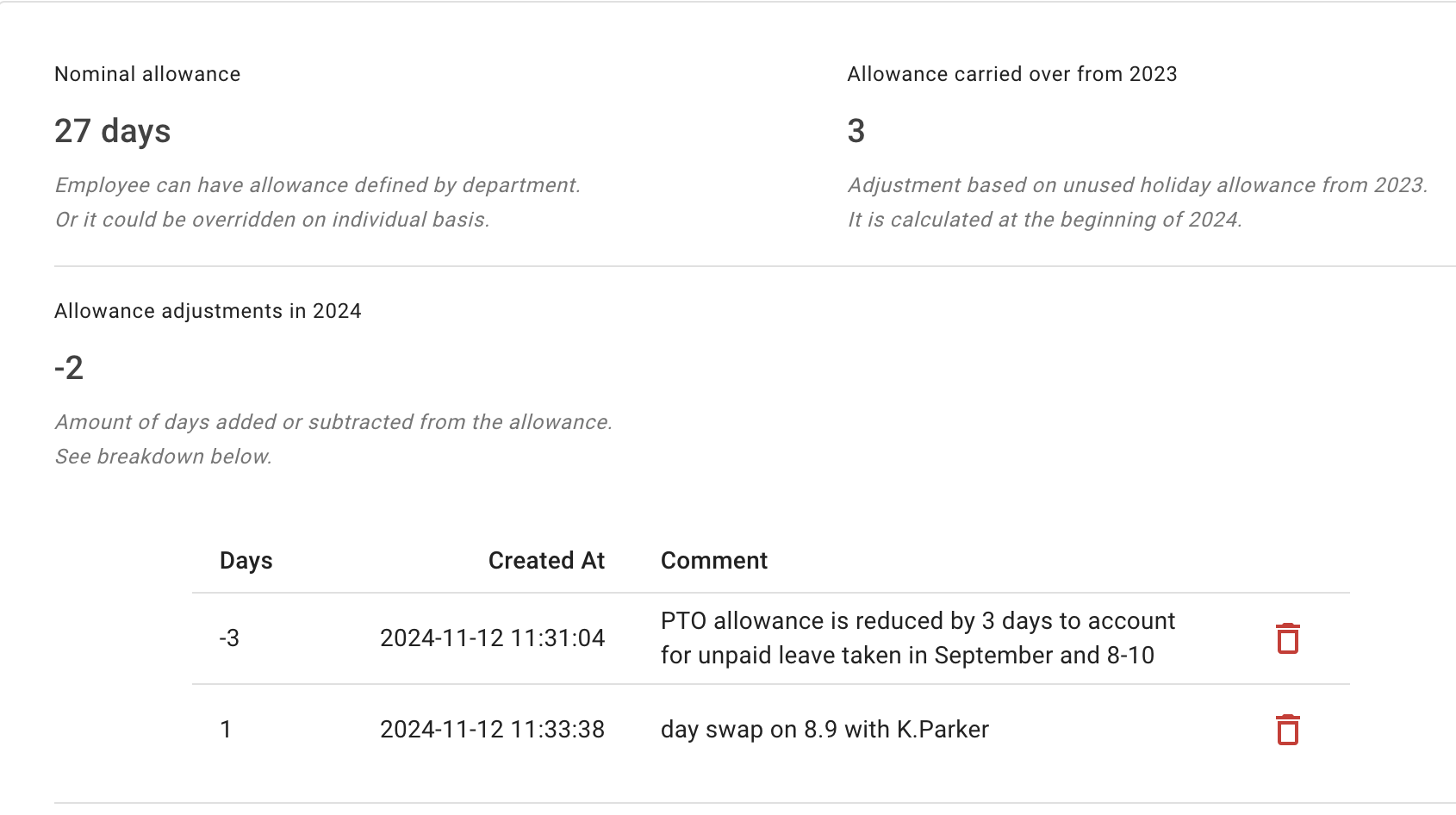
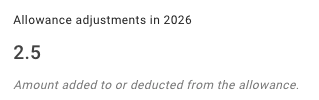
Manual changes are sometimes needed: a correction, bonus day, policy exception or historic balance. TimeOff keeps these adjustments visible instead of hiding them in spreadsheet notes.
- Add or reduce allowance for an individual employee.
- Record the reason in a comment, saved with the date the change was made.
- Keep balances updated after every adjustment.
Carry-over and year-end
Handle unused leave without starting from scratch.
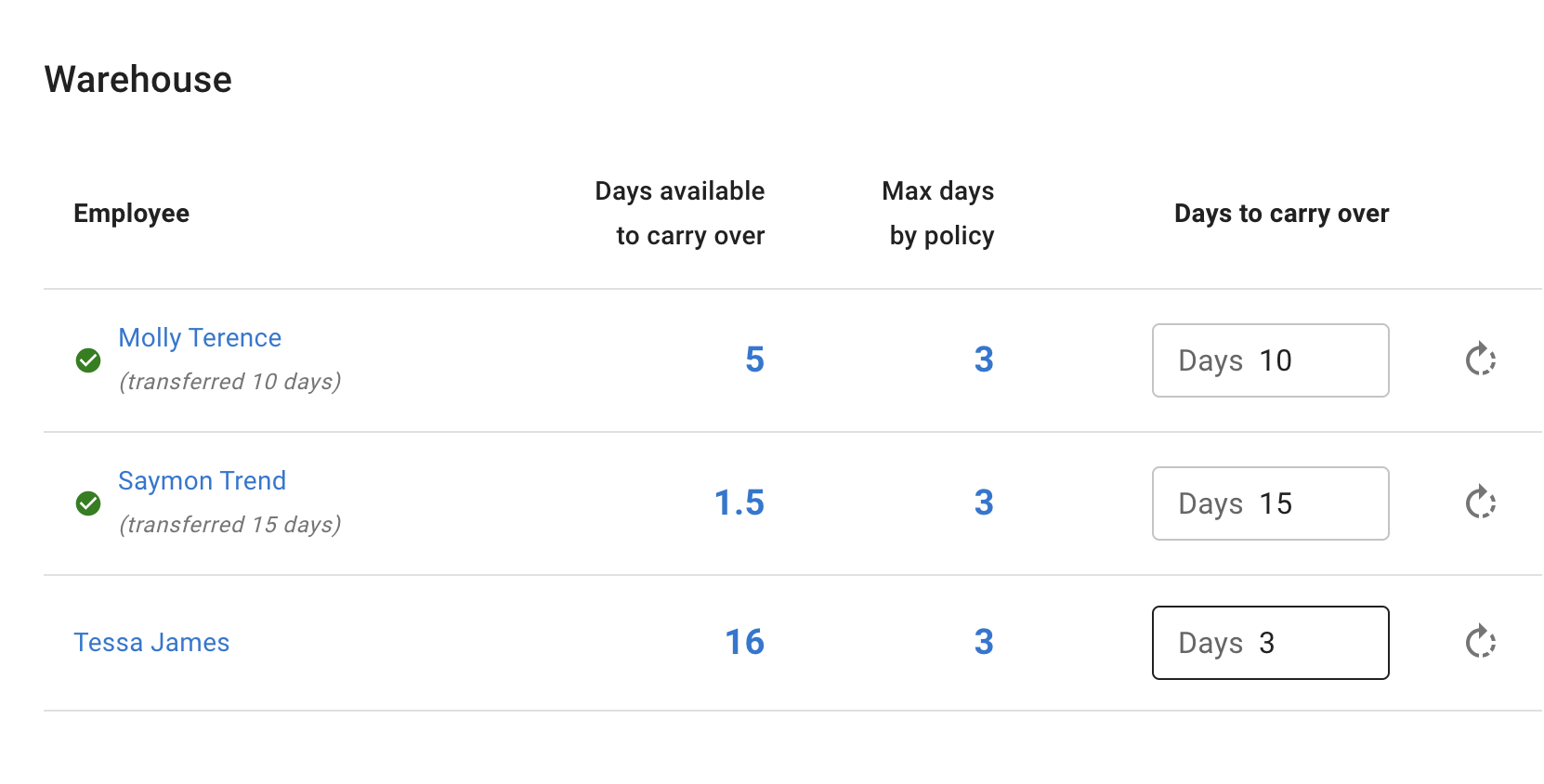
At the end of the year, unused allowance needs to be cleared, carried over or adjusted. The Carry Over page puts those decisions in one place, grouped by department.
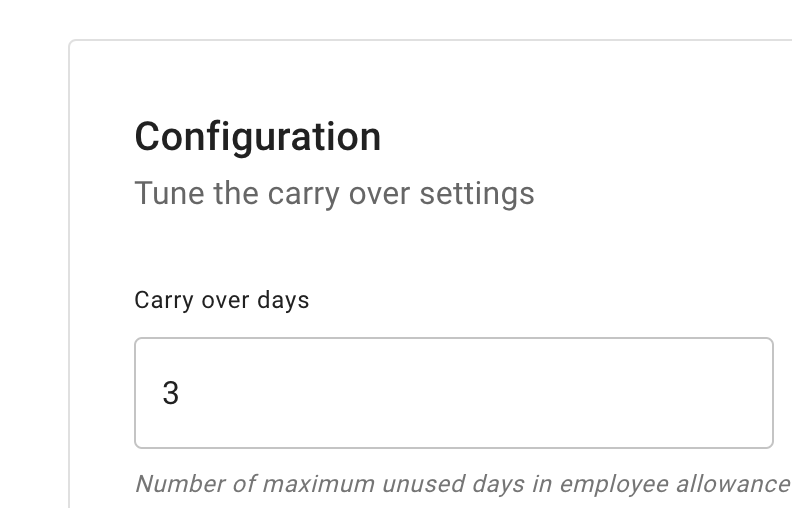
- One company-wide cap on the unused days that move into the next year.
- Individual overrides when one employee needs a different outcome.
- Carried-over days on the record, shown in next year's allowance breakdown.
Pro-rata and employment dates
Make part-year allowance easier to calculate.
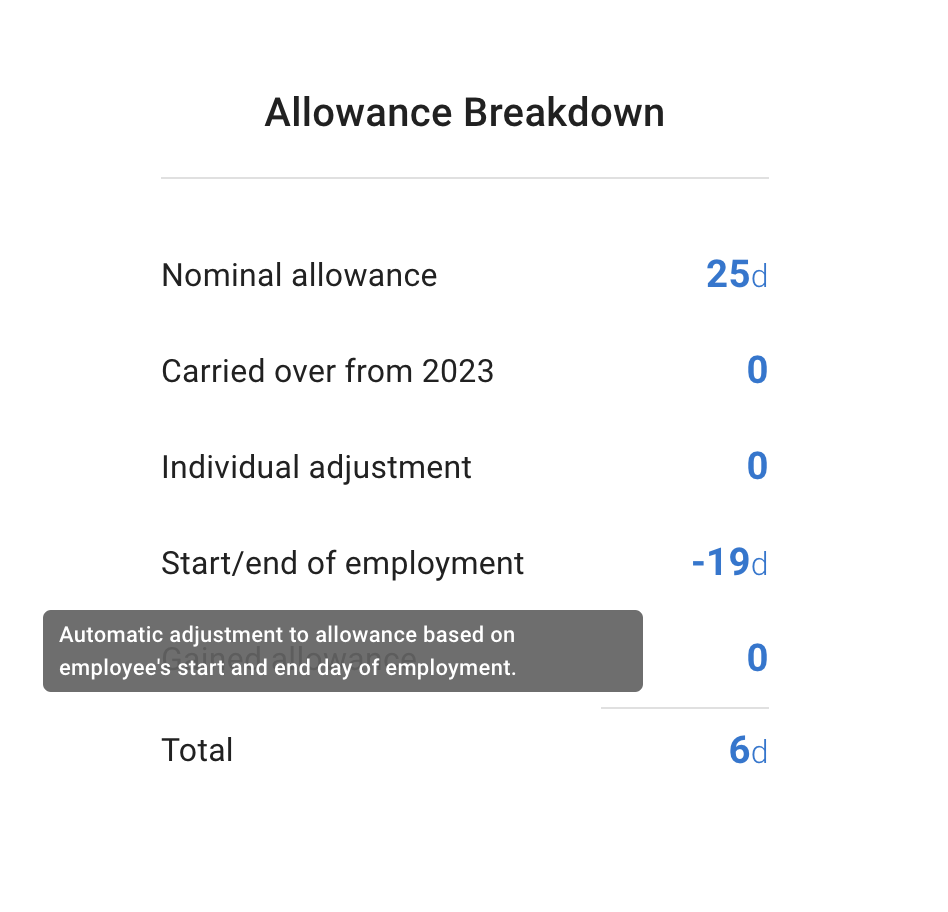
When someone joins or leaves part-way through the year, entitlement needs to be fair and accurate. TimeOff calculates the allowance from their employment dates and shows the adjustment as its own line in the breakdown.
- Start date calculations for employees who join part-way through the year.
- Leaving date adjustments applied from the end of employment date.
- Reduced manual maths for part-year employees.
Support more than one “standard” allowance.
Different people need different entitlement rules. Policies group those differences so allowance calculations reflect how your organisation actually works.
Role or team entitlement
A department allowance sets the default for a team; an individual nominal allowance overrides it for one person.
Probation and new starters
Handle a starting phase with the pieces already there: block or limit the leave types a new starter can use, and set their allowance individually.
Tenure-based allowance
Add extra days automatically as employees pass length-of-service milestones.
Custom policy exceptions
Handle edge cases with individual overrides and allowance adjustments instead of spreadsheet workarounds.
Different allowances for each employee Compare with Leave Dates
How it works
Set the policy, then keep the balance moving automatically.
Once your allowance rules are in TimeOff, the everyday balance changes follow on their own.
- Set leave types and policies Define the allowance, limits and leave types that apply to your team.
- Add employee details Start dates, schedules, departments and individual settings tell TimeOff which rules to apply.
- Track bookings and changes Approved leave, carry-over and adjustments update the numbers people see.
- Review and report Admins check records, exports and history when payroll or managers need answers.
Common questions
Allowance questions we are asked most.
- How does TimeOff work out allowance for someone who joins part-way through the year?
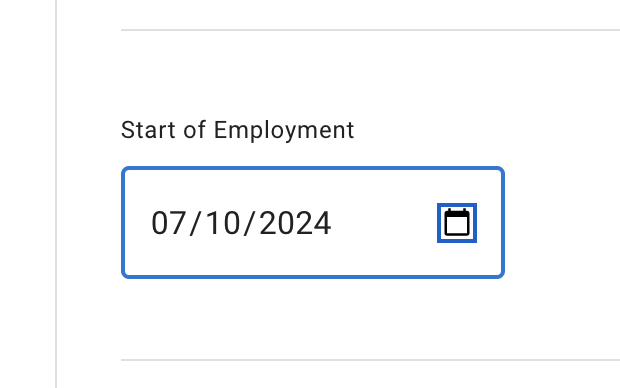
- Set the employee’s Start of Employment date and TimeOff adjusts their allowance automatically. The adjustment appears as its own line in the allowance breakdown, next to the nominal allowance, carried-over days and any manual adjustments, so the pro-rata figure is visible rather than buried in a formula. Setting an End of employment date adjusts a leaver’s allowance the same way.
- What is the difference between accrued and upfront allowance?
- Upfront is the default: the full entitlement is available from the start of the leave year. With an accrued allowance schedule, allowance is released gradually instead — monthly, quarterly, per work period or across a fixed contract. The schedule shows each release date, the days released and the balance available after each one.
- Can different teams have different leave entitlement?
- Yes. A department allowance sets the default for a team, and an individual nominal allowance overrides it for one person. On top of that, tenure-based allowance adds days by length of service, and leave-type limits control how much of each type someone can use.
- How does carry-over work at the end of the year?
- One company-wide setting caps how many unused days can move into the next year. The Carry Over page then lists employees by department with the days available, the cap and an editable value for each person, so exceptions are handled individually. Carried-over days appear in the next year’s allowance breakdown.
- Can some employees have unlimited allowance?
- Yes. Unlimited allowance can be granted to selected employees, departments or locations. It removes the shared yearly balance for those people; leave is still requested, approved and recorded, and leave-type limits still apply.
Human help for tricky allowance rules
Not sure how to model your entitlement policy? We can help.
Allowance rules get complicated quickly. We help customers translate real policies into practical TimeOff settings, and if something is missing, we suggest a workaround or build it properly. Everything is included on every account, at one published price per person, per month, so there is nothing to unlock first.
Tell us your policy
Describe your leave rules and we will show you which settings, leave types and policies to use.
Check the edge cases
Part-time schedules, probation periods, carry-over and starting balances get reviewed before launch.
Improve when needed
Customer allowance questions often lead to product improvements.
Customers value clarity around PTO.
A good allowance system makes the whole PTO process easier to understand.
“Great software tool! We have used TimeOff Management for nearly two years now, and it’s been perfect for tracking employee time off and reports. The team is responsive, open to feedback, and consistently improves the software, it’s clear they are committed to continuously enhancing the product. I highly recommend!”
Keep allowance calculations out of the spreadsheet.
Start with your leave types, allowance rules and employee details. TimeOff keeps balances clear as your team books, adjusts and carries leave forward.
30-day free trial · No credit card required · Cancel anytime