
Approval workflows
Flexible and multi-tier leave approvals.
TimeOff routes leave requests to the right people, gives managers the context they need before they approve, and gives admins practical tools for special cases.
30-day free trial · No credit card required · UK-hosted · UK support
- Manager approvals
- Two-tier approval
- Approval comments
Approval options
Match the approval flow to the way your team works.
Some teams only need a manager to approve leave. Others need HR, a department lead, or an extra review step for certain requests. TimeOff handles both simple and more structured approval flows.
Manager approval
Send requests straight to the employee’s manager for a simple day-to-day approval flow.
Two-tier review
Add a first review step when requests need an extra check before the final decision.
Direct supervisor
Route one employee’s requests to a named supervisor instead of the department manager — useful for new hires, temporary reporting lines or special cases.
Leave-type rules
Apply approval flows only to the leave types where extra checks are really needed.
Approve with context
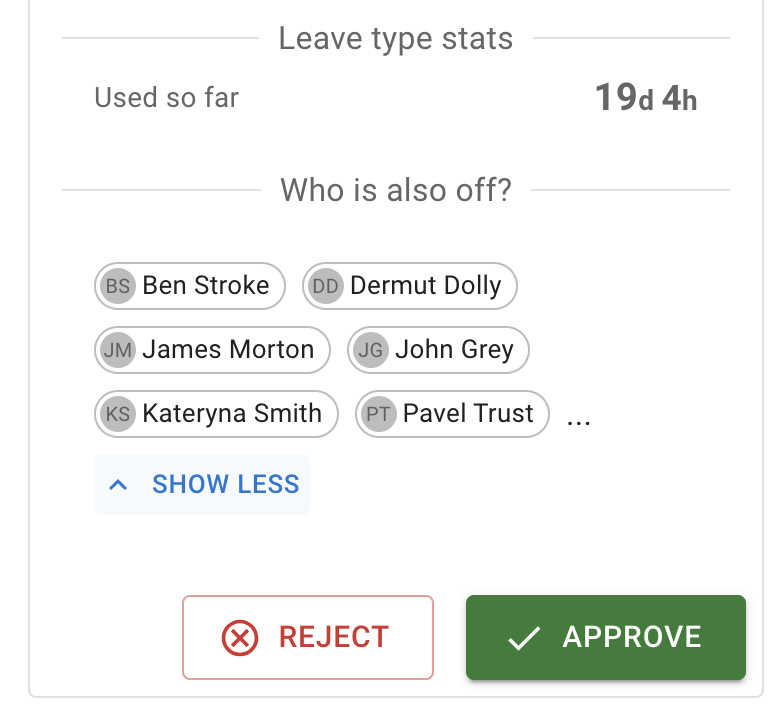
See who else is off before approving.
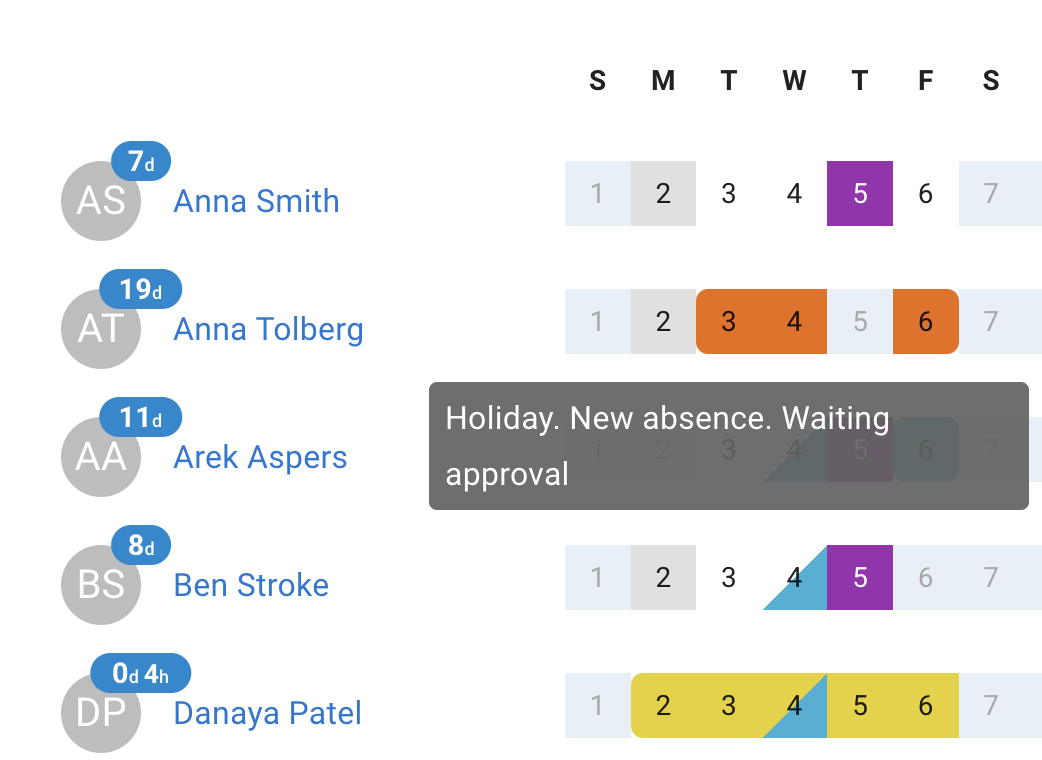
Approval is easier when managers can see who else is already off. TimeOff puts that on the request itself, so clashes and thin cover show up before the decision rather than after it.
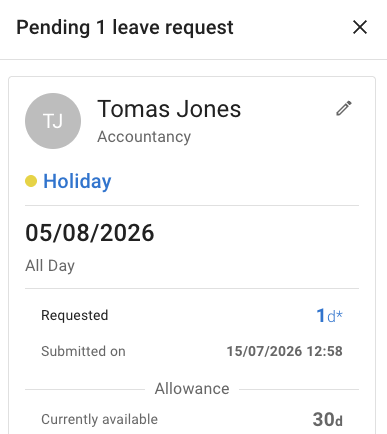
- Who else is off during the same period, shown beside the employee’s comment and remaining allowance.
- Team View for the wider picture of team availability before deciding.
- Mobile approvals so a request does not wait for someone to reach a desk.
Multi-tier workflows
Set the approval order clearly.
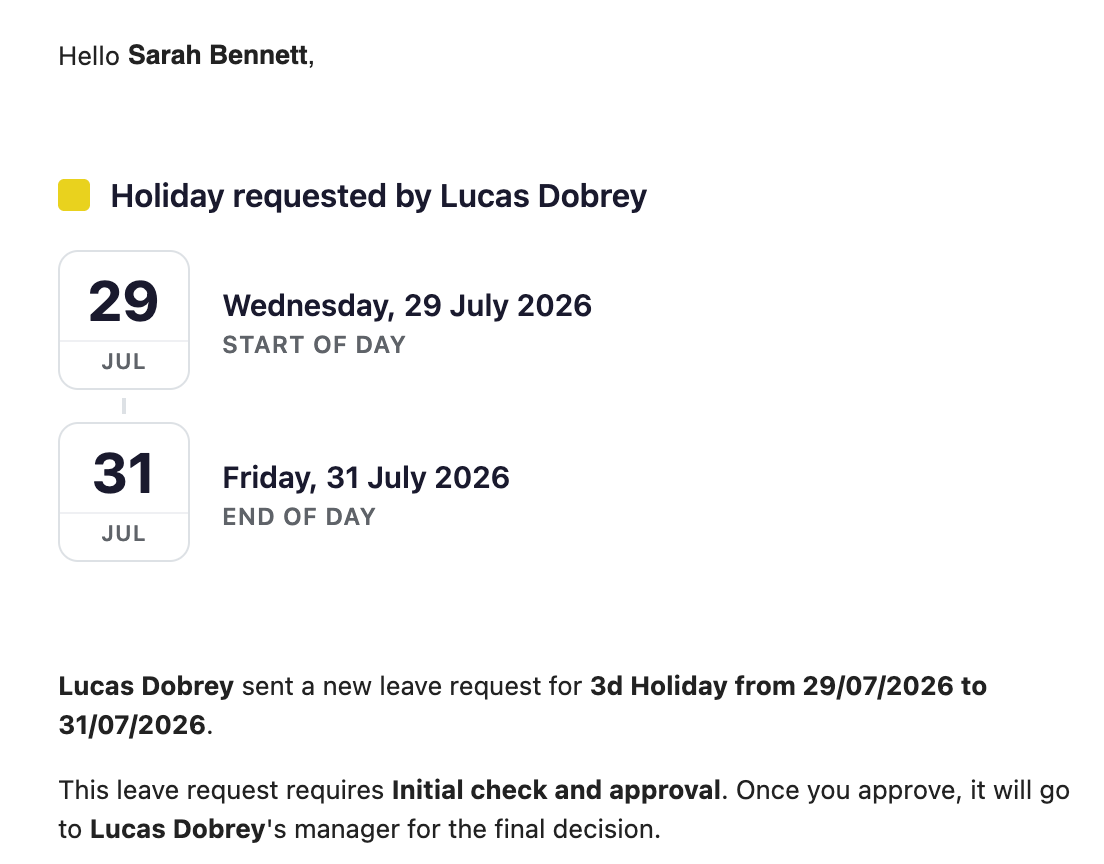
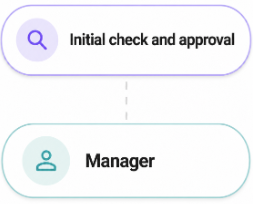
Some teams want the manager to decide first. Others want HR or an initial reviewer to check the request before it moves on. You choose the order, and the notification tells each approver which step they are on.
- Manager-first or HR-first, depending on which review should happen before the final decision.
- Leave-type filter so multi-tier approval applies only to the leave types that need it.
- First-tier reviewers can edit requests while they are awaiting review.
Comments and changes
Edit requests and add comments.
Real requests often need a small adjustment or a quick note. Reviewers can make the change and record the reason without sending the request back to the start.
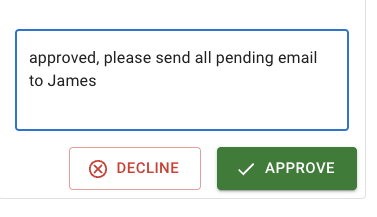
- Approve or decline with a comment so the reason is on the record.
- Edit a pending request — dates, duration, leave type or comment — during review.
- Attach a file — a fit note, say — at any stage, and reviewers find it on the request.
- Auto-approve where it makes sense: a policy decides whose requests and revocations complete without a manager decision.
Admin and manager tools
Simplify special cases.
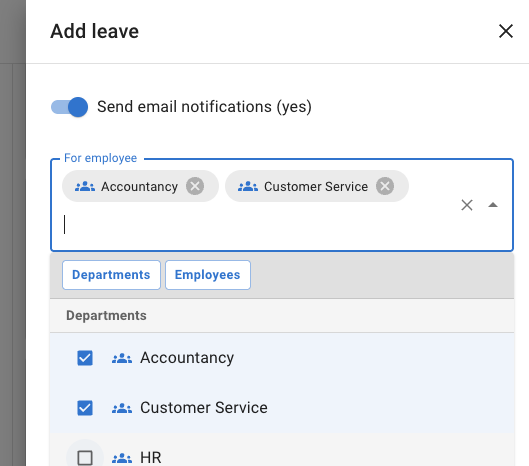
Not every absence starts as a normal employee request. Managers and admins can add leave directly, handle several people at once, and deal with exceptions without fighting the rules — all of it included on every account.
- Bulk booking adds the same leave for the whole company, selected departments or specific employees at once.
- Auto-approved entries record agreed leave straight away when a review would add nothing.
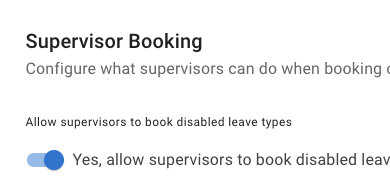
- Overrides for agreed exceptions: an admin or a manager booking on someone’s behalf is not held up by an advance-notice period, and an admin can let an authorised manager book a disabled leave type.
Simple approvals when you need them. More structure when policy requires it.
Use a straightforward manager approval flow, or add a first-tier review, a second approval step, comments and admin controls when your policy needs more flexibility. Every one of them is included on every account, at one published price per person, per month.
Manager approval
Send requests to the employee’s manager so decisions stay close to the team.
Multi-tier approval
Add HR review or a first-tier check where requests need a second approval step.
Approval comments
Approve or decline with comments so decisions are clear and recorded.
Admin tools
Create leave for employees, book in bulk, and override the rules for agreed exceptions.
Common questions
Approval questions we are asked most.
- Who approves a leave request in TimeOff?
- By default, the approver set on the employee’s department. You can add a secondary approver who can action the same requests, so leave does not wait when the main approver is away — either of them can approve or decline, and once one does, it clears from both notification lists. For one-off reporting lines, set a direct supervisor on the employee instead, and their requests go there rather than to the department manager.
- Can a leave request need approval from more than one person?
- Yes. A two-tier approval policy adds a first review step before the final manager decision. You choose the order: HR or another nominated reviewer checks the request first and passes it on, or the employee’s manager decides first and HR gives the final approval. The policy can be applied to selected leave types, employees, departments or locations.
- Can HR review a leave request before the manager sees it?
- Yes — that is the “HR review before manager” approval mode. The request goes to the first-tier reviewer, and only moves to the manager for the final decision once they approve it. First-tier reviewers can also edit a request while it is awaiting their review, so a small correction does not mean starting again.
- Can managers see who else is off before approving?
- Yes. The request shows who else is off during the same period, alongside the employee’s comment and their remaining allowance. Team View gives the wider picture of team availability, and managers can review and action requests from a mobile browser as well as a desktop.
- Can some leave be approved automatically?
- Yes — with an auto-approval policy. You choose who it covers: named employees, whole departments, whole locations, roles such as administrators or supervisors, or the entire company, minus anyone you exclude. You choose which actions complete the moment they happen: leave requests, leave revocations, a person’s own actions, the ones they take for the employees they manage, or any mix. A policy can be limited to selected leave types, and you can run several side by side. Approver settings and auto-approval are separate controls, so you can mix them.
- Can a manager book leave on behalf of someone else?
- Yes. Admins can create leave for anyone in the company, and supervisors for the employees in the departments they manage. Bulk booking covers the whole company, selected departments or specific employees in one go, which suits shutdowns and office closures. Whether those entries are approved immediately or follow the normal route depends on your auto-approval policies.
Easy for the people using it every day.
The best approval flow is one people can actually use day to day.
“After trying several programs, we finally found Timeoff.management. It is super easy for our staff to use and request time off. Features to allow customization are great. LOVE LOVE LOVE this system!”
Make leave approvals easier to manage.
Give employees a clear way to request leave, give managers the context they need, and keep every decision visible in one place.
30-day free trial · No credit card required · Cancel anytime