
TimeOff vs Timetastic
A Timetastic alternative that fits your leave policies.
A second approval step. Cover across departments. A rota that does not follow a standard week. Manage leave around the way your team works.
- 30-day free trial
- No credit card required
- Cancel anytime
- UK-hosted · UK support
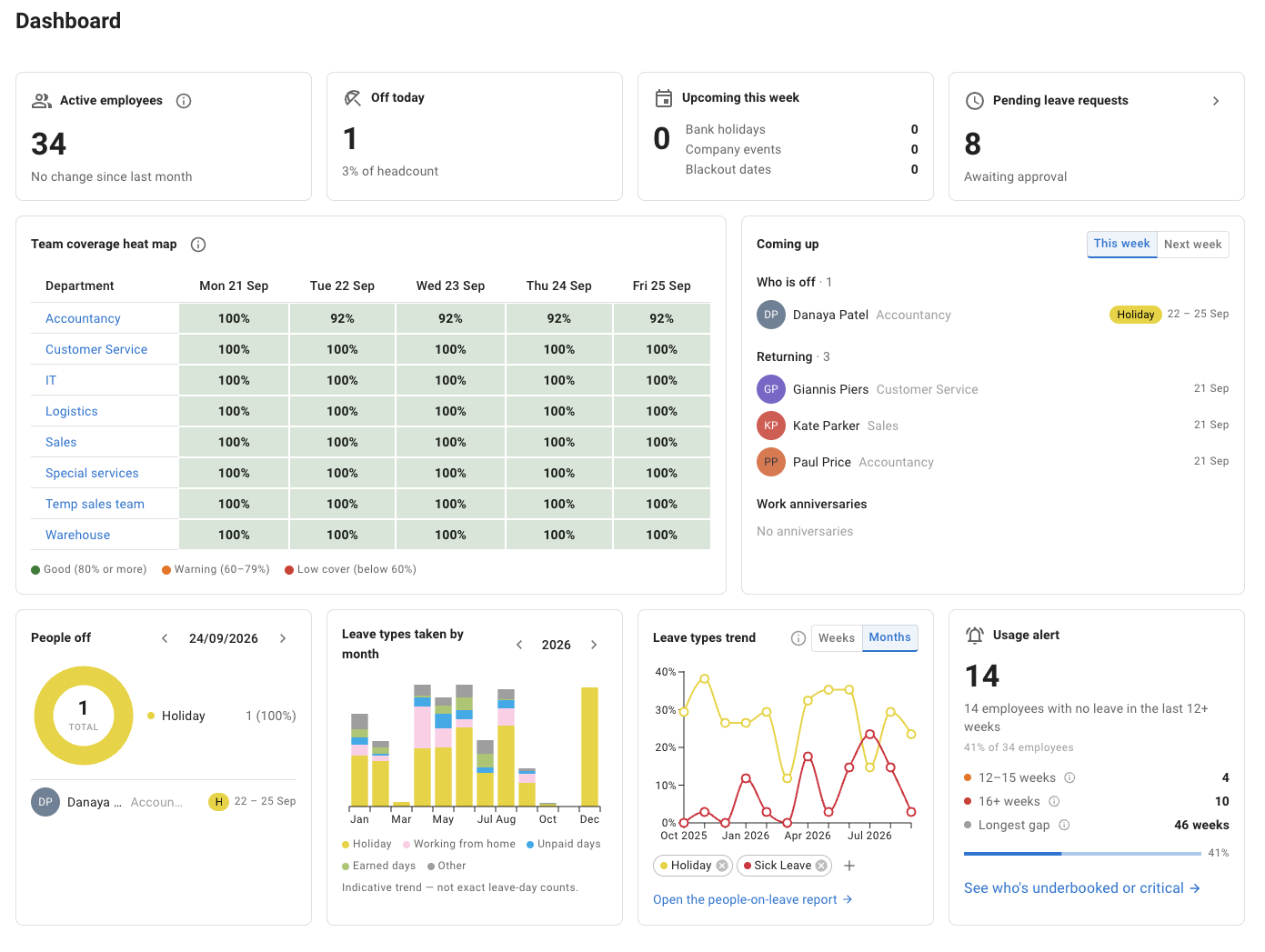
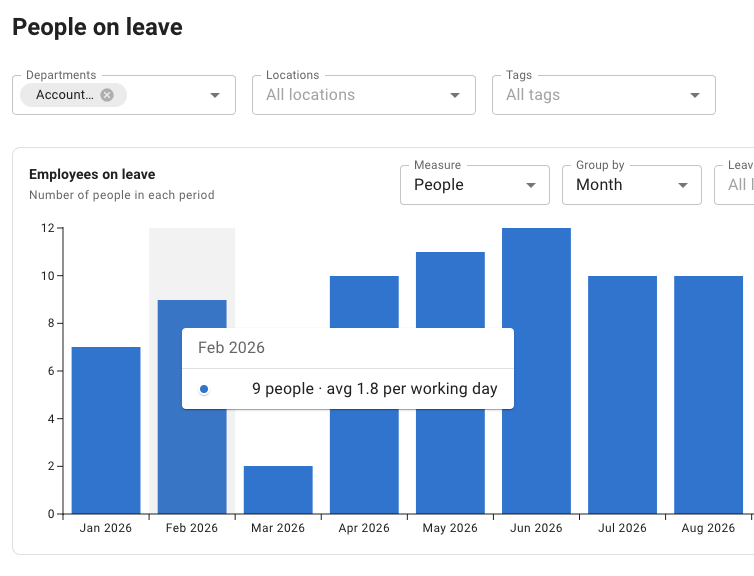
People on leave report
The useful differences
Start with the rules your team needs.
Both tools cover everyday leave booking, approvals, balances and a shared view of who is away. The more useful comparison is how each handles your particular requirements.
Source: Timetastic: Plans and pricing (opens in a new tab) · checked
| What your team needs | TimeOff.Management Every feature in one plan | Timetastic Business & Pro |
|---|---|---|
| Two people approving a request | Two-tier approvals Choose manager-first or reviewer-first. | Dual authorisation is not available. Source: Timetastic help centre (opens in a new tab) · checked |
| Cover beyond one department | Rules for tags, locations and named people Set maximum-away or minimum-present limits. | Maximum absent by department. Source: Timetastic help centre (opens in a new tab) · checked |
| A repeating, non-weekly pattern | Day-based repeating rota cycles For example, four-on-four-off. | Weekly schedules; Pro adds two-week repeats and one-off changes. Source: Timetastic help centre (opens in a new tab) · checked |
| Access to the features you need | One plan, all features included. | Business and Pro have different feature sets. Source: Timetastic pricing page (opens in a new tab) · checked |
Selected requirements, not a complete feature comparison. Timetastic’s separate Rota & Time Clock product is outside this comparison. Read the scope and sources.
Source: Timetastic: Plans and pricing (opens in a new tab) · checked
Keep your approval process
Two-tier leave approvals for managers and HR
Some requests need one decision. Others need two.
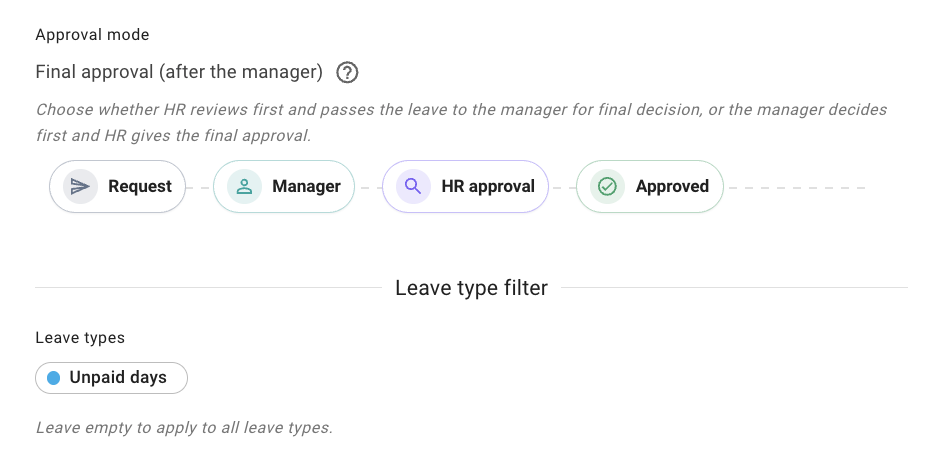
Require approval from the employee’s manager and a second reviewer, such as HR. Choose who reviews first and apply the policy only to the relevant leave types, employees, departments or locations.
Annual leave could follow the usual manager approval, while unpaid leave needs both the manager and HR. Both decisions stay within the approval workflow.
A request with two reviewers
Illustrative example- Leave request Alex Morgan · 2 days of unpaid leave Submitted
- Manager approval First review Awaiting review
- HR approval Final review Up next
Try the example: the request needs both decisions.
One request. Two decisions. A clear order.
Cover that crosses team boundaries
Leave overlap rules that protect cover across teams
The people who cover for one another do not always sit in the same department.
Create cover rules for departments, locations, tagged groups or named employees. Set a maximum number away or a minimum number who must remain, then choose to block conflicting requests or record a warning.
For example, first aiders across Sales and Operations can share one restriction using a First Aider tag. Pending requests count towards the limit too, so cover is checked before approval.
First-aider cover
Illustrative example- Helen Stone Operations Holiday · approved
- Jamie Patel Sales Holiday · pending
- Emma Morgan Operations Available
- Sam Clarke Sales Available
Same working day, same office. Example shows an employee booking.
Pending leave counts before a manager approves.
View the settingsCount working time, not calendar days
Calculate leave usage for shift patterns and repeating rotas
A part-time employee and someone working four-on-four-off should not have leave calculated against the same standard working week.
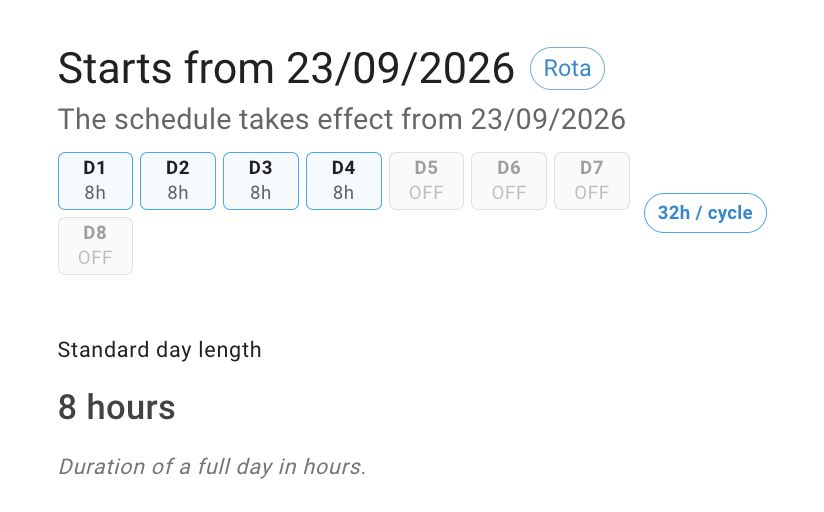
Use individual weekly schedules or repeating day-based rota cycles. Add a new schedule or rota from the date a working pattern changes.
Non-working days are not deducted from the allowance. The allowance itself is set separately; the working pattern determines how much each request uses.
Leave follows the working pattern
Illustrative example- D1 8h Work
- D2 8h Work
- D3 8h Work
- D4 8h Work
- D5 OFF Rest
- D6 OFF Rest
- D7 OFF Rest
- D8 OFF Rest
Requested range: all 8 calendar days
Deducted from allowance
4 days
Eight-hour shifts and an eight-hour standard day. No bank holidays in this illustrative calculation.
The pattern calculates usage, not entitlement.
A real move from Timetastic
Personal help with the change, not just a new login.
Moving leave systems means getting your policies, approval routes and working patterns right. Speak directly to someone who knows TimeOff and can help you work through your setup.
“We migrated from Timetastic with approximately 1,000 staff, the process so far has been extremely simple thanks to Kate…”
-
Bring your current policies
Talk through your leave rules and what your team needs from a new system.
-
Work through the setup
Get help with approval routes, cover groups and working patterns.
-
Test before you decide
Try typical leave requests during the 30-day trial.
No feature tiers
One plan. Every feature included.
The policies you need should not mean another upgrade. All TimeOff features are included in a single plan, with no setup fees.
Try the full feature set before subscribing.
Included on every account
- Two-tier leave approvals
- Cross-team cover rules
- Weekly schedules and repeating rotas
- Reporting and CSV exports
- Single sign-on and API access
- Personal support with your setup
Timetastic offers Business and Pro leave plans. Compare the package that meets your requirements—not just the starting price.
Source: Timetastic: Plans and pricing (opens in a new tab) · checked
Common questions
Before you switch from Timetastic
- Does Timetastic offer two-step approval for leave requests?
-
Timetastic’s help centre says dual authorisation is not available on Timetastic (checked 24 September 2026). TimeOff’s Two-tier approval policy sends a request to the employee’s manager and to a second reviewer, such as HR, in the order you choose, and can be limited to particular leave types, employees, departments or locations.
Source: Timetastic help centre: Dual authorisation (opens in a new tab) · checked
- Can a cover rule include people from different departments?
-
Yes. A Restrict leave overlap group is built from named employees, departments, locations, tags or the whole company, so people who cover for one another do not have to share a department. Set at most a number who can be away or at least a number who must remain, and choose whether a request over the limit is blocked or allowed with a warning for the approver. Requests still waiting for a decision count towards the limit.
- Does TimeOff support four-on-four-off and other rotas that do not fit a calendar week?
-
Yes. A rota in TimeOff is a repeating cycle of days, anchored to the date it starts and set on the employee’s record, so a four-on-four-off pattern repeats the way it actually runs. Leave is deducted only for the days the person is due to work, and their allowance stays the number set on their record.
- What is included in TimeOff’s plan?
-
Everything. Two-tier approvals, cover rules, schedules and rotas, reports, single sign-on and API access are all in the one plan at one price per user, with no setup fees and nothing to unlock. The 30-day free trial gives full feature access with no credit card required, and you can cancel anytime.
- Will someone help us move from Timetastic?
-
Yes. You can talk to someone who knows the product and will work through your leave types, approval routes and working patterns with you. Book a demo to discuss your current setup.
Try your real requirements
See how your leave policies work in TimeOff.
Test the approval steps, cover rules and working patterns your team actually needs. Start a trial or book a demo to talk them through.
Full feature access. No credit card required. Cancel anytime.
Comparison checked · Scope and sources
References to Timetastic cover its Business and Pro Leave & Absence plans. Its separate Rota & Time Clock offering is outside this comparison. This page covers selected requirements, not every product feature. Features and plans may change. The interactive examples are illustrations of the stated rules, not exact reproductions of the application.
Timetastic’s published documentation