
Employee documents and leave attachments
Keep employee documents and leave attachments in one place.
Keep contracts, receipts and supporting files alongside your employee records and leave requests. Create custom document fields and choose who can view or add files.
30-day free trial · No credit card required · UK-hosted · UK support
Custom document fields
Set up the document fields your team needs.
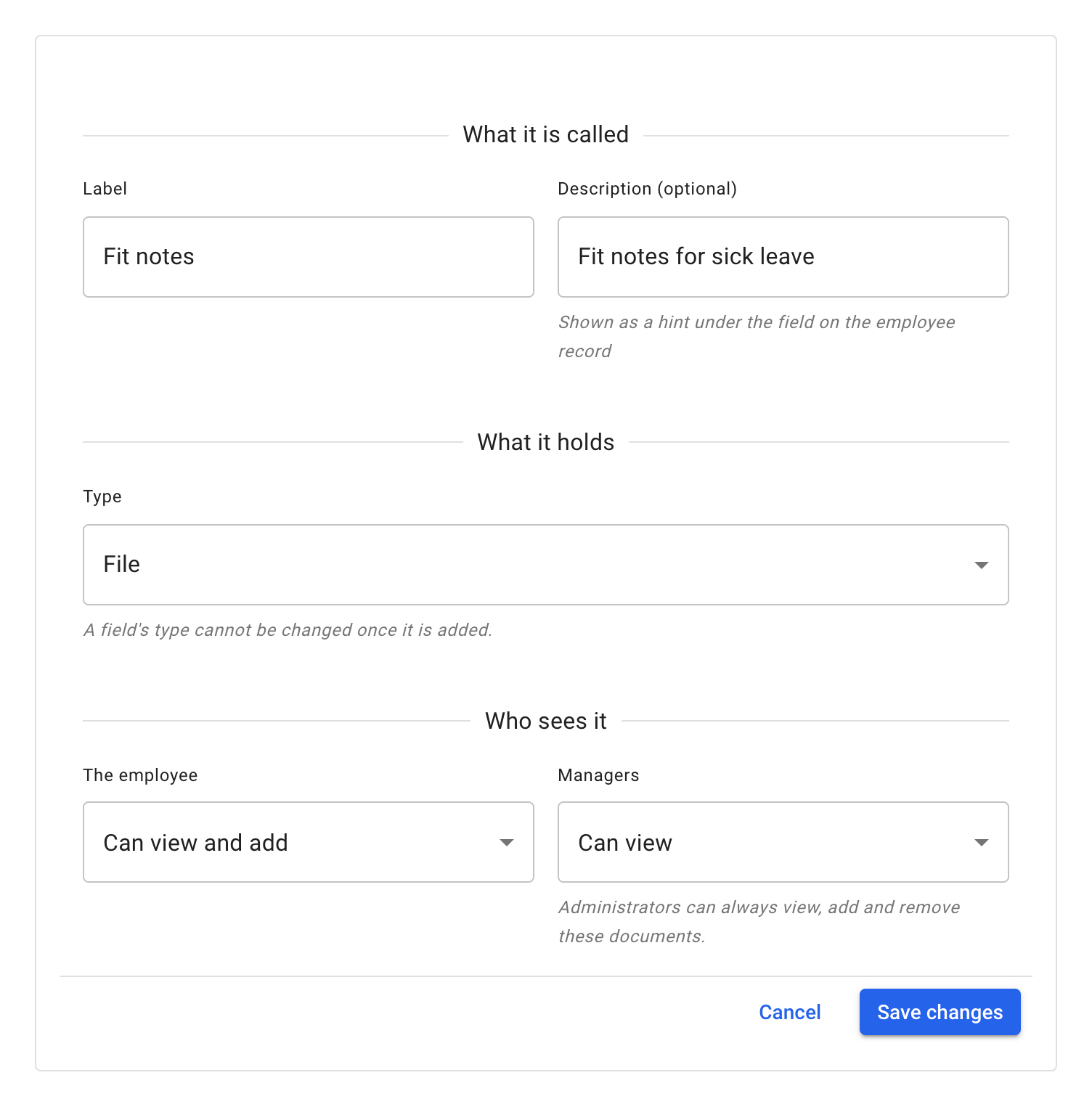
Administrators can create a place for files such as contracts or travel receipts. On the Custom fields page, under Settings → Company setup, select Add new and choose File as the type.
- Give the field a clear name Use a label such as “Contract” or “Travel expenses” so everyone knows what belongs there.
- Add a helpful description An optional hint appears beneath the field on the employee record.
- Choose who can view or add documents Set access separately for the employee and for managers, on each document field.
Choose an access level for the employee and for managers
No access
The field's documents are not shown.
Can view
See and download the field's documents.
Can view and add
See, download and add documents.
Administrators can always view, add and remove documents.
On the employee record
Know where to find the right file.
Open Employee details → Documents to find documents grouped under the fields you created. Each document shows its name, size, who added it and when.
Which files a document field takes
Each file has a size limit, each field holds a limited number of documents on each employee's record, and each company has a storage limit shared with the files on leave requests. The app says when a limit is reached.
- JPEG
- PNG
Attachments on leave requests
Send the supporting file with the leave request.
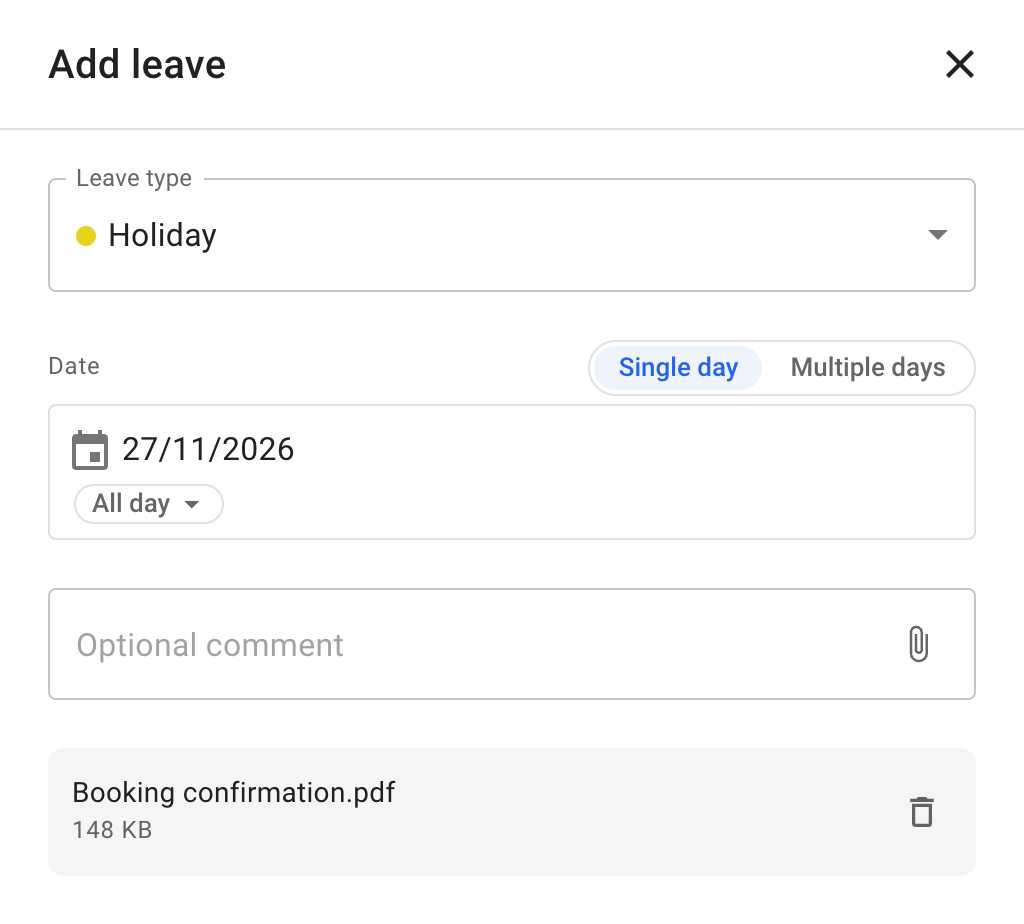
Employees can attach a file when they request leave, so the supporting information stays connected to the leave it relates to.
- Choose the leave type and dates as usual.
- Select the paperclip in the corner of the comment box, Attach a file, and choose a file.
- Select Add. The file goes with the request.
Need to add a file later? Open the leave's details and use Attach a file.
On the Leave tab
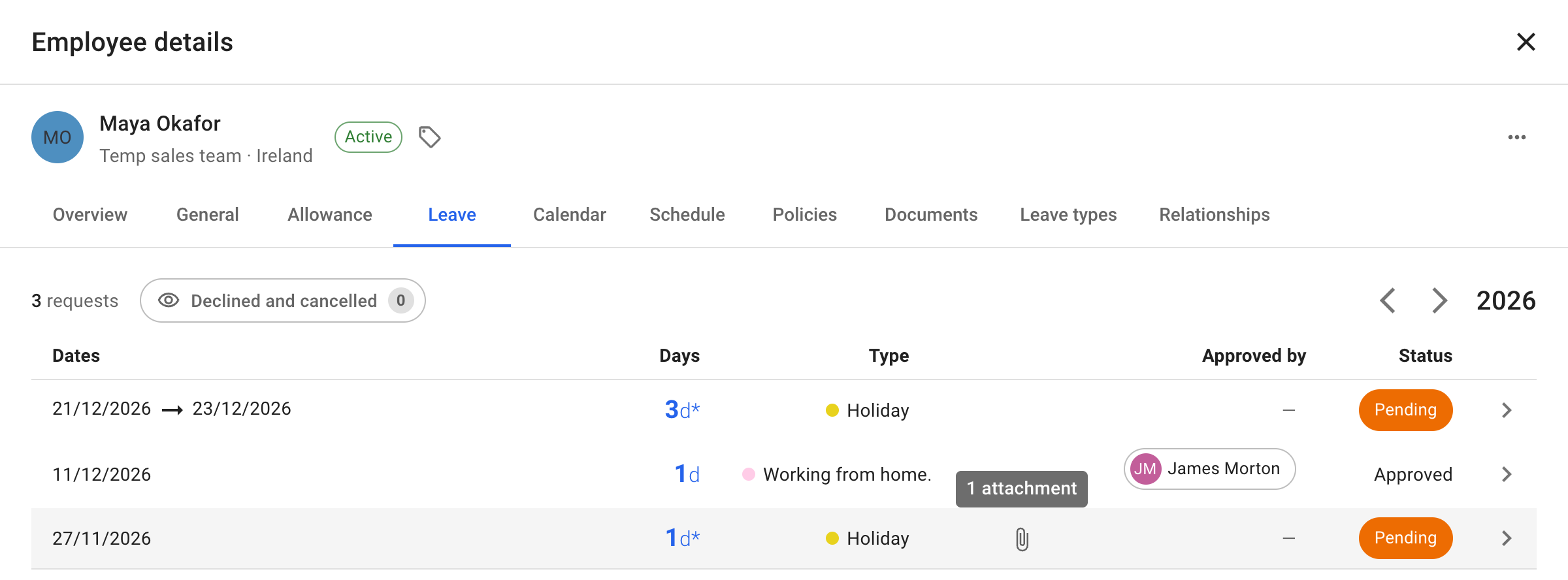
Keep each attachment with the leave it supports.
Files attached to a leave request stay with that request, in Employee details → Leave. A paperclip marks a leave with attachments; hover over it to see how many files it holds, then open the leave to find them.
What customers say
It fits the way your company works.
A 5-star Google review on flexibility and support.
It just works. It's very flexible and there's pretty much always a way to make it function how your company needs it to. Customer support is also top notch. Highly recommend.
Common questions
Documents and attachments, explained.
How fields, access and leave attachments fit together.
Explore employee and team management
- Where are employee documents kept?
-
On the Documents tab of the employee's record, grouped by the fields you create. Files attached to a leave request stay with that request, and the Leave tab marks the leave with a paperclip.
- Can employees add their own documents?
-
Yes, when the field's access for the employee is Can view and add. Employees use the Documents tab on My profile, on a computer. Can view lets them see and download the field's documents without adding any.
- Which files can I add to a document field?
-
PDF, JPEG and PNG files, one at a time. Each file has a size limit, each field holds a limited number of documents on each employee's record, and each company has a storage limit shared with the files on leave requests. The app says when a limit is reached.
- Can a file be attached after a leave request is submitted?
-
Yes. Open the leave's details and use Attach a file. This works after approval too, and does not change the request or its approval.
- Who can open attachments on a leave request?
-
People who can open that leave's details can see its attachments. Colleagues who only see the leave on Team View cannot open its files.
- Can employees use documents and attachments on a phone?
-
Leave attachments work on a phone, including when booking leave. Use a computer for documents on employee records: the phone layout has no Documents tab.
Keep the documents you need with the records they belong to.
Create your document fields, choose who sees them and let employees include supporting files with their leave requests. Included in the one plan, like every leave management feature.
30-day free trial · No credit card required · Cancel anytime