Included does not mean identical. Settings, report formats and integrations vary. The shared calendar row means the calendar inside each product—not external calendar integration. “Two-step” does not imply identical approver options.
A small company can still need different PTO allowances and local holiday calendars.
In TimeOff, employees can have different allowance arrangements while locations keep their own holiday lists. You do not need separate accounts for each office.
Explore a fictional five-person team: three people in New York and two in London. Each office’s team has its own allowance and holiday list, and HR can review both in one system.
AM Alex Morgan Customer Support 3 used 12 days left
HS Helen Stone Operations 5 used 10 days left
SC Sam Clarke Sales 2 used 13 days left
Company-chosen examples, not statutory entitlements. Each office’s allowance is set on its department, and each location keeps its own holiday list. No account settings change here.
Day Off advertises 17% off when paid yearly. The totals above compare monthly subscriptions only; confirm the annual quote, minimum charge and tax treatment before choosing. No yearly price has been calculated from the monthly totals.
Day Off also lists Pro + Time Tracker at $3 per seat/month, with a $30 monthly minimum. It adds time and attendance tools. That plan is not the leave-only comparator used above, and TimeOff is not presented as a replacement for its clocking or task tracking.
Day Off Free remains free for eligible teams. TimeOff is a paid subscription after its 30-day trial. Compare the features and workflow you need, not price alone.
There are real reasons to choose either approach. Keep them in the comparison.
TimeOff.Management
A dedicated web app.Every TimeOff feature included.
Employees and managers use TimeOff on desktop or mobile. Calendar subscriptions can display leave in Google Calendar and Outlook; requests and approvals stay in TimeOff.
Day Off offers iOS and Android apps and web access. Its paid integrations bring requests and approvals into Slack and Microsoft Teams. These are not the same as calendar feeds.
Work through a location setup and a typical employee policy in a demo. Then test TimeOff with your own requirements during the trial.
“I run a small team of five. Tracking vacation time / holidays is a bit of chore but not with timeoff.management”
PS Paul SavageGoogle review
Common questions
Comparing TimeOff and Day Off
Is Day Off Free enough for a small team?
It can be. According to its pricing page (checked 5 October 2026), Day Off Free is for up to 10 users with one approval step, and multiple policies and multiple locations are on its paid plans. If your team needs more than one leave policy, more than one location or a second approval step, compare the paid plan you would need with TimeOff’s single plan.
How does TimeOff’s price compare with Day Off Pro?
TimeOff costs $1.50 per user per month with every feature included. According to its pricing page (checked 5 October 2026), Day Off Pro costs $2 per seat per month with a $20 monthly minimum, so for the same headcount TimeOff’s monthly total is lower. Day Off also advertises 17% off when paid yearly; this page compares monthly prices only.
Can TimeOff give different offices different allowances and holidays?
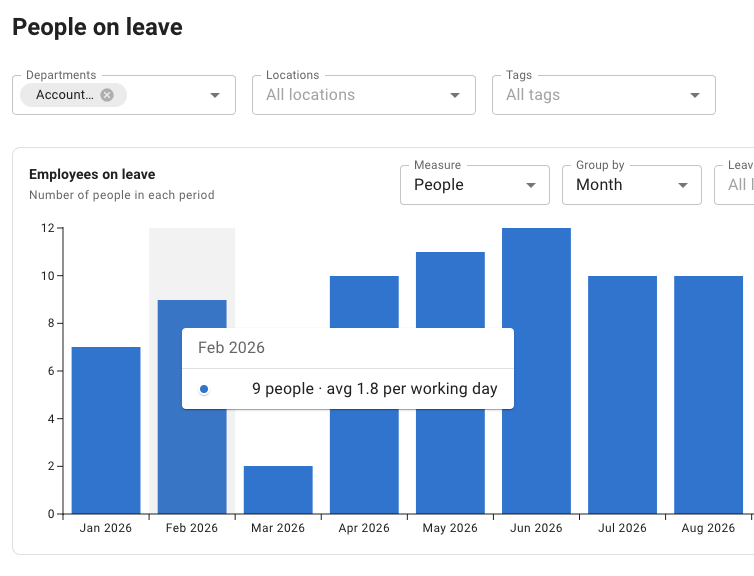
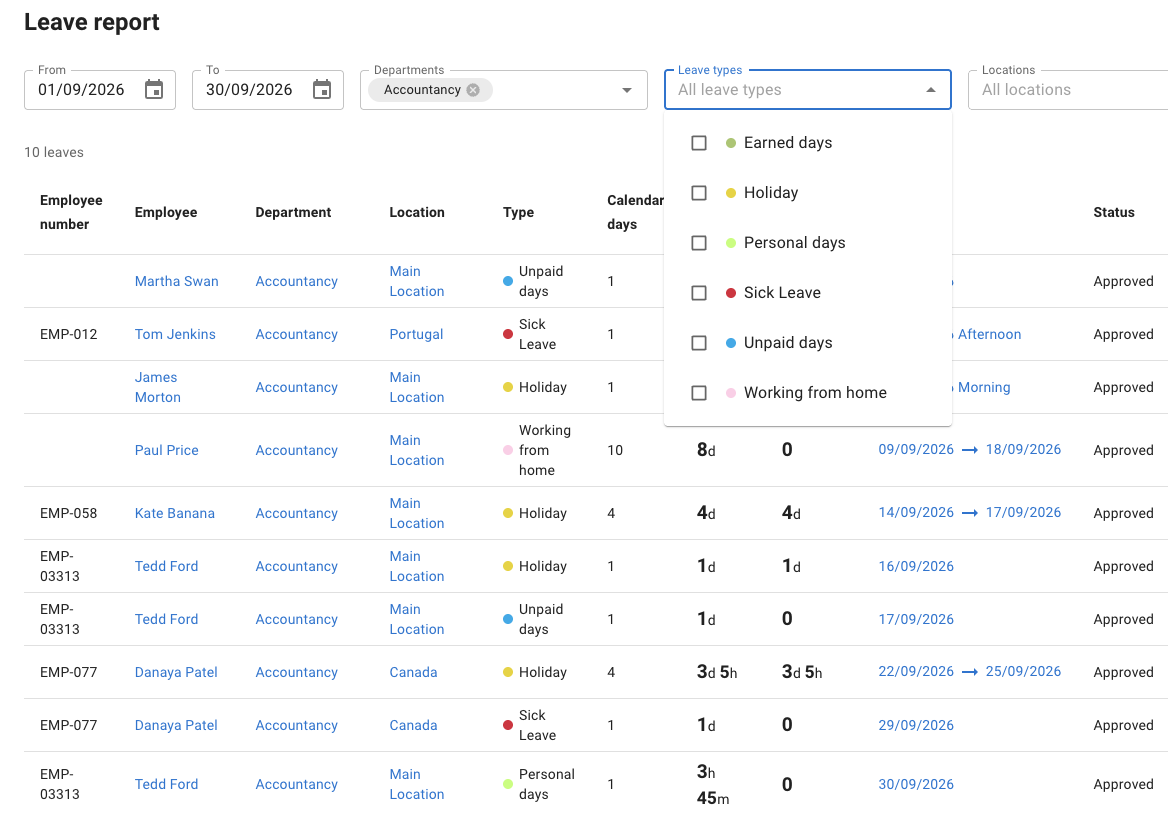
Yes. Allowances are set by department or for an individual employee, and each location keeps its own public-holiday list. One account holds every location, and administrators can review leave across all of them in the same reports.
Does TimeOff have a mobile app?
TimeOff runs in the mobile browser rather than as a native app, so employees can book leave and managers can approve requests from a phone. According to its knowledge base (checked 5 October 2026), Day Off is available on iOS, Android and the web.
No. TimeOff has no Slack or Microsoft Teams integration: calendar feeds show approved leave in Google Calendar and Outlook, and requests and approvals stay in TimeOff. According to its pricing page and integration pages (checked 5 October 2026), Day Off brings requests and approvals into Slack and Microsoft Teams on its paid plans.
At one price with every feature included: $1.50 per user per month, billed on the number of employees in the system on the last day of your billing month. Start with a 30-day free trial — no credit card required — and cancel anytime.
One plan, without feature upgrades
Try the full setup. Not a restricted version.
Check your leave policies, local calendars and reports. Decide whether the complete TimeOff plan is right for your team.
Every feature included. No credit card required. Cancel anytime.
This page compares selected leave-management requirements in TimeOff with Day Off Free and Pro. Pro + Time Tracker is a separate, broader plan. “Included” is not a guarantee of identical settings, outputs, app support or integrations.
Monthly prices use standard USD rates for the same headcount, before taxes, optional extras or discounts. TimeOff is billed on the number of employees in the system on the last day of the billing month. Day Off’s yearly offer is acknowledged, not calculated. Features, plans and prices can change: check current plans and billing before buying.
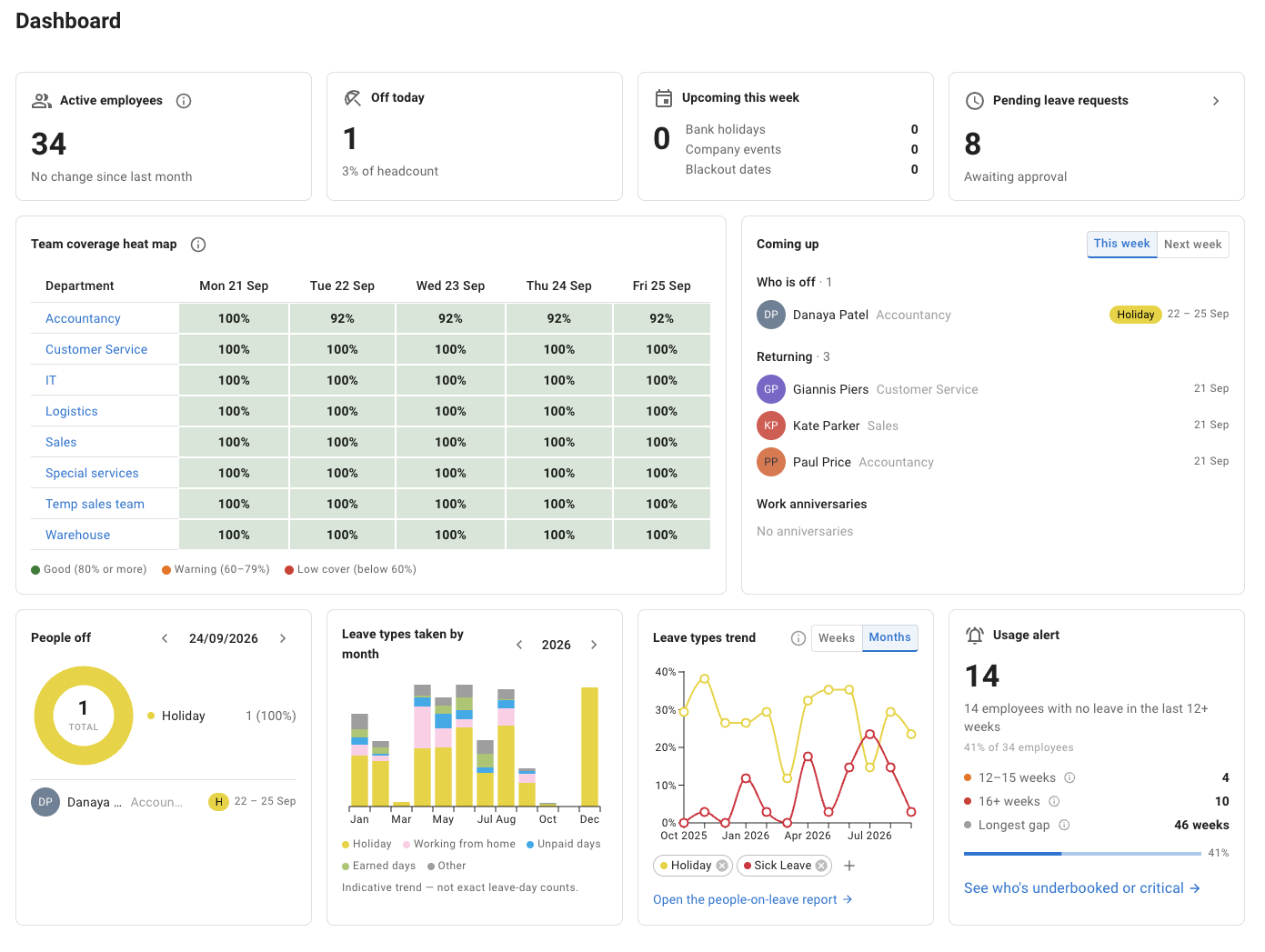
The locations example and the calculator use fictitious data and are illustrations of the stated rules, not exact reproductions of the application. The dashboard and reports are screenshots of TimeOff from a separate example account. No example makes a request, changes account data or sends an email. The customer review is general feedback about TimeOff, not evidence of a switch from Day Off.