
Setting up individual allowances
Individual allowance lets you give one employee a different leave allowance from their department.
Use this when the employee should not follow the standard department allowance.
For example, you may need an individual allowance for:
- part-time employees
- employees with custom contracts
- new starters
- employees with a special agreement
- employees who need a different holiday, vacation, or PTO allowance
Individual allowance is a front-loaded allowance.
This means the employee receives a fixed number of days from the start of the company year, or from the start of their employee allowance year, depending on your company settings.
How individual allowance fits with allowance setup
Most companies start with a department allowance.
This gives everyone in the same department the same annual leave or PTO allowance.
Individual allowance overrides the department allowance for one employee.
Use it when the department allowance is right for most people, but one employee needs a different amount.
For a full overview of how allowance works, read: Setting up allowances
Individual allowance or accrual schedule?
There are two common ways to override department allowance for one employee.
| Option | What it does | Use it when |
|---|---|---|
| Individual allowance | Gives the employee a fixed yearly allowance | The employee should receive a set number of days for the year |
| Accrual schedule | Releases allowance gradually over time | The employee earns leave monthly, quarterly, or on another schedule |
Use Individual allowance for a simple fixed amount.
Use an Accrual schedule when allowance should build up over time.
Read more: Employee policies - Accrued Allowance Schedule
How to set an individual allowance
To set an individual allowance for one employee:
- Go to Employees.
- Select the employee whose allowance you want to update.
- Open Employee Details.
- Go to the Allowance tab.
- Click Edit Mode.
- Enter the employee’s individual allowance.
- Save the changes.
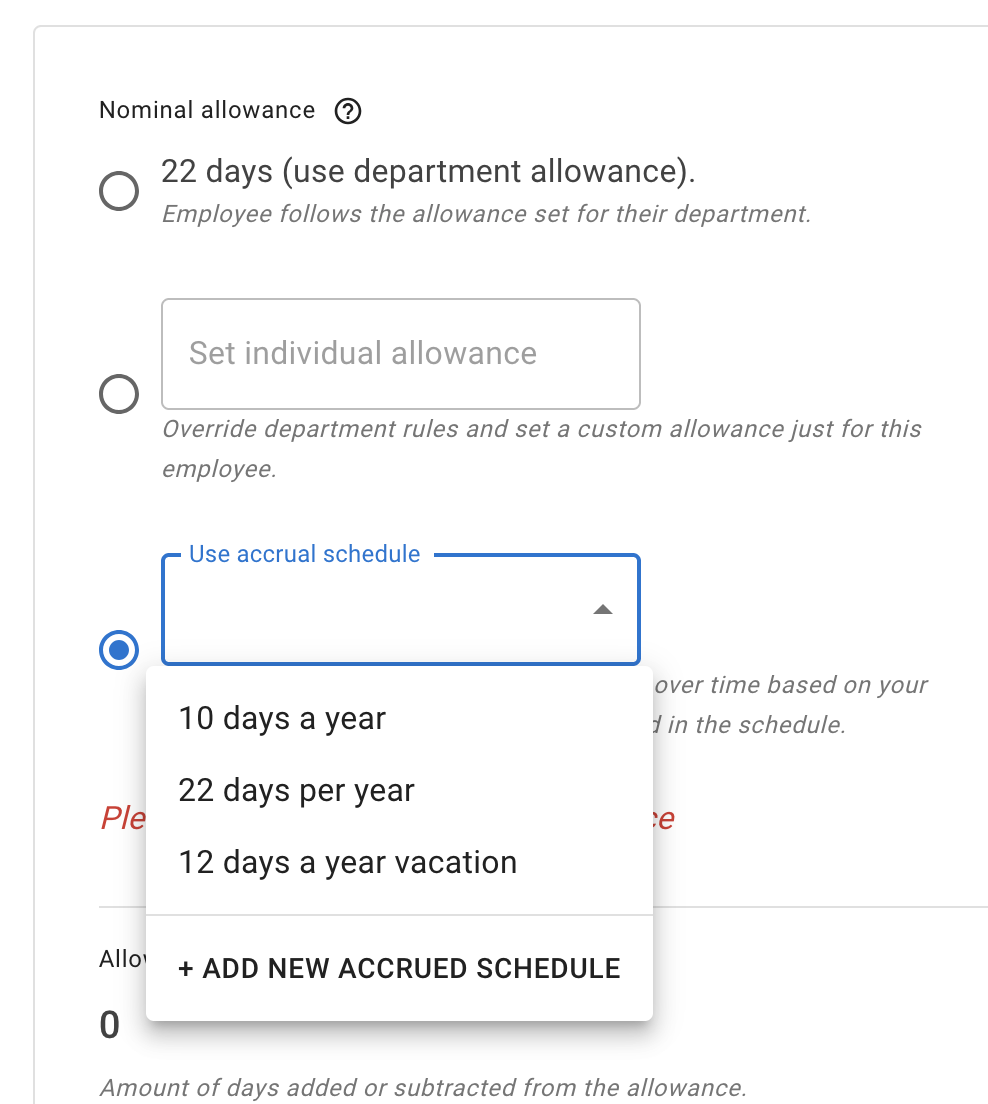
Once saved, this employee will use the individual allowance instead of the department allowance.
Example
Your Full-time department may have a standard allowance of 25 days.
But one employee may have a contract for 20 days.
In this case, you can set that employee’s individual allowance to 20 days.
The rest of the department will continue to use the standard 25-day department allowance.
When not to use individual allowance
Do not use individual allowance for small one-off changes.
For example, do not change the employee’s yearly allowance just to add one extra day, correct a mistake, or record TOIL.
Use an allowance adjustment instead.
Allowance adjustments let admins add or remove days and leave a comment explaining the change. This keeps a clear history.
Read more: Allowance adjustment
Read more: Setting employee schedule
Check leave types
Leave types control how each request affects allowance.
A leave type can:
- deduct from allowance
- add to allowance
- have no effect on allowance
- have its own yearly limit
For example, holiday may deduct from allowance, while working from home may have no effect.
Read more: Leave types
Best practice
Keep your allowance setup simple.
Use department allowance for most employees.
Use individual allowance only when one employee needs a different fixed yearly amount.
Use allowance adjustments for one-off changes.
Use an accrual schedule when leave should be earned over time.