
Managing locations
Locations help you organise employees who work in different offices, regions, or countries.
For example, you may create locations for:
- London
- Manchester
- New York
- Toronto
- Remote UK
- Remote USA
Locations make it easier to apply the right public holidays and review leave across different parts of your business.
What locations are used for
Locations can help you:
- group employees by workplace or region
- apply the correct public holidays
- filter Team View
- filter reports
- control access to selected leave types
- restrict blackouts and company events
- manage teams across different countries
A location is separate from a department.
| Setting | What it represents |
|---|---|
| Department | The employee’s team or business function |
| Location | Where the employee works or which regional rules apply |
For example, an employee may belong to the Sales department and the London location.
How to create a location
To add a new location:
- Go to Settings → Locations.
- Select Add new.
- Enter the location name.
- Select country from the country selector.
- Save your changes.
Use a clear name that employees and managers will recognise.
For example:
- London Office
- Scotland
- Ontario
- California
- Remote Europe
Rename a location
To change a location’s name:
- Go to Settings → Locations.
- Select the location.
- Open the menu at the top right of its details and choose Edit location.
- Change its Name, then select Save changes.
The main location, marked Main, is renamed the same way. It is the location of every employee you have not assigned elsewhere, and it cannot be deleted. Once renamed, its name shows wherever locations are listed, and on the details of each employee based there, like any other location’s.
Assign an employee to a location
To assign or change an employee’s location:
- Go to Employees.
- Open the employee profile.
- Go to the General tab.
- Select Edit, the pencil on the Identity caption.
- Select the correct Location, in the Employment details section. The field shows when your company has more than one location.
- Select Save changes at the foot of the drawer.
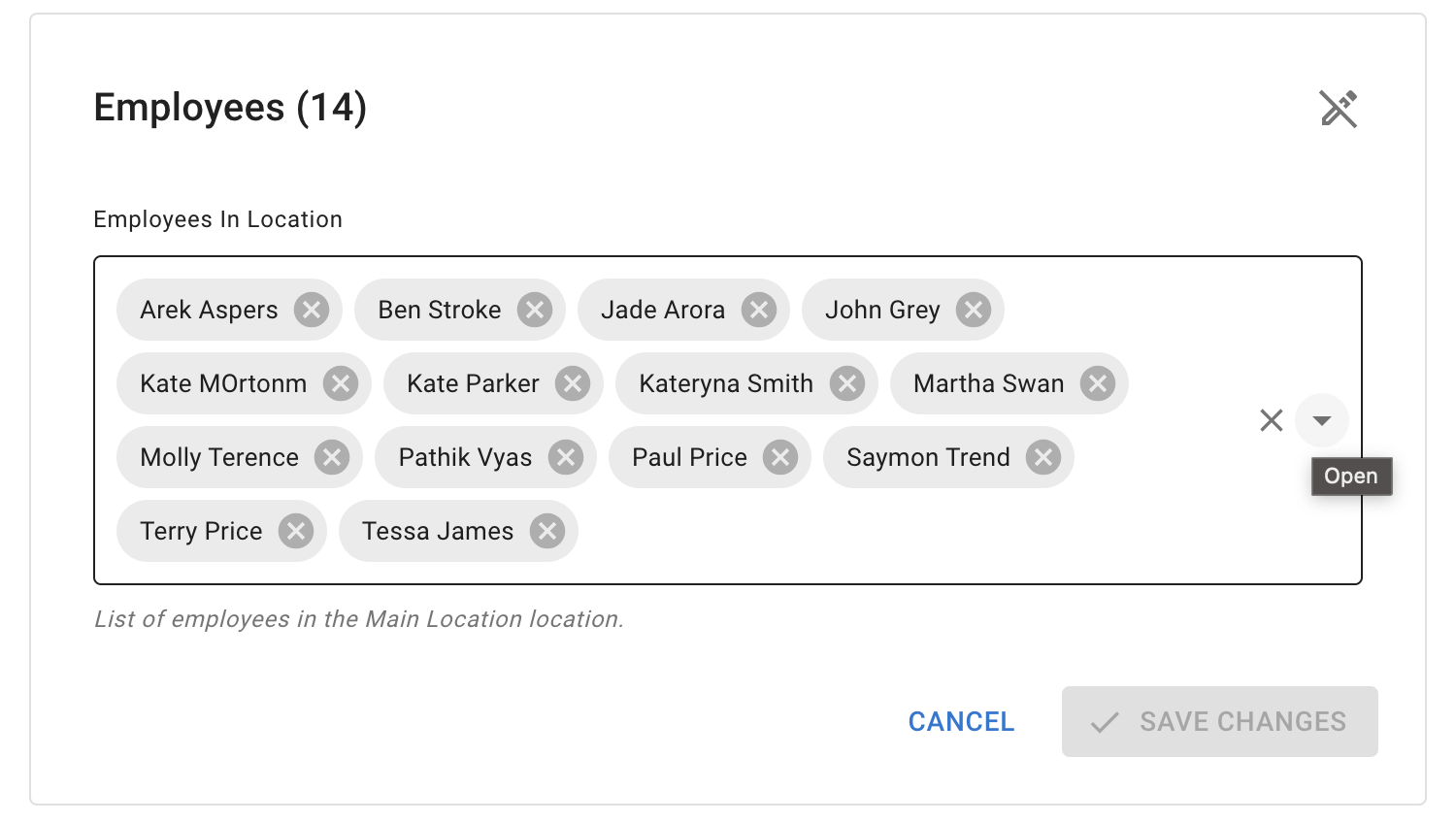
Check the employee’s location when:
- adding a new employee
- moving someone to another office
- changing their country or region
- updating public holiday rules
- changing manager visibility
Read more: Adding, editing, and deleting users
Locations and public holidays
Employees in different locations may follow different public holiday calendars.
For example:
- employees in England may follow English bank holidays
- employees in Scotland may follow Scottish bank holidays
- employees in the USA may follow a federal or state calendar
- employees in Canada may follow a provincial calendar
Assigning employees to the correct location helps you apply the right public holidays.
Read more: Public holidays
Locations in Team View
Team View can be filtered by location.
This helps managers check who is off in a particular office or region.
For example, a manager can review:
- everyone in the London office
- employees working in Scotland
- a remote team in one country
- leave across one regional branch
The information a manager can see still depends on their permissions.
Read more: Using Team View
Locations in reports
Reports can also use location filters.
This helps administrators review:
- leave taken by location
- allowance usage by location
- absence records for one office
- leave type usage in one region
- staffing patterns across different workplaces
Read more: Reports
Restrict leave types by location
A Leave Access policy can control which leave types are available to employees in selected locations.
For example, you may want:
- one location to use a regional leave type
- only employees in one country to book a specific absence
- different offices to follow different leave rules
This is useful for companies that operate across several countries or regions.
Read more: Employee policies overview
Restrict blackouts and company events by location
Blackout periods and company events can be assigned to selected locations.
For example, you may create:
- a blackout for one busy office
- a local company event
- a regional training day
- a closure that applies to one location only
Employees outside the selected location will not need to follow that location-specific calendar entry.
Read more: Blackouts and company events
Moving an employee to another location
Before changing an employee’s location, check whether the move affects:
- public holidays
- leave type access
- company events
- blackout periods
- Team View visibility
- reports
- manager access
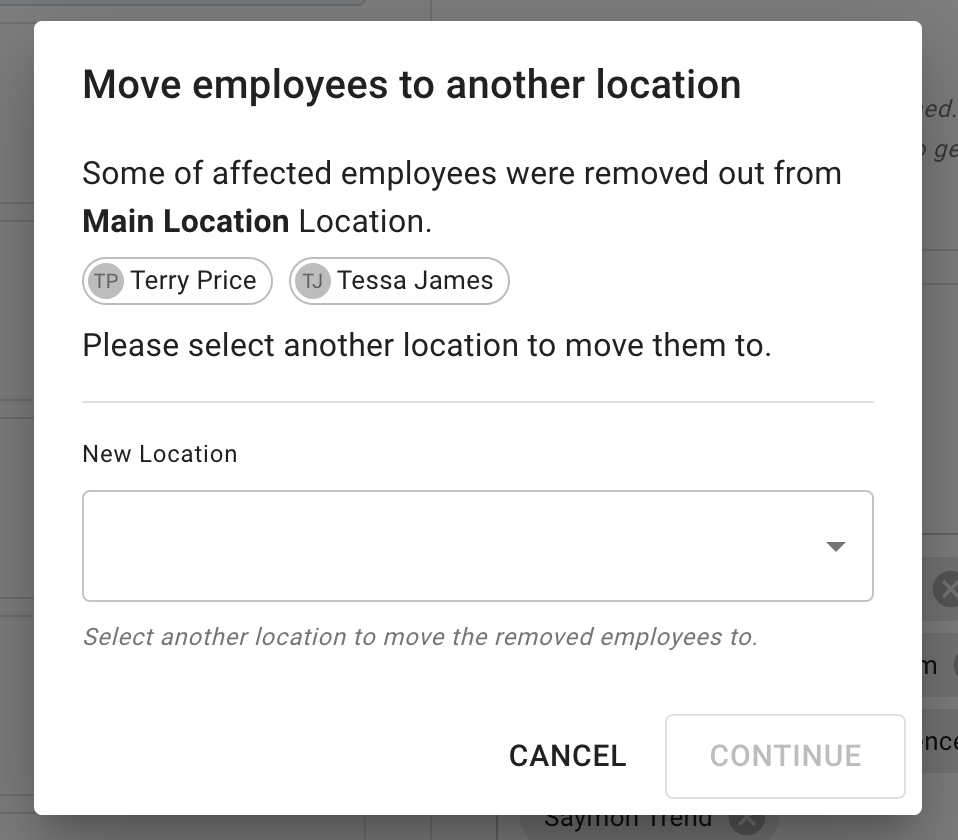
After saving the new location, review the employee calendar and leave settings.
Existing leave requests should also be checked if the location change affects public holidays or company rules.
Editing a location
Edit a location when:
- the office name changes
- a regional label needs updating
- the location was entered incorrectly
- your company reorganises its workplaces
Before changing a location used by many employees, check how the change may affect filters, public holidays, and policies.
Removing an unused location
Before removing a location, check whether employees are still assigned to it.
Move those employees to the correct location first.
Also check whether the location is used by:
- public holiday settings
- Leave Access policies
- blackout periods
- company events
- reports
- manager visibility rules
Do not remove a location until its employees and related settings have been reviewed.
Common location checks
If an employee sees the wrong calendar information, check:
- their assigned location
- the public holiday calendar
- Leave Access policies
- blackout and company event settings
- Team View permissions
- their department
- any employee-specific overrides
A location setting may be correct, while another policy changes what the employee can see or book.
Related articles
-
Public holidays Add and manage public holidays for employees in different locations.
-
Blackouts and company events Create calendar entries for selected locations, departments, or employee groups.
-
Adding, editing, and deleting users Assign each employee to the correct location when creating or updating their profile.
Best practice
Create locations before adding a large number of employees.
Use clear location names and check public holiday settings before inviting employees to log in.