
Advance notice for booking leave requests
Advance notice controls how early employees must submit requests for a selected leave type.
For example, you may require employees to request Holiday at least 10 days before the leave starts.
Advance notice is set separately for each leave type.
Open the Leave Types page
To manage advance notice:
- Open Settings.
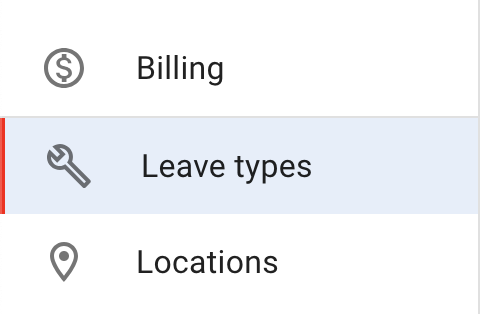
- Select Leave types.
- Choose the leave type you want to update.
- Open the menu at the top right of its details and select Edit leave type.
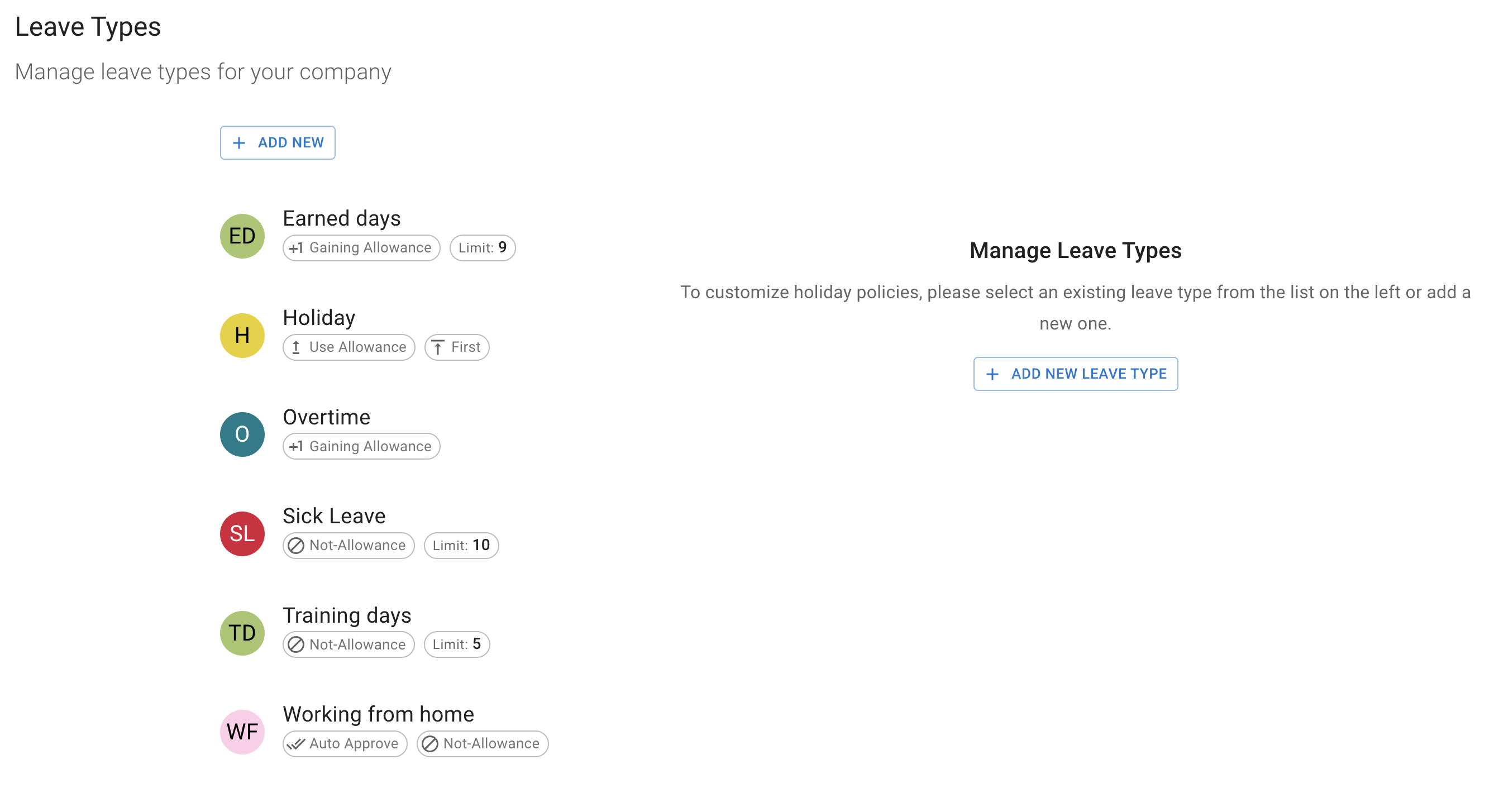
You will see your leave types, grouped by how each one is counted, with an Advance notice chip on each one that requires notice.
Set the advance notice rule
Choose how advance notice is calculated
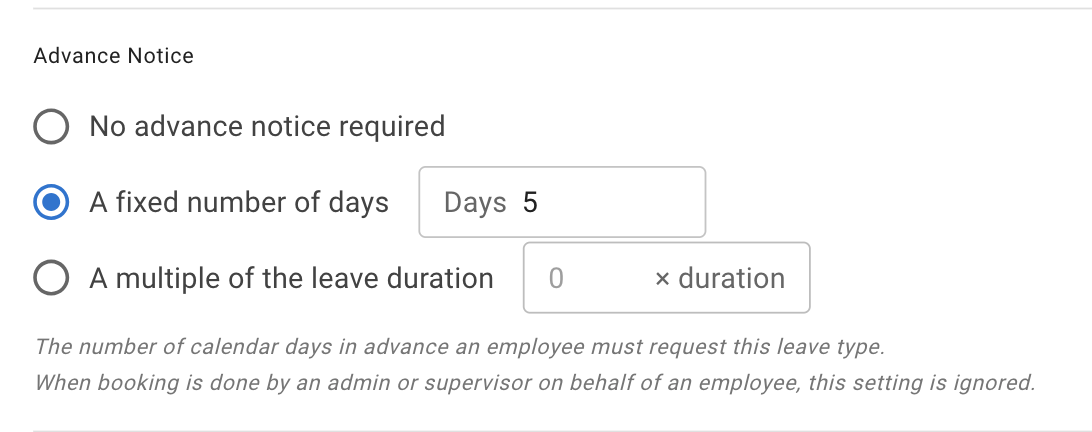
The leave type form offers three choices:
- None — the default. Employees can book at any time.
- Must be requested at least … days ahead, with the number of days in the box — the same requirement however long the leave is.
- Must be requested … × its own length ahead, with the multiple in the box — the requirement scales with the booking, so a long booking needs more warning than a short one.
Choose the one that best matches your company policy.
Option 1: At least a number of days ahead
Use a fixed number when every request for that leave type needs the same notice period.
For example, if Holiday must be requested at least 10 days ahead, employees must submit every Holiday request at least 10 days before it starts.
| Employee request | Result |
|---|---|
| Leave starts in 5 days | Cannot be booked by the employee |
| Leave starts in 9 days | Cannot be booked by the employee |
| Leave starts in 10 days | Can be booked |
| Leave starts in more than 10 days | Can be booked |
This rule applies regardless of whether the employee books one day or several days.
Option 2: A multiple of its own length
Use a leave-length multiple when longer absences should require more notice.
The required notice is calculated from the length of the employee’s booking.
For example, you can require notice that is twice the length of the requested leave.
| Length of leave request | Advance notice rule | Required notice |
|---|---|---|
| 1 day | 2 times the leave length | 2 days |
| 3 days | 2 times the leave length | 6 days |
| 5 days | 2 times the leave length | 10 days |
| 10 days | 2 times the leave length | 20 days |
For example, when the rule is set to twice the booking length:
- a 2-day request must be submitted at least 4 days in advance
- a 5-day request must be submitted at least 10 days in advance
- a 10-day request must be submitted at least 20 days in advance
This gives the business more time to plan cover for longer absences.
The request must still follow all other company rules.
These may include:
- available allowance
- leave type limits
- blackout dates
- leave type access
- approval requirements
How advance notice works
The leave start date must be far enough away when the employee submits the request. The requirement is counted in calendar days.
Advance notice is checked at the moment of booking. It decides whether the employee can submit the request at all — it has no bearing on whether the request is then approved.
Set different notice periods for different leave types
Each leave type can have its own advance notice value.
For example:
| Leave type | Example advance notice |
|---|---|
| Holiday | 10 days |
| Training | 14 days |
| Unpaid Leave | 7 days |
| Working from Home | 1 day |
| Sick Leave | No advance notice requirement |
Choose a period that matches your company policy.
Avoid setting a long notice period for leave types that employees cannot plan in advance.
Admin and manager override
Advance notice applies to employees booking for themselves.
When an admin or a manager books on someone else’s behalf, it does not get in the way — the assumption being that the conversation has already happened.
For example, if Holiday requires 10 days’ notice, an admin or a manager can still add a Holiday request for an employee that starts tomorrow.
This is useful when:
- an exception has been agreed
- an employee cannot access the system
- historical leave is being added
- an urgent absence needs to be recorded
- a booking needs administrative correction
Read more: Create leave on behalf of an employee
Advance notice and approvals
Advance notice controls when an employee can submit a request.
It does not decide whether the request is approved.
After submission, the request may:
- go to the normal approver
- be approved automatically
- follow another company approval rule
Read more: Approve or decline time off requests
Advance notice and blackout dates
Advance notice and blackout dates solve different problems.
| Setting | What it controls |
|---|---|
| Advance notice | How early an employee must submit a request |
| Blackout date | A period when employees cannot normally book leave |
A request may meet the advance notice requirement but still fall within a blackout period.
Read more: Blackouts and company events
If an employee cannot submit a request
Check:
- the leave start date
- the advance notice value
- the selected leave type
- available allowance
- leave type limits
- blackout dates
- Leave Access policies
- whether the leave type is blocked
The employee may meet one rule but be stopped by another.
Related articles
-
Leave types Configure leave names, colours, how each is counted, limits, and advance notice.
-
Create leave on behalf of an employee Add an employee request and override advance notice when an authorised exception is needed.
-
Blackouts and company events Block employee bookings during selected periods or add important dates to the company calendar.
Best practice
Set advance notice only where your business needs time to plan cover.
Keep the rule simple, apply it consistently, and let admins and managers record agreed exceptions when needed.