🧭 Settings in one place, and a menu you can make your own
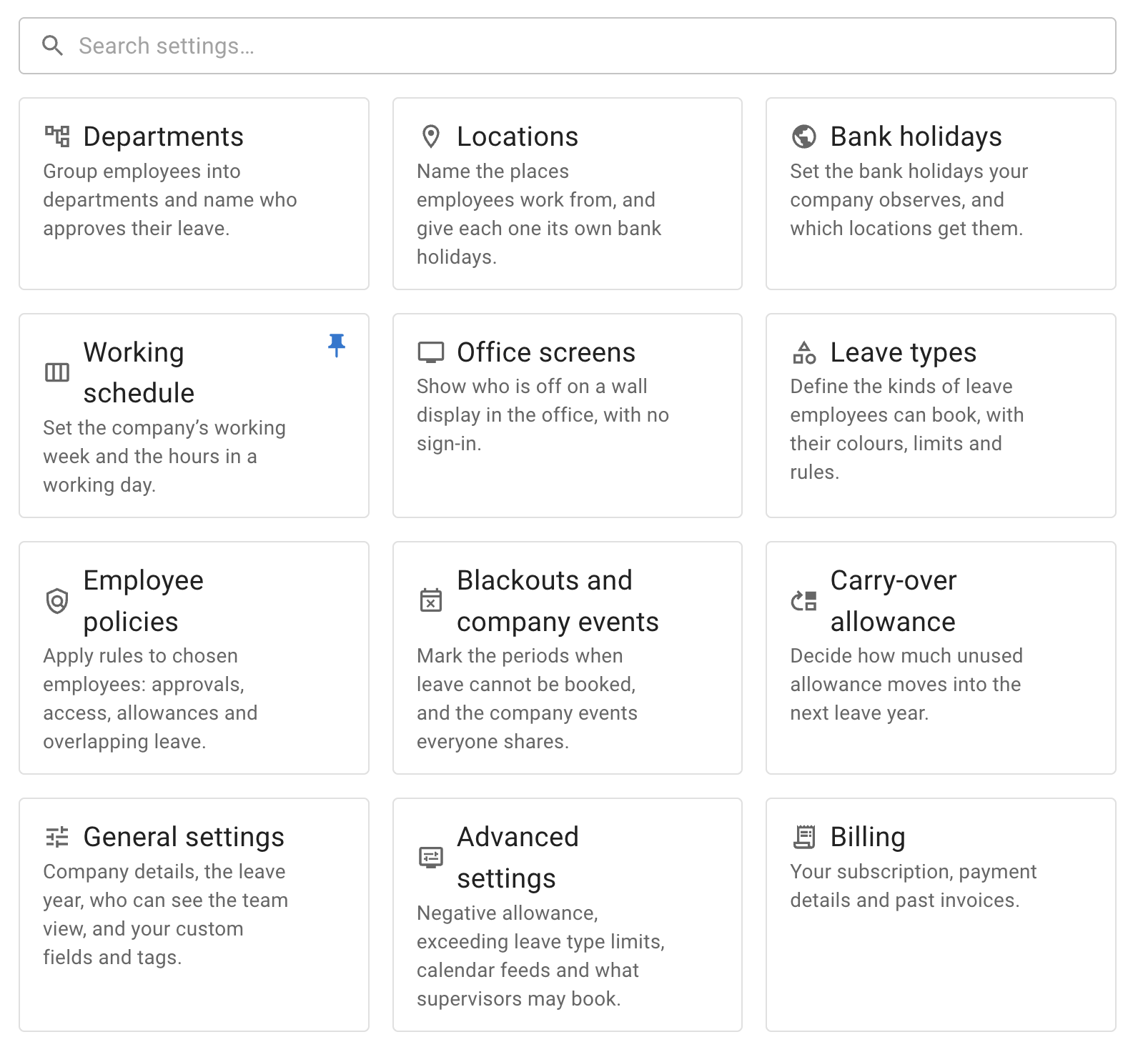
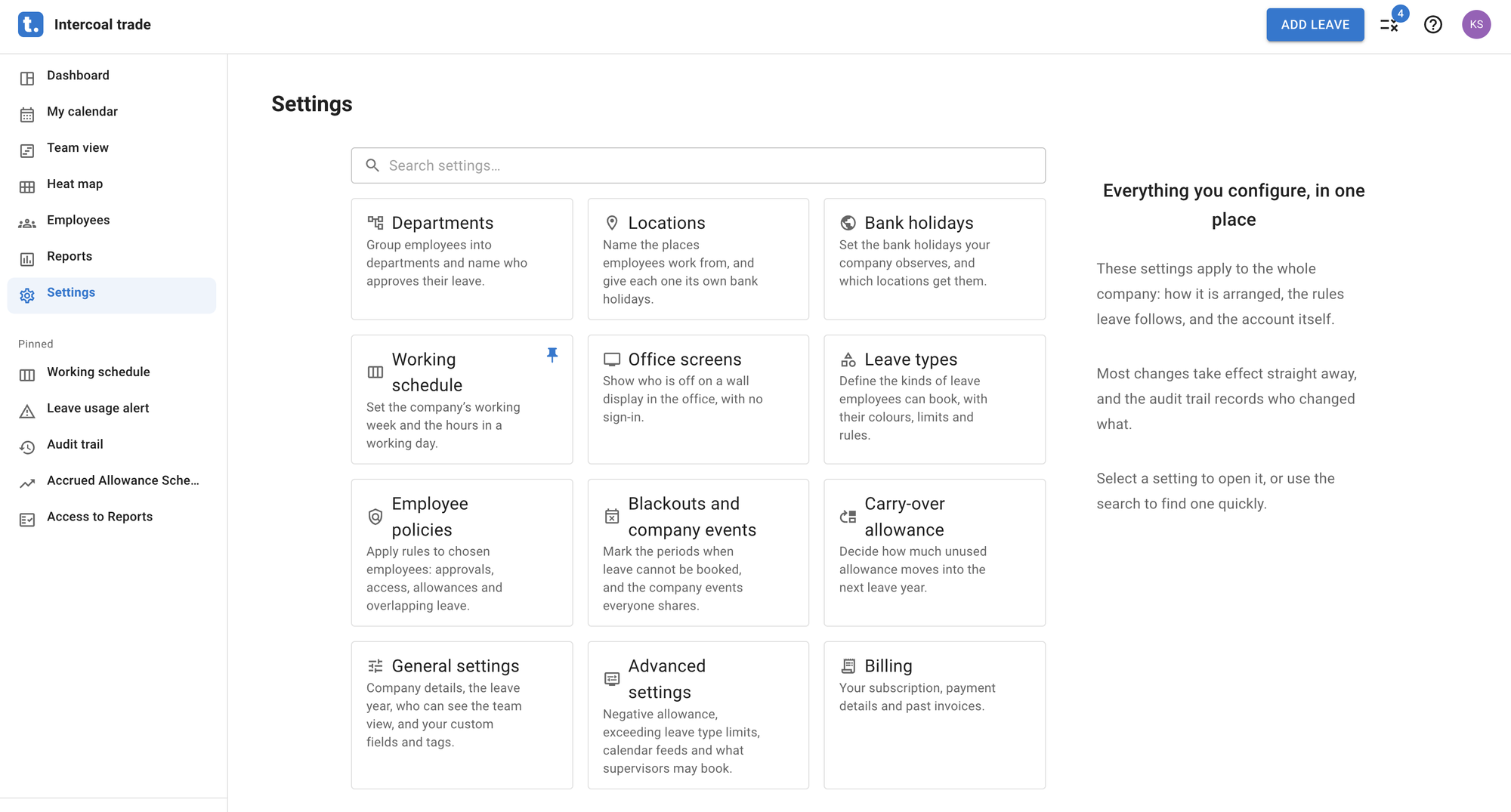
Everything an administrator configures now sits on one page. Settings in the left menu opens a hub with a tile for each of Departments, Locations, Bank holidays, Working schedule, Office screens, Leave types, Employee policies, Blackouts and company events, Carry-over allowance, General settings, Advanced settings and Billing, grouped as the company’s own setup, the rules leave follows, and the account. Search settings… finds one by name or by what it does, and each of those pages now carries All settings above its title to get back.
Any page of Settings, Reports or Employee policies can be pinned to the menu. Hover over a tile and Pin to the menu appears beside it; the page joins a Pinned group under the main items, with Unpin on the row. Pins are yours alone, kept on the browser you set them on.
The bar across the top is rebuilt around all of this. On the left, the mark and your company’s name, which take you to My calendar. On the right, Add leave; Leave requests, carrying the number waiting for you, in place of the bell; Help, which gathers What’s new, the User manual and Contact us; and your avatar, with My profile and Logout.
Notices now show as a strip across the top of the page.