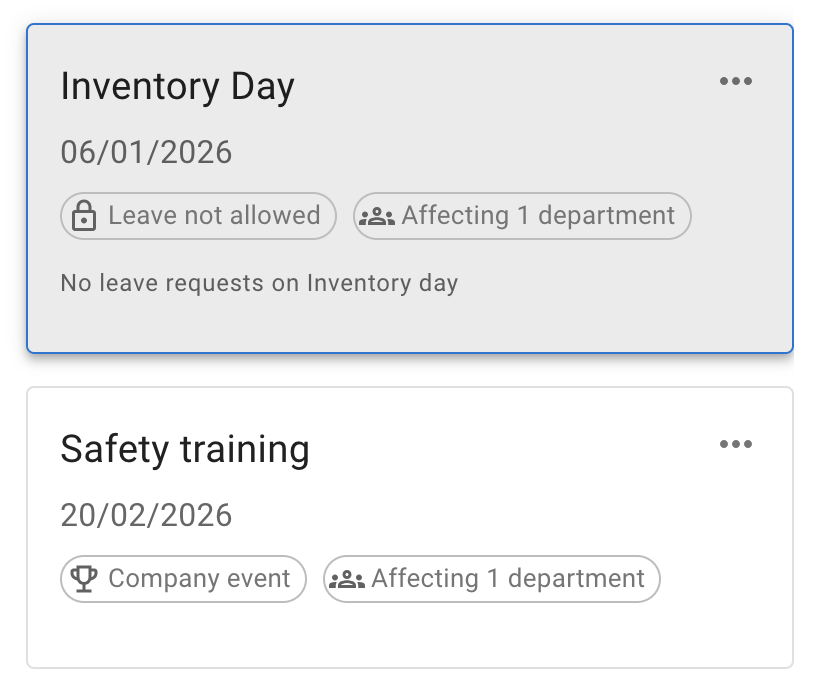
Blackouts and company events
Create Blackouts in Advance
Blackouts help protect your business from unexpected absences during busy or critical periods.
Set blackout dates in advance so employees know when leave cannot be booked. This gives everyone clear guidance and helps your business stay covered when you need people most.
You can apply blackouts to the whole company, or limit them to specific:
- locations
- departments
- employees
This is useful when only one team or location is affected.
For example, your warehouse team may need a blackout during stocktake. Your customer support team may need one during a product launch. A single location may need one during a local busy season.
Blackouts stop employees from booking leave during the selected dates. However, admins can still book leave manually if there is an agreed exception.
This gives you control without removing flexibility. Your business stays protected, and managers can still support special cases when needed.
Company Events for Enhanced Communication
Company events help employees stay informed about important dates on the company calendar.
Use them for team-building days, key meetings, presentations, company updates, all-hands talks, training days, or other shared events.
Unlike blackouts, company events do not block employees from booking time off. They simply appear on the calendar to improve visibility and communication.
You can show company events to everyone, or limit them to specific:
- locations
- departments
- employees
This is helpful when an event only applies to one office, one team, or a selected group of people.
For example, you may add a training day for one department, a local office event for one location, or a management meeting for selected employees only.
By adding these events to the calendar, you reduce the need for extra tools, email threads, or manual reminders. Everyone can see the right information in one place.