
Team View privacy modes
Team View helps employees, managers, and administrators see who is off.
It is useful for planning cover, avoiding overlapping leave, and checking team availability.
However, leave data can be sensitive.
TimeOff.Management lets administrators control who can see Team View and how much detail they can see.
Open Team View privacy settings
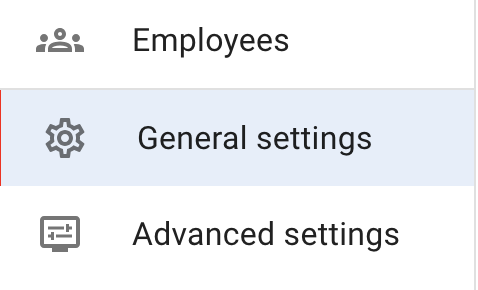
Team View visibility settings can be managed from General Settings.
To update them:
- Open Settings → General settings.
- Select Edit in the top-right corner.
- Find the Team View visibility settings.
- Choose the privacy option that matches your company rules.
- Save your changes.
Team View visibility options
You can choose who can access leave data in Team View.
The available options are:
| Option | What it means |
|---|---|
| Admins only | Only administrators can access Team View and see all employees |
| Admins and Supervisors | Admins can see the whole company. Supervisors can see the employees they manage |
| Department members (the default) | Employees can see colleagues in their own department. Admins and supervisors can see more, depending on permissions |
| Everyone sees everyone | All employees can see the full company Team View |
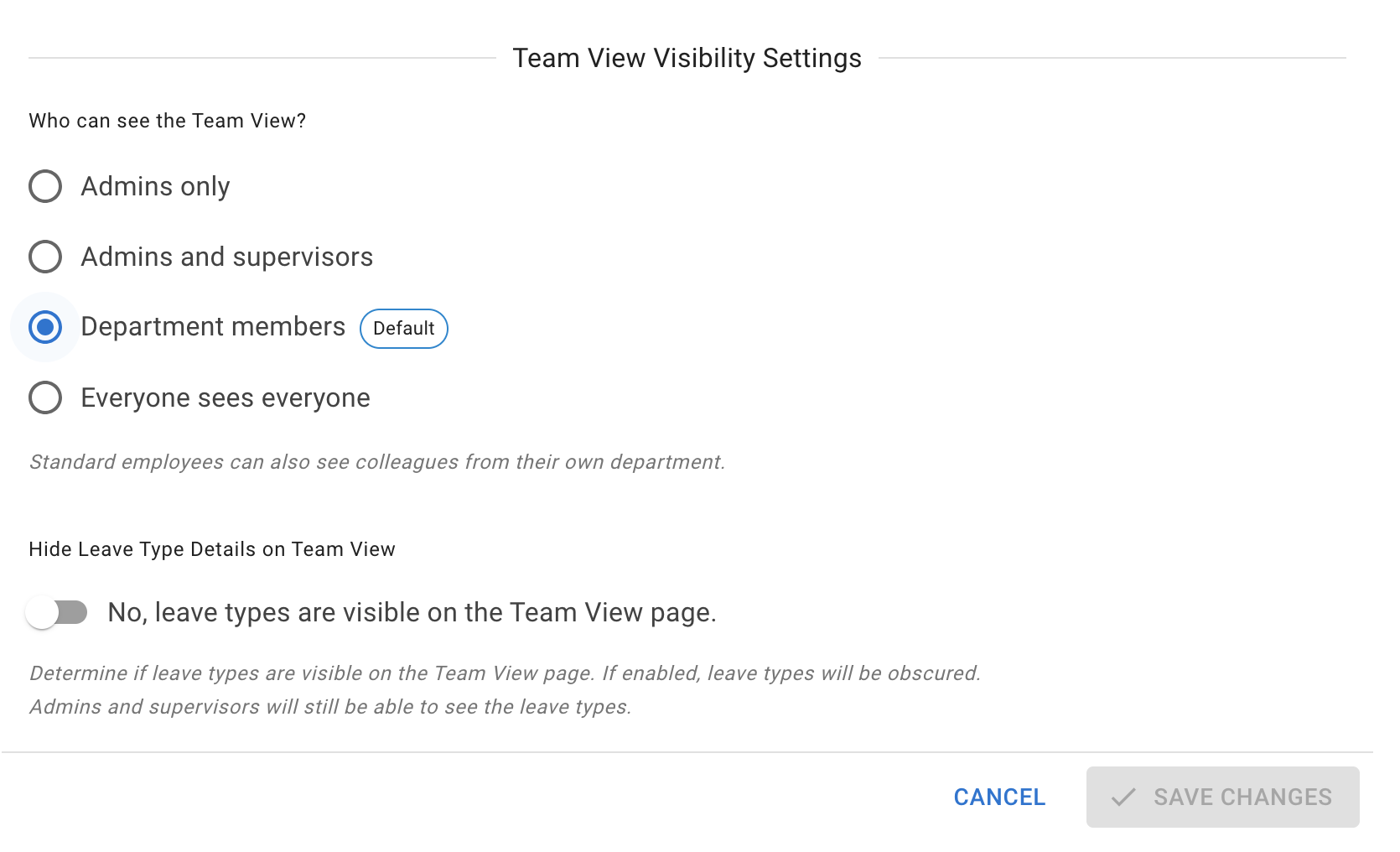
This setting is the company baseline. Employee policies can widen Team View for named people without loosening it for everybody — see Employee policies — so check there too before concluding who can see whose leave.
Option 1: Admins only
Use Admins only when Team View should be restricted to company administrators.
This is the most private option.
It may be useful when:
- employee leave data should not be shared across the company
- managers do not need Team View access
- the company wants strict control over leave visibility
- sensitive leave records should have limited visibility
Employees can still use their own calendar to manage their leave.
Read more: My Calendar
Option 2: Admins and Supervisors
Use Admins and Supervisors when managers need to plan cover for employees they manage.
With this option:
- admins can see the whole company
- supervisors can see employees they manage
- ordinary employees do not see the full company Team View
This is a good option for many companies.
It gives managers useful planning information without opening company-wide leave data to everyone.
Read more: Employees section for supervisors
Option 3: Department members
Use Department members when employees should see leave information for their own department.
With this option:
- employees can see colleagues in their department
- supervisors can see employees they manage
- admins can see everyone
This helps employees check team availability before requesting leave.
For example, a Support employee can check whether other Support team members are already off before booking a holiday.
Read more: How to request leave
Option 4: Everyone sees everyone
Use Everyone sees everyone when your company wants full leave visibility across all employees.
With this option, all employees can see the full company Team View.
This may be useful for:
- small teams
- open-calendar cultures
- businesses where everyone needs to plan around each other
- companies with simple privacy rules
Before using this option, check whether company-wide leave visibility is suitable for your business.
Hide leave types in Team View
The visibility options above decide who can see Team View. A separate setting decides how much detail they see when they do.
Hide Leave Type Details on Team View, in the same General settings screen, is the company-wide control. It changes what the people who can reach Team View are shown. When it is enabled, for anyone your visibility option admits:
- they still see that someone is off
- the reason for the leave is hidden
- leave appears in grey rather than in the leave type colour
- they do not see whether the leave is Holiday, Sick Leave, or another leave type
The two settings stack. An employee the visibility option keeps out of Team View altogether sees none of this, so under Admins only this switch changes nothing for ordinary employees.
This helps protect sensitive leave information.
For example, an employee may need to know that a colleague is unavailable, but not that the leave is Sick Leave.
Company-wide, or one leave type at a time
The setting above applies to every leave type at once. If only some of your leave types are sensitive, there are two more precise controls on the leave type itself:
- Obfuscate on Team View — the leave still shows, but non-supervisor employees see a generic Away instead of the name.
- Hide from Team View — non-supervisor employees do not see leave of this type at all.
Use the per-leave-type settings when only medical, personal or similar categories need protecting, and the company-wide setting when privacy is your default posture for everything.
One more surface is worth checking at the same time: whether leave synced out to Google Calendar, Outlook and similar names the leave type or shows a neutral Busy entry. That is decided separately, in your calendar feed settings.
Read more: Leave types and Calendar feed company settings
Who can still see full leave details?
When leave types are hidden, admins and supervisors can still see full details where their permissions allow it.
This means:
- employees see limited leave information
- managers can still manage their teams
- admins keep full company visibility
- sensitive details are not shared more widely than needed
This is a useful balance between planning and privacy.
When to hide leave types
Consider hiding leave types when your company wants to protect sensitive information.
This is often useful for leave types such as:
- Sick Leave
- Medical Appointment
- Bereavement Leave
- Compassionate Leave
- Unpaid Leave
- other company-defined sensitive leave types
If employees only need to know that someone is unavailable, hiding the leave type may be the best option.
If an employee cannot see Team View
Check:
- the selected Team View visibility option
- whether the employee is active
- the employee’s department
- the employee’s location
- whether Team View is restricted to admins or supervisors
- whether the employee has the correct role
- whether an employee policy affects their access
If the employee should have access, update the relevant setting and ask them to refresh the page or log in again.
If an employee sees too much information
Check:
- whether Team View is set to Everyone sees everyone
- whether leave types are exposed
- whether the employee has supervisor permissions
- whether the employee has admin permissions
- whether a policy gives wider company leave visibility
- whether the employee is in the correct department
If privacy is a concern, use a more restricted Team View option and enable leave type hiding.
Related articles
-
Using Team View Learn how employees and managers use Team View to check availability and plan leave.
-
Leave types Configure leave type names, allowance effects, limits, visibility, and booking rules.
-
TimeOff.Management data security Learn how TimeOff.Management helps protect company and employee data.
Best practice
Start with the most private setting that still lets your team plan leave effectively.
For many companies, Admins and supervisors with leave type details hidden gives managers the information they need without sharing sensitive leave details with everyone.