
Reports
Reports help admins and managers review leave data in TimeOff.Management.
Use reports to check allowance, PTO usage, employee absence records, leave types, request status, approvers, and comments.
Reports can be accessed from the Main menu.
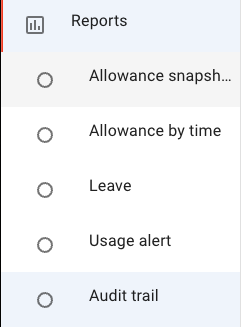
Available reports
TimeOff.Management includes several reports to help you review leave and absence data.
1. Allowance snapshot report
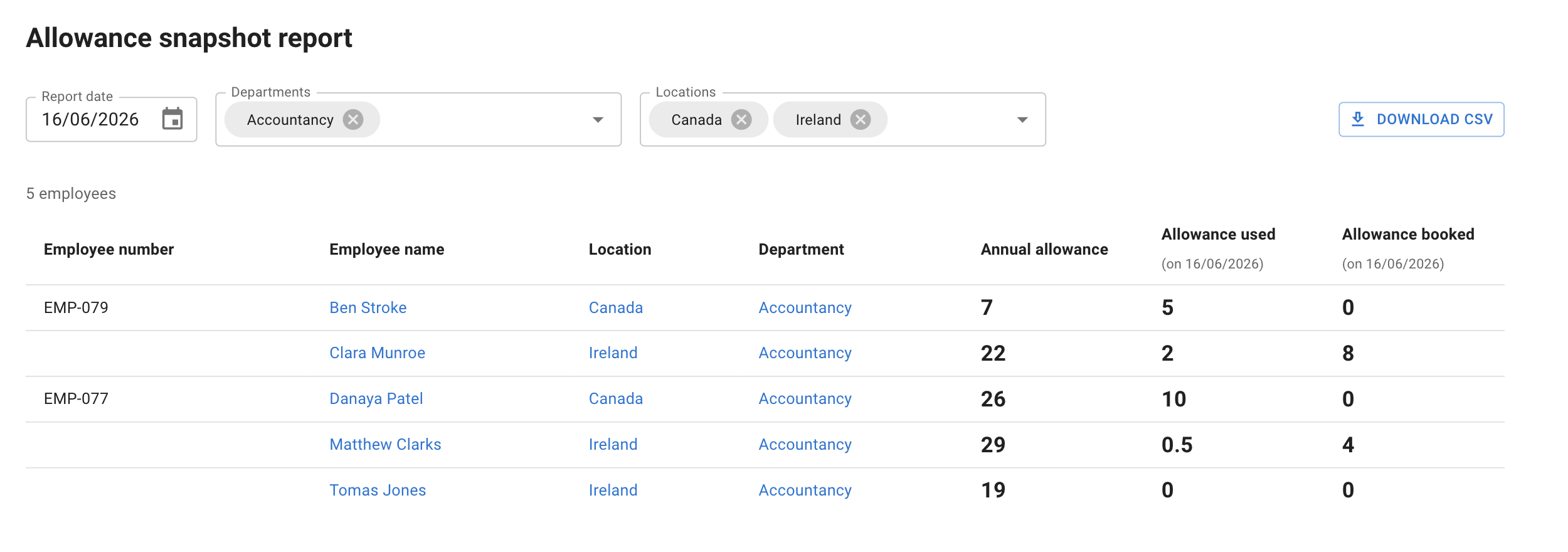
The Allowance snapshot report shows employee allowance information on the date the report is created.
Use this report to check:
- annual allowance
- days already used
- days already booked
- remaining allowance
- employee allowance position at a point in time
This is useful when checking leave balances, preparing for year end, or reviewing allowance across the company.
2. Allowance usage by time
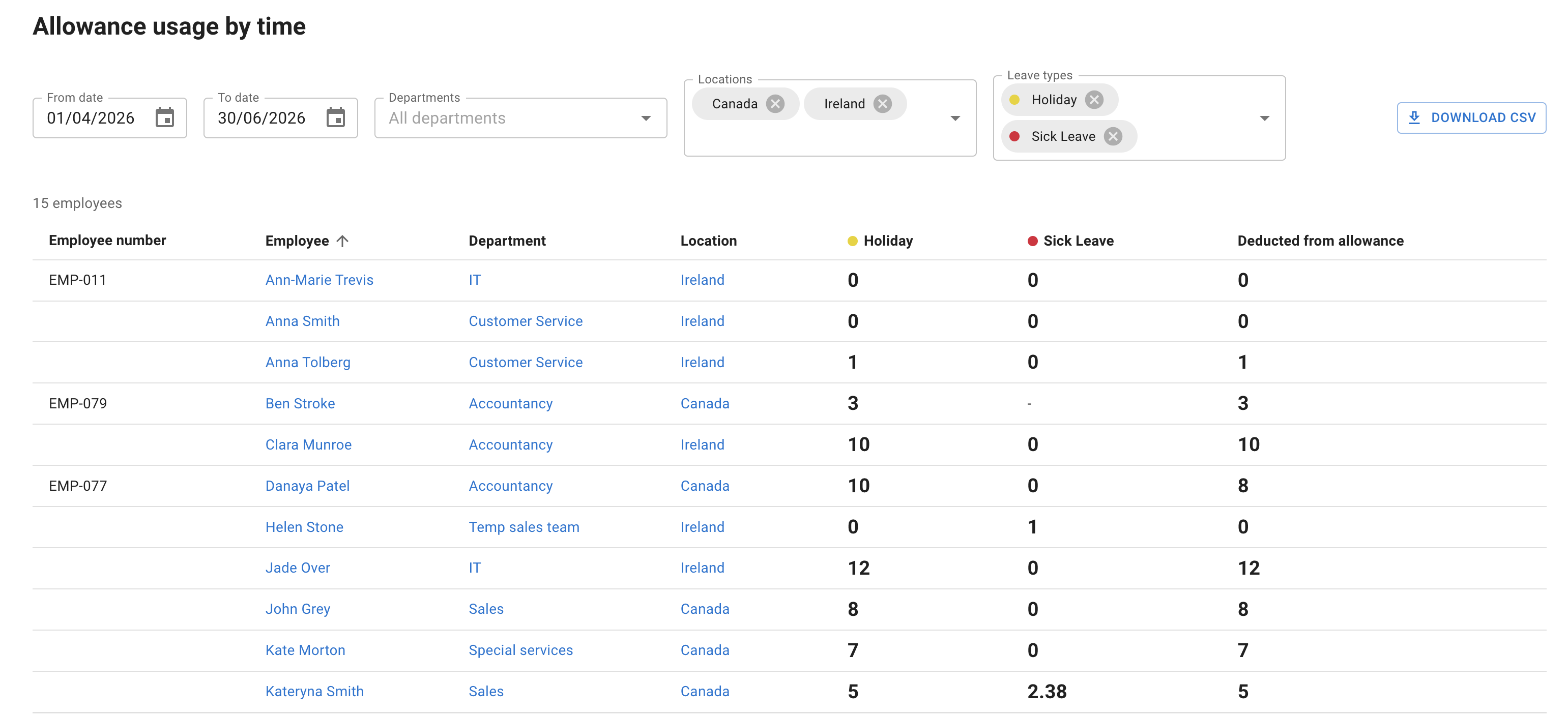
The Allowance usage by time report gives a detailed view of absence by employee.
It includes filters for:
- department
- location
- leave type
- selected time period
Use this report when you need to review how leave has been used across a team, department, location, or leave type.
This can help you spot patterns, check absence levels, and prepare for allowance reviews.
3. Leave report
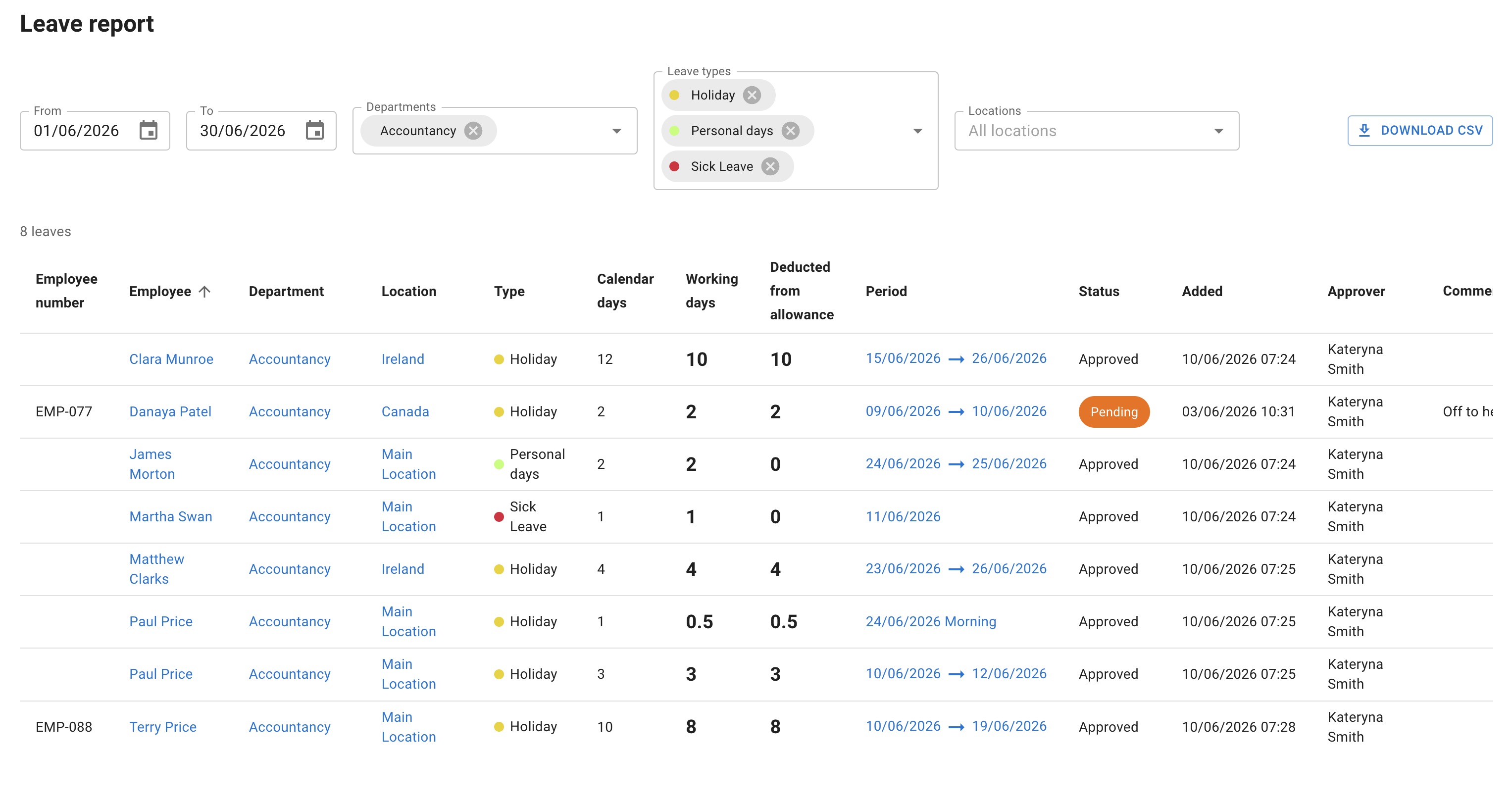
The Leave report gives a detailed list of employee leave requests.
It can include:
- leave dates
- request status
- leave type
- approvers
- employee comments
- manager or admin comments
Use this report when you need a clear record of leave requests and approvals.
It is useful for checking historical absence, reviewing pending or approved leave, and keeping a clear audit trail.
4. Audit trail
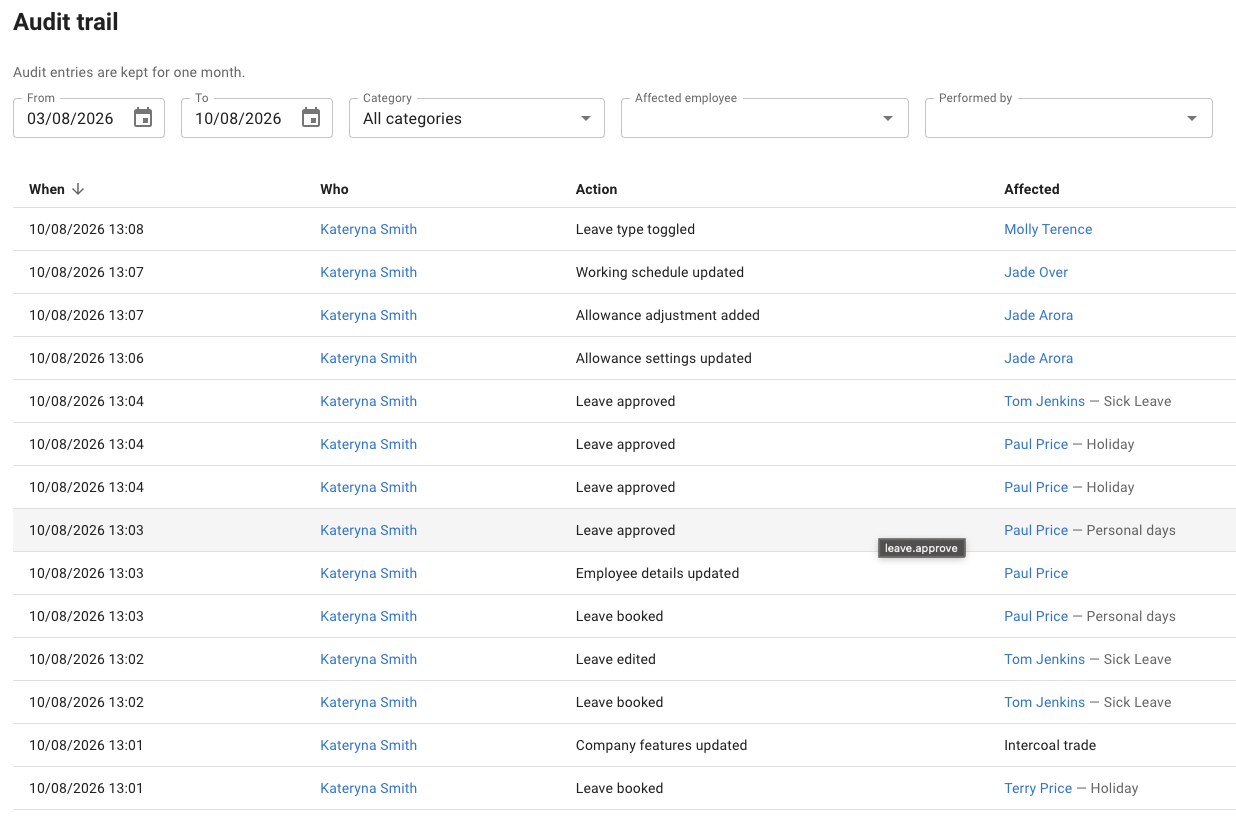
The Audit trail gives a chronological record of the changes made in your account: leave actions, changes to employee records, and changes to company configuration.
Each entry shows when it happened, who did it, what the action was, and who or what it affected — with a breakdown of exactly which values changed.
Unlike the other reports, the Audit trail is available to administrators only.
Read more: Audit trail
5. Leave usage alert
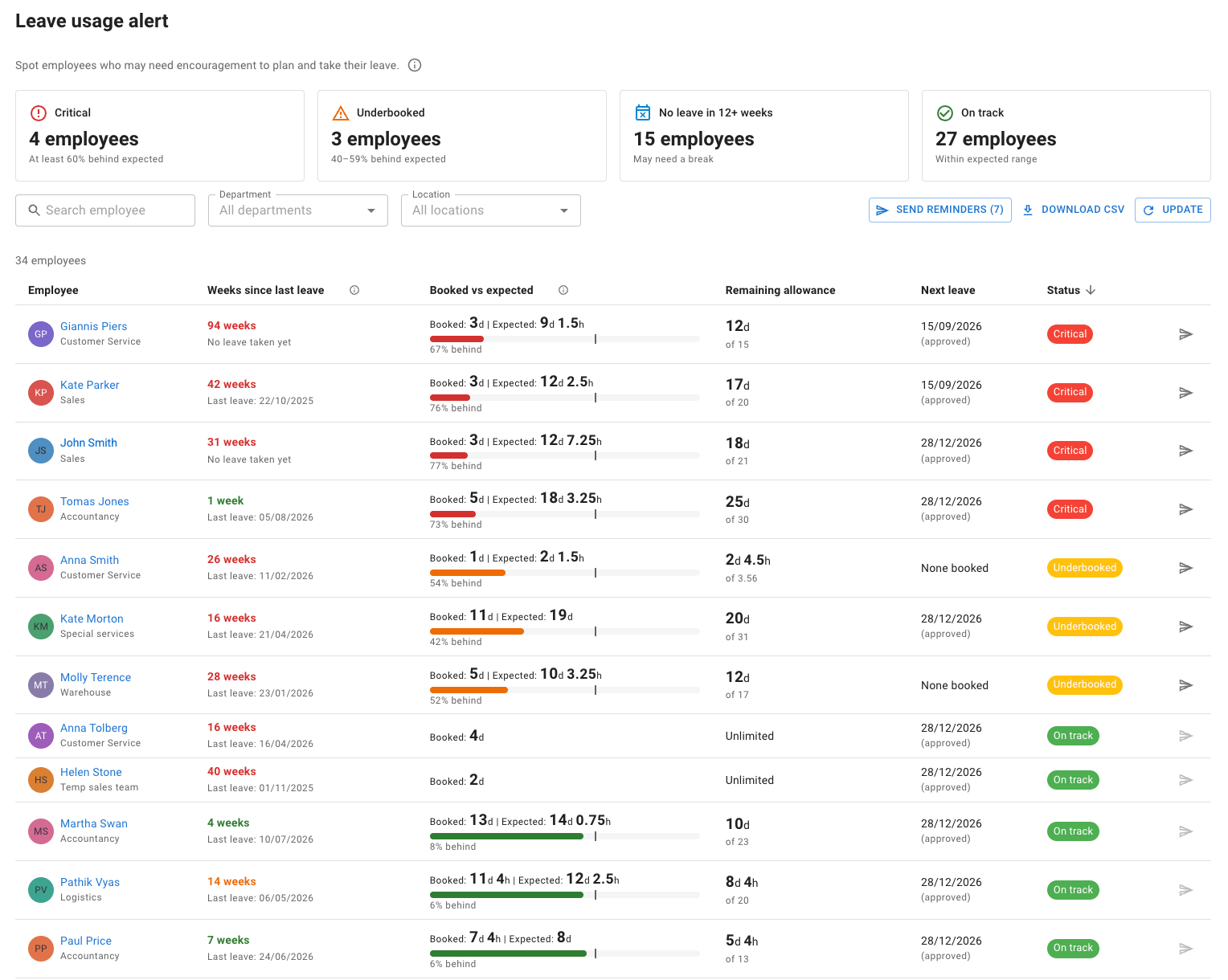
The Leave usage alert report spots employees who may need encouragement to plan and take their leave.
It ranks employees by how far their booked leave is behind expected, marks each one as On track, Underbooked or Critical, and separately flags anyone who has gone a long stretch without a break.
From a flagged row you can send that employee a reminder to plan their leave, or send to everyone currently shown in one go.
Read more: Leave usage alert
6. People on leave
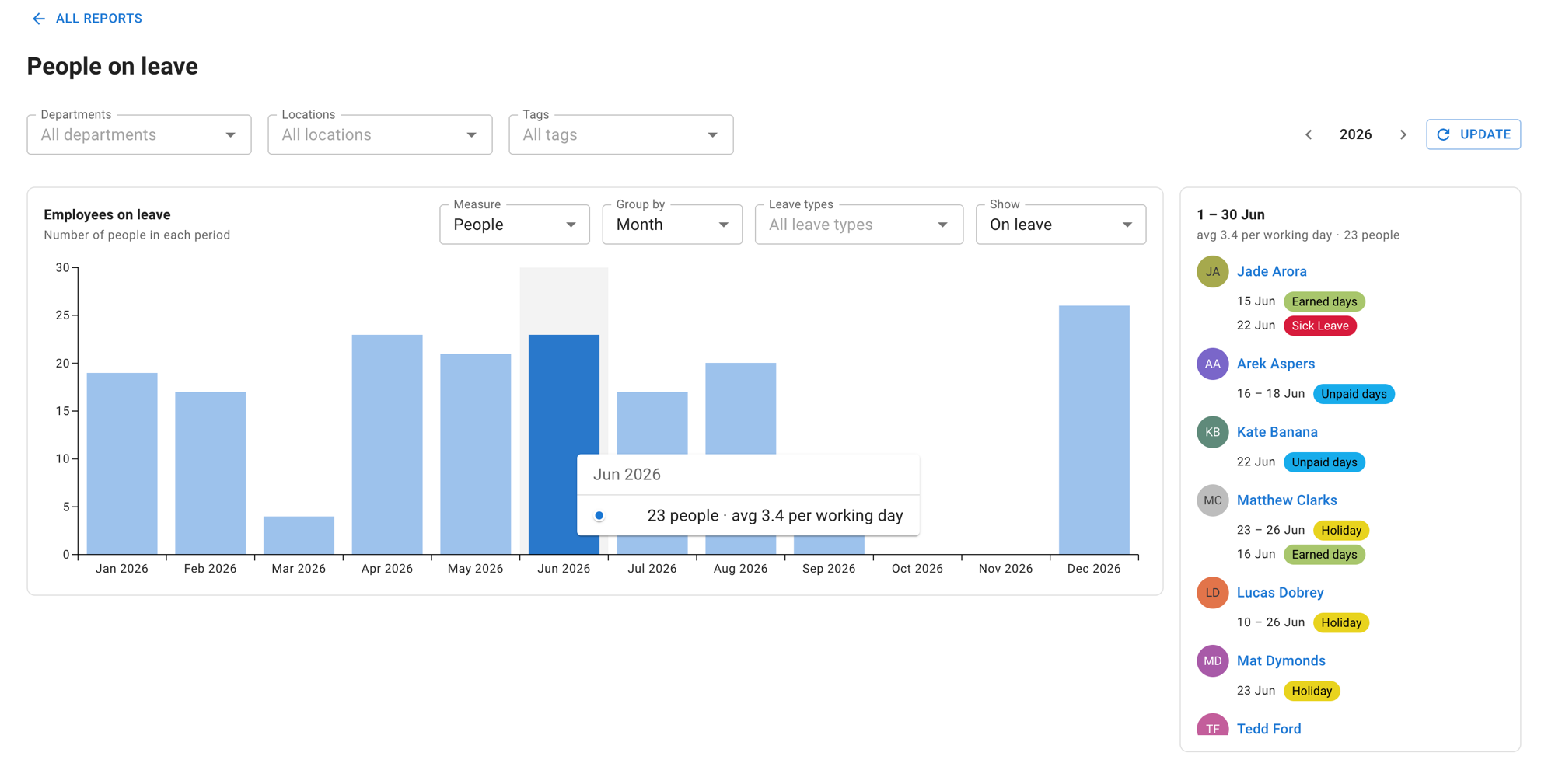
The People on leave report answers how much of the workforce is away, and when.
A chart runs across the leave year — grouped by day, week or month — and selecting any period fills a panel beside it with the people behind that figure, and any leave they have in it. Filters narrow it to a department, a location or particular leave types, and the reading can be turned round to show the people who are without a given kind of leave.
Use it to find the months where cover is thinnest, to compare one part of the company against another, or to answer “who is off that week?” without going back to the calendar.
Read more: People on leave report
Extra columns on a report
The reports that list employees in a table can carry extra columns, including any custom fields of type Text your company has defined on the employee record — a cost centre, a payroll reference, a badge number. Fields of type File hold documents and are never report columns.
Open the Columns control in the report toolbar, tick the columns you want under Extra columns, then select Update. Your choice is remembered, and the CSV export follows the columns on screen.
Read more: Custom fields on employee records
Use reports to review allowance and PTO
Reports help admins and managers understand how leave allowance is being used across the company.
Use reports when you need to check:
- how much leave employees have booked
- how much allowance employees have left
- which leave types are being used
- absence details by employee
- leave request dates and status
- approvers and comments
- absence patterns before the end of the company year
This is helpful when reviewing holiday allowance, PTO usage, carry over, unused allowance, or year-end leave planning.
For example, you can use reports to spot employees who have booked very little leave, check leave records before carrying unused allowance into the next year, or review absence history for a specific employee.
Reports do not replace allowance setup. They help you check and review the results of your allowance rules.
For a full overview of how allowance is set up, read: Setting up allowances
When to use reports
Use reports when you need a wider view of leave across your business.
For example:
- before approving a large batch of leave requests
- before carrying over unused allowance
- before the start of a new company year
- when checking employee leave balances
- when reviewing leave by department or location
- when checking how often a leave type is used
- when preparing internal HR records
Reports are especially useful for admins, HR teams, and managers who need to make leave decisions based on clear data.
Best practice
Check reports regularly, not only at year end.
This helps you spot leave patterns early, keep allowance records accurate, and avoid last-minute pressure when employees still have unused leave to book.