Individual limits for leave types
You can set individual limits on leave types (e.g., sick days or working from home) to tailor allowances per employee.
How this fits with allowance setup
Individual limits for leave types are different from the employee’s main allowance.
The main allowance is usually used for holiday, vacation, annual leave, or PTO. It can come from the employee’s department, an individual allowance, or an accrual schedule.
A leave type limit controls one specific leave type.
For example:
- one employee may have a custom sick leave limit
- one employee may be allowed more working from home days
- one employee may have a different unpaid leave limit
- one employee may need a temporary limit for a special agreement
Use this setting when the employee’s main allowance is correct, but one leave type needs a different limit.
For a full overview of allowance setup, read: Setting up allowances
A leave type limit is a cap on how much of that leave type one person may take. It is not a pool shared across the team, and setting it for one employee does not change it for anybody else.
Open Employee details → Leave types, select a leave type, then click the three dots to open edit options.

Two options are available:
- Edit limit override: manually adjust the limit for this employee
- Restore limit to global: revert to the global limit in Settings
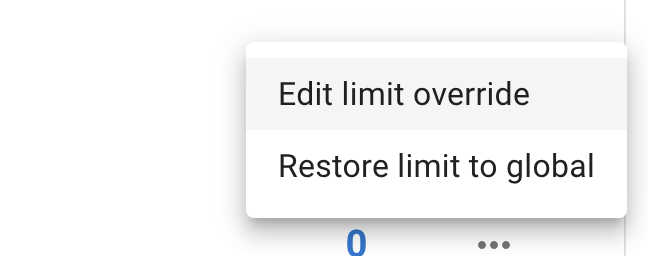
After selecting the preferred option, set the limit and save.
Reading the tab
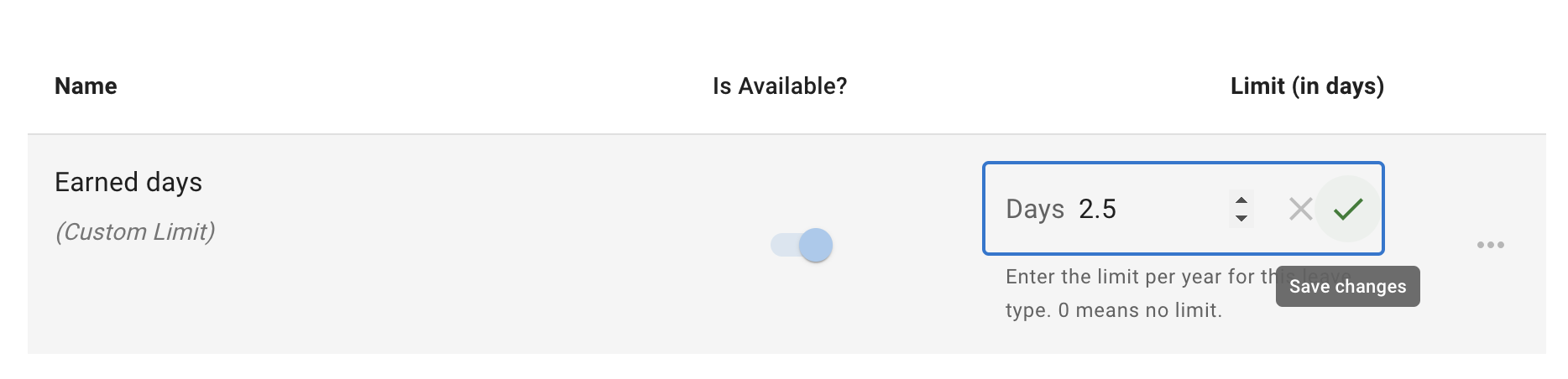
Until you set an override, each leave type on the tab is captioned (Limit derived from global settings) — that is, it is following the limit set on the leave type itself. Once you set one, the caption changes to (Custom Limit) and that person’s figure applies instead, so you can tell at a glance which leave types have been adjusted for them.
The same tab carries the Is Available? switch, so blocking a leave type for one person and giving them a different limit for it are done in the same place. See Block selected leave types.
Going over the limit
An individual limit changes what the cap is. Whether anybody may book past their cap is a separate, company-level decision, and it has to be enabled before it can be granted to an individual. See Exceed leave type limits.