
General settings
The General Settings section is divided into key areas for easy navigation.
- General company details
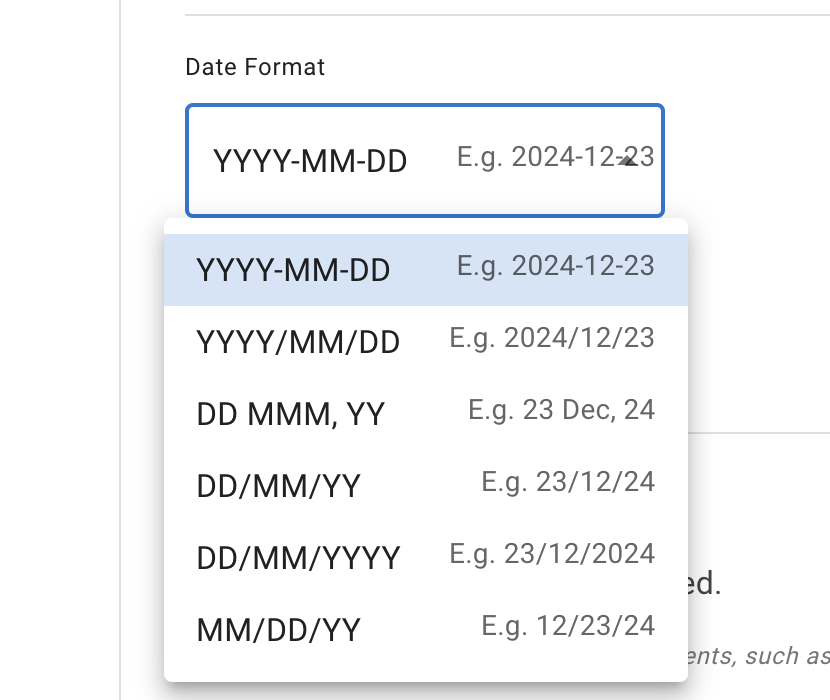
Add company name, country, and time zone. Choose a date format that suits your company; all leave data will use this format.
- Custom fields
Below the company details sits the Custom fields card. Define your own fields on the employee record — a cost centre, a payroll reference, a badge number — name them, and set the order they appear in. Once a field exists it can be filled in on each employee’s record and switched on as an extra column on the reports and in their CSV exports. A field of type File holds documents instead, on the employee’s Documents tab, and is never a report column: read Documents on employee records.
Read more: Custom fields on employee records
- Tags
Below the Custom fields card sits the Tags card. Define a tag for each of the groups your departments and locations do not cover — contractors, first-aiders, remote staff — give it a colour, and choose who can see it. A tag can then be applied to employees, and used to decide who a Leave Access policy covers.
Read more: Tagging employees
- Minimal leave increments allowed to be request can be set up in Settings → Employee policies → Leave increment.
How General Settings affect allowance and PTO
Some General Settings can affect how leave allowance and PTO are shown or calculated.
The most important settings to check are:
-
Company year This controls when annual allowance starts and resets.
-
Pro-rate allowance for mid-year joiners This controls whether an employee who joins part-way through the leave year has that year’s allowance pro-rated. Employees whose allowance comes from an accrued allowance schedule follow the schedule. Read more: Allowance for employees who join or leave during the year
-
Date format and time zone These help keep leave dates clear and consistent for your team.
-
Partial leave settings These control whether employees can book half days, part days, or leave shown in days and hours.
-
Nominal day length This helps calculate leave when your company shows absence in days and hours.
These settings should be checked before you set up department allowance, individual allowance, accrual schedules, or leave type limits.
For a full overview of how allowance works, read: Setting up allowances
- Leave Data Privacy settings
Customise who can see Team View. There are four options:
- Admins only: only admins can access Team View
- Admins and supervisors: admins see the whole company, supervisors see the employees they manage
- Department members (the default): employees also see colleagues in their own department
- Everyone sees everyone: the full company Team View is open to all employees
Below them sits Hide Leave Type Details on Team View. This is a separate decision: the options above control who sees Team View, and this one controls how much detail those people see. With it enabled, leave appears in grey — whoever your visibility option lets into Team View sees that someone is off, without seeing which leave type it is. Admins and supervisors still see the leave types. The two settings stack, so under Admins only an ordinary employee has no Team View to see anything on in the first place.
Read more: Team View privacy modes and Leave types

- Company Backup Data
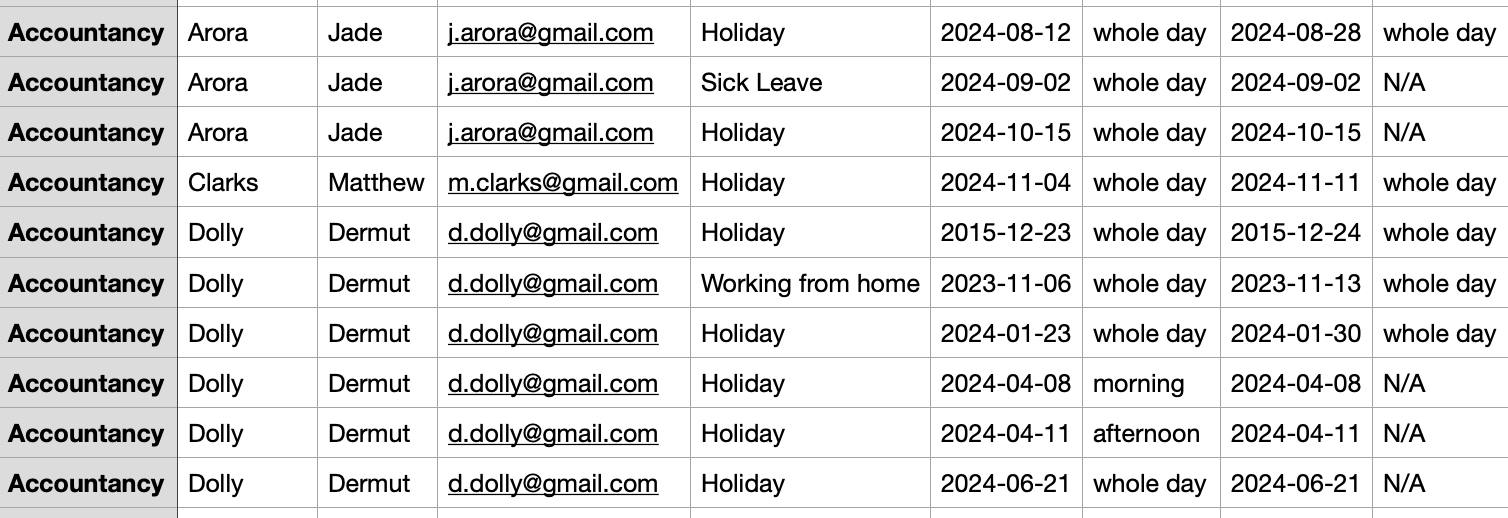
Periodically back up employee data, especially before deactivating or removing employees. The backup generates a CSV with all relevant information.
- Delete Company Account
Deleting the company account is irreversible. Back up employee data first; all data will be permanently removed to comply with GDPR. Deleted accounts cannot be reinstated.