
My Calendar
My Calendar is your personal leave screen in TimeOff.Management.
Use it to check your leave allowance, view booked leave, request time off, cancel or revoke requests, and see important company dates.
Depending on your company settings, your screen may show different options.
What you can do in My Calendar
From My Calendar, you can:
- view your leave allowance
- check your remaining balance
- see booked and approved leave
- see pending requests
- request new leave
- cancel pending requests
- revoke approved leave
- view bank holidays
- view company events
- see blackout dates
- export your leave to an external calendar
View your leave allowance
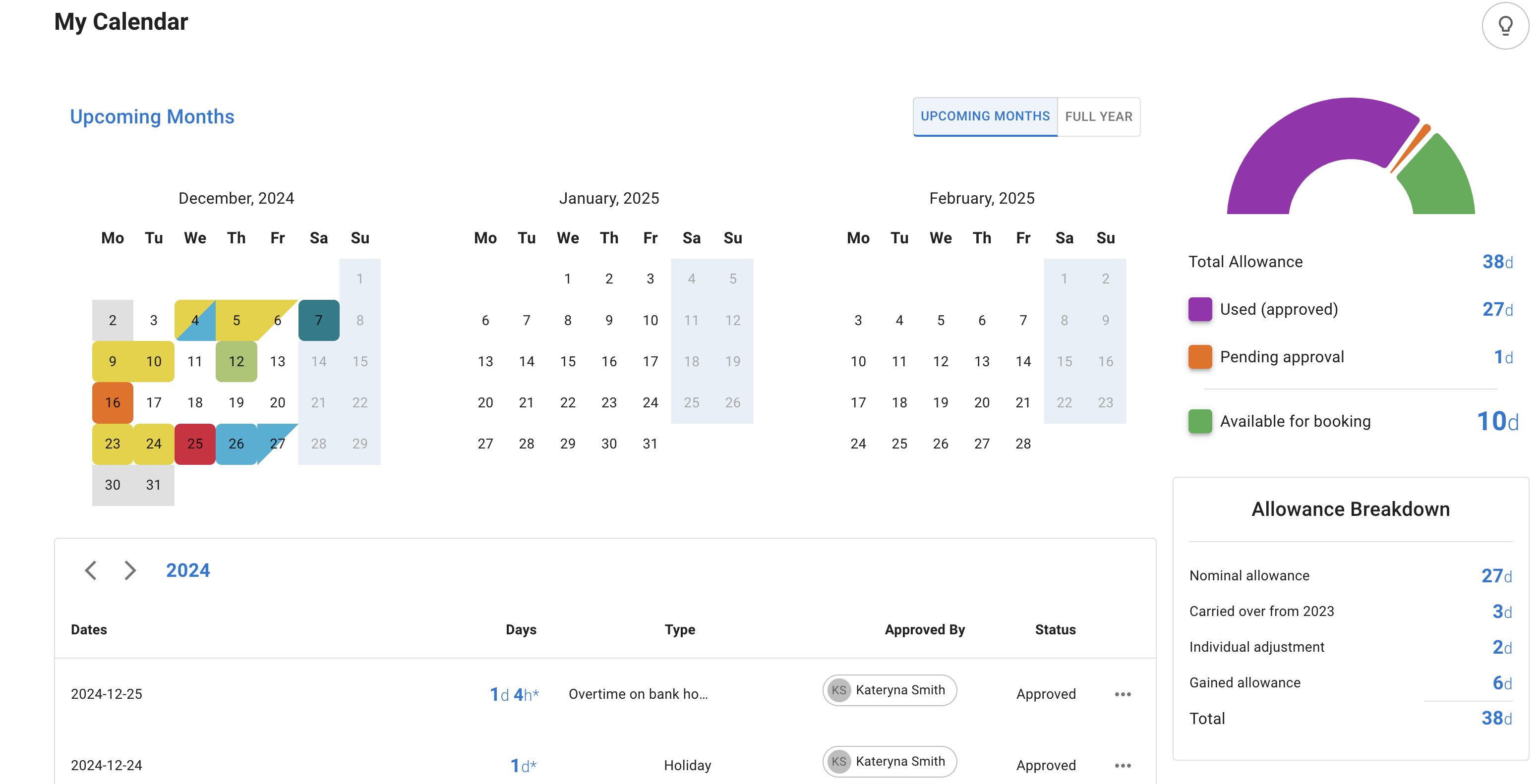
My Calendar shows your allowance and remaining balance.
This may include:
- your yearly allowance
- days already booked
- days already used
- days remaining
- carried-over days
- manual adjustments
- pro-rata calculations
- extra allowance earned through overtime or TOIL, if enabled
The exact allowance shown depends on your company setup.
For example, your allowance may come from your department, an individual allowance, an accrual schedule, or another company policy.
For a full overview of how allowance is set up, read: Setting up allowances
Understand your allowance breakdown
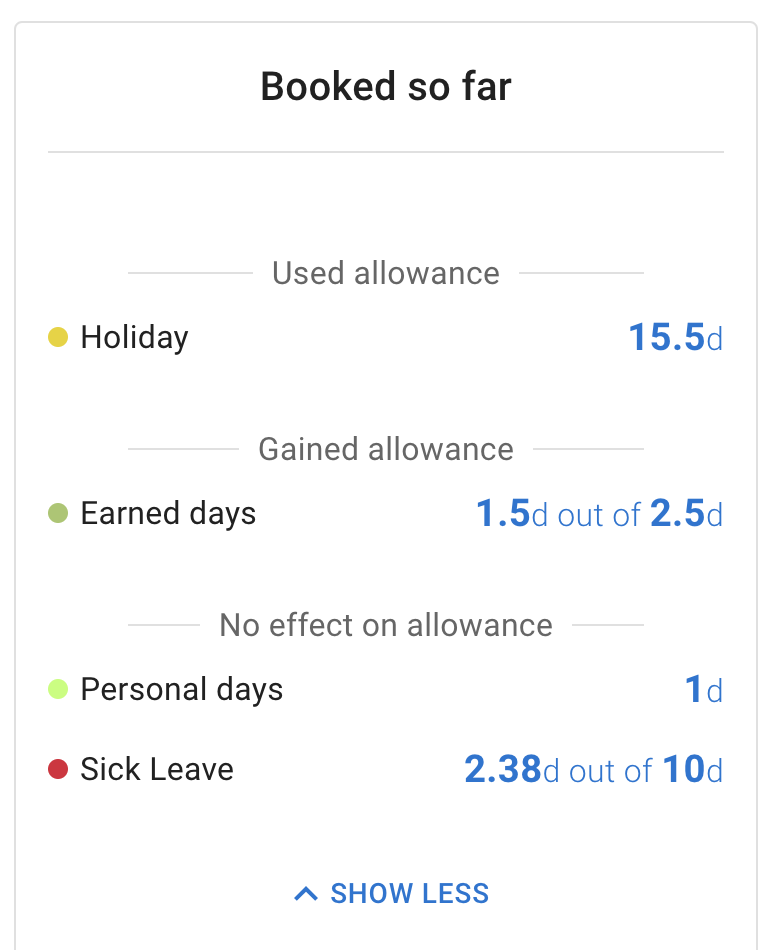
Your allowance breakdown helps you see how your leave balance is being used.
It may show how many days have been booked, how many days are still available, and how different leave types affect your balance.
Some leave types deduct from allowance.
Other leave types may add to allowance or have no effect.
For example:
- holiday may deduct from allowance
- overtime or TOIL may add to allowance
- working from home may have no effect on allowance
- sick leave may have its own leave type limit
Read more: Leave types
Request leave from My Calendar
You can request leave directly from My Calendar.
Use the New Absence button, or click the date you want to book.
Then choose:
- leave type
- start date
- end date
- full day, morning, afternoon, or hourly leave if enabled
- comment, if needed
After you submit the request, it will appear in My Calendar.
Depending on your company settings, it may remain pending until your manager or approver reviews it.
Read more: How to request leave
Check request status
Each leave request has a status.
Common statuses include:
- Pending — waiting for approval
- Approved — confirmed leave
- Declined — not approved
- Revocation requested — waiting for approval to remove previously approved leave
Pending leave is usually shown in orange.
Approved leave is shown using the colour set for that leave type.
This helps you quickly see what is confirmed and what is still waiting for approval.
Cancel or revoke leave
You can manage your own requests from My Calendar.
Use Cancel when a request is still pending.
Use Revoke when a request has already been approved.
Your manager may need to approve the revocation before the leave is removed.
Read more: Cancel or revoke leave requests
View company dates
My Calendar may also show company-wide dates.
These can include:
- bank holidays
- company events
- blackout dates
Bank holidays
Bank holidays are shown on the calendar if your company has added them.
Depending on your company settings, bank holidays may or may not affect your allowance.
Company events
Company events help your team see important dates.
They may include training days, company meetings, team events, or other dates your admin wants employees to see.
Company events do not usually block leave requests.
Blackout dates
Blackout dates are selected by your admin.
They are used when leave should not usually be booked, such as busy periods, stocktakes, launches, or key business dates.
If you need to book leave during a blackout period, speak to your manager or admin.
They may be able to help if there is an agreed exception.
Export My Calendar
You may be able to export your TimeOff calendar to an external calendar, such as Google Calendar or Outlook Calendar.
This uses a calendar feed.
Depending on your permissions, you may be able to export:
- My Calendar
- Team View
- a custom calendar feed
Keep your calendar feed link private.
Read more: TimeOff feeds into Google and Outlook Calendars
Why your allowance may look different from expected
Your allowance may depend on several settings.
These include:
- department allowance
- individual allowance
- accrual schedule
- start date
- work schedule
- carried-over allowance
- manual adjustments
- leave types
- pending requests
- approved leave
If your balance does not look right, ask your manager or TimeOff admin to check your employee profile.
For a full overview of allowance setup, read: Setting up allowances
Best practice
Check My Calendar before booking leave.
This helps you see your remaining allowance, check pending requests, and avoid booking leave during blackout dates or busy company periods.